How To Start
There are 6 game modes available at the start of the game. In addition to Configuration and Sound Mode, the Prologue and Opening Movie may be played.
Six Different Game Modes
Select a game mode after the Title Screen is displayed. Use the directional button UP/DOWN to select the game mode, and press the button to execute. Press the button to return to the Title Screen.
New Game
Start a new game in this game mode. Press the directional button LEFT/RIGHT to select the difficulty level, and press the button to start the game. The differences between the difficulty levels are described below. Select the difficulty level you want.
Note: You cannot experience the best ending in Easy mode.
Difficulty Setting
•
Easy: Varies by Character
Continue
This mode allows you to resume gameplay from previously saved data on a MEMORY CARD. Press the directional button LEFT/RIGHT to select the MEMORY CARD slot, and press the button to execute. Press the directional button UP/DOWN to select the data after the list of previously saved data is displayed on the screen, and press the button to resume gameplay.
Configuration
This mode allows you to adjust settings such as message speed and Controller configuration. Press the directional button UP/DOWN to select the setting to be adjusted, and press the directional button LEFT/RIGHT or use the L1/R1 buttons to adjust the setting. Choose the "Original" option on top of the screen to return to the settings prior to the changes, or use the "Default" option to adjust to the default settings.
•
Text Speed: Sets the speed of message display (Slow/Normal/Fast/Page).
•
Button use: Sets the function of each button. Select the function to change by pressing the directional button UP/DOWN, and press the button you want to assign to that function. If a button already assigned to another function is selected, these button functions will switch. Press LEFT on the directional button to enable to select another function after assignment has been changed.
•
Dash Control: Sets the function of directional button on the 2D Map (Normal-Dash, Double Press-Walk/Normal-Walk, Double Press).
•
Face Display: Turns ON/OFF the enlarged illustration of a speaker's face.
•
Vibration: Turns ON/OFF the Vibration Function of the DUALSHOCK analog controller.
•
Window bright: Adjust the color of background windows on Message and Camp Menu.
Sound Mode
This mode allows you to listen to sound recordings in the game that you have unlocked. Press the directional button UP/DOWN to move the cursor to "BGM", and press the directional button LEFT/RIGHT or L1/R1 buttons to select the recording. After the recording is selected, press the button to start playing. Press the button to pause/resume, or press the START button to stop. Press the directional button LEFT/RIGHT to adjust settings shown to the right of each settings category.
Sound Mode Options
•
Description: Select the appropriate sound output mode (Monaural)
•
Description: Select the order in which the recordings are played (Single: Play only the selected recording/Continue: Play through each recording continuously/Shuffle: Play randomly selected recording).
•
Description: Adjust the volume (32-127) of BGM playback.
•
Description: Adjust the volume (32-127) of sound effect playback.
•
Description: Adjust the volume (23-127) of character voice playback.
•
Description: Set how many times the recordings will be repeated (1-∞/Until a beginning only).
•
Option: Spectrum Analyzer
•
Description: Select the pattern of graphic equalizer display (4 types).
Prologue
This mode plays the game's prologue. Press the or button to return to the Title Screen.
Opening Movie
This mode plays the animated opening movie. Press the or button to return to the Title Screen.
How To Play
Information on the game environment, game flow, and basic controls in different modes are explained here.
An RPG with Elements of Action and Strategy
You will experience a variety of battles and events in two different worlds while controlling the main character, Valkyrie. You'll see not only the RPG element of recruiting and developing characters, but also action and strategy elements.
The Adventure takes place in Asgard and Midgard
Valkyrie descends upon the world of human beings, Midgard, to fulfill a mission ordered by
 (Disc 1).png)

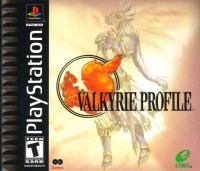
![Valkyrie Profile [Ultimate Hits] box art for Playstation](https://media.retro.gold/moby_img/Sony_-_PlayStation/Named_Boxarts/Valkyrie Profile_Front_Cover.jpg)
![Valkyrie Profile [Ultimate Hits] screenshot 3 for Playstation](https://media.retro.gold/moby_img/Sony_-_PlayStation/Named_Snaps/Valkyrie Profile [Ultimate Hits]_screenshot_0.jpg)
![Valkyrie Profile [Ultimate Hits] screenshot 4 for Playstation](https://media.retro.gold/moby_img/Sony_-_PlayStation/Named_Snaps/Valkyrie Profile_0.jpg)
![Valkyrie Profile [Ultimate Hits] title screen for Playstation](https://media.retro.gold/Sony_-_PlayStation/Named_Titles/Valkyrie Profile (Disc 2 of 2) [NTSC-U] [SLUS-01179].png)
![Valkyrie Profile [Ultimate Hits] title screen for Playstation](https://media.retro.gold/Sony_-_PlayStation/Named_Titles/Valkyrie Profile (Disc 1 of 2) [NTSC-U] [SLUS-01156].png)

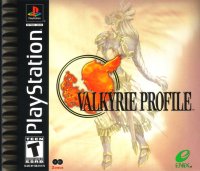
.png)



.png)
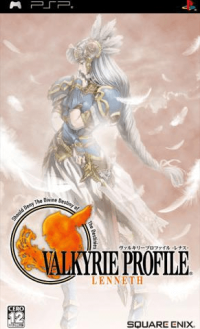


 (Disc 1).png)
.png)
.png)
 (Disc 2).png)