Starting the Game
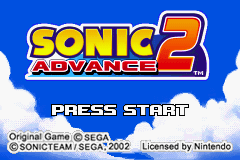
Insert the "Sonic Advance™ 2" Game Pak into the Game Boy® Advance system and turn the POWER ON. After the introduction, the Title Screen will appear. Press START on the Title Screen to enter the Mode Select Screen. Press the Control Pad ▲ ▼ and press the A Button to select SINGLE PLAYER or MULTIPLAYER. •
SINGLE PLAYER: Takes you to the Title Screen Menu for Single Player Games.
•
MULTIPLAYER: Takes you to the VS Mode Selection Screen.
Single Player Modes
The first time you play, the game will automatically start with Sonic in Zone 1, Act 1. As you progress through the game, you can select the character and Act to begin at the start of each game. •
Select a Character: Press the Control Pad ◄ ► and press the A Button to choose from any available characters. This screen is hidden if no characters have been rescued.
•
Select a Zone: Press the Control Pad ◄ ► and press the A Button to start in any cleared Zone or Act. This screen is hidden if no acts or zones have been cleared.
Zone Progression
Each Zone contains two Acts. Act 1 is cleared by reaching the goal. Act 2 is cleared by destroying Dr. Eggman's boss robot. After clearing the 7th Zone, you enter the Final Zone, which has only one Act. Clear the Final Zone to see the Ending.
Springs and Launchers
Each Zone has a different selection of springs and launchers for propelling characters into the air. Some require you to run towards them, some you can simply step on, while others let you build up height by bouncing repeatedly. Experiment to work out the best way to use each kind.
Special Stages
In each Zone, collect seven Special Rings to enter a Special Stage where you can obtain a Chaos Emerald. The Special Stage is set in a 3D environment. Use the Control Pad and A Button to collect the specified amount of Rings in the time provided.
•
Watch out for Dr. Eggman's Guard Robot; you will lose 10 Rings if it touches you.
•
Receive extra bonus Rings by collecting a series in quick succession.
Time Attack
Clear the selected Zone in the shortest time possible. The fastest three time records for each character and Zone are recorded.
•
Select Zone or Boss: Choose whether you will challenge a Zone or Zone Boss. Note: This bonus feature is not available until unlocked. See p.28.
•
Select Character: Choose the character you wish to control. Only characters available in the regular game mode can be selected.
•
Select Zone/Boss: Choose the Zone or Boss you wish to challenge. Only Zones previously cleared in the regular game mode can be selected.
Options Menu
Change various game settings using the Control Pad and the A Button.
•
Player Data: Enter a new player name using up to 6 characters.
•
Time Record: See the top Time Attack scores for each player and Zone.
•
VS Record: See the top MULTIPLAYER scores.
•
Level: Select between NORMAL and EASY.
•
Time Up: Select whether or not to lose a life when time runs out.
•
Language: Set the display language.
•
Button Config: Select the functions for each Button.
•
Sound Test: Select a sound and press the A Button to play. (Bonus feature not available until unlocked. See p.28.)
•
Delete Game Data: Deletes all game data. This will not delete data for Tiny Chao Garden.
•
Cancel: Return to the Options Screen.
•
End: Return to the Title Screen Menu.
Multiplayer VS Mode Connection
To play Multiplayer VS Mode, connect up to four Game Boy Advance systems with 1-4 "Sonic Advance 2" Game Paks using one or more Game Boy Advance Game Link Cables. When selecting Multi Game Pak Mode, use 2-4 Game Paks. When selecting Single Game Pak Mode, 1-4 Game Paks can be used. Necessary Items
•
Game Boy Advance systems: 2-4
•
Game Boy Advance Game Link Cables: 1-3
Connection Method
1. First make sure that the POWER on all Game Boy Advance systems is switched OFF, then insert the Game Paks into all systems for Multi-Game Pak Mode, or Player 1's system for Single Game Pak Mode.
2. Connect the Game Boy Advance Game Link Cables to the external connection sockets on each system.
3. Turn all systems ON.
4. Refer to p.24/26 for further information.
•
When playing with 2-3 players, do not attach systems which are not used in play.
•
The smaller plug must be inserted into Player 1's system.
Multiplayer Setup Steps
1. Refer to p.23 for directions on connecting all systems. After all systems are connected and switched ON, choose MULTIPLAYER from the Main Menu, then select the appropriate Game Pak Mode.
2. Once all players are ready, a Chao will appear on each player


_2.png)
 (En,Ja,Fr,De,Es,It).png)
 (En,Ja,Fr,De,Es,It).png)


_1.png)

_1.png)