STARTING UP
1. Set up your Genesis 32X as described in its instruction manual.
2. Plug in Control Pad 1. For two-player games, plug in Control Pad 2.
3. Make sure the power switch is OFF.
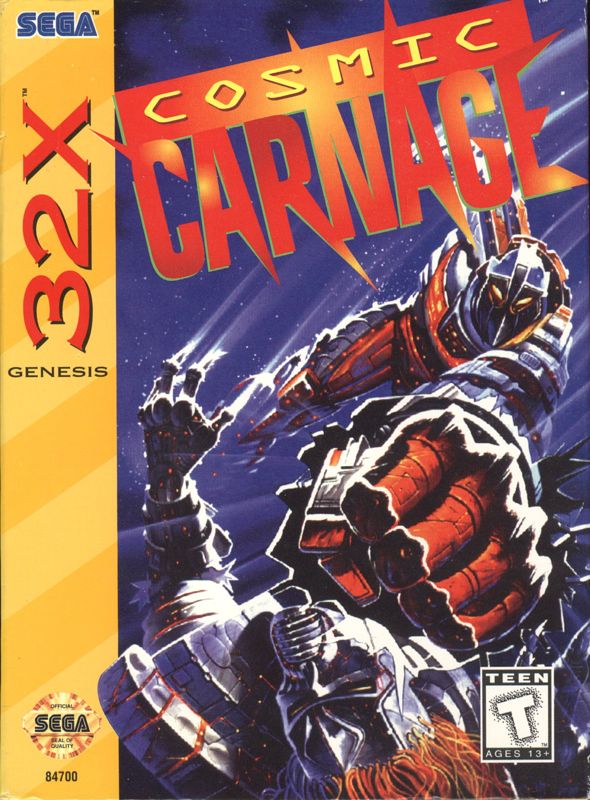
4. Insert the Cosmic Carnage™ cartridge into the console.
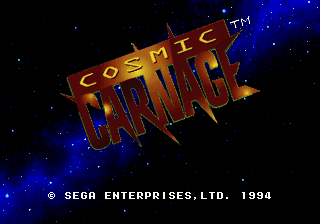
5. Turn the power switch ON. The Sega screen appears, then the Title screen appears. 6. If the Sega screen doesn't appear, turn the power switch OFF. Make sure your system is set up correctly and the cartridge is firmly inserted in the console. Then turn the power switch ON again. 7. Press the Start button when the Title screen appears.
Important
Always make sure the power switch is OFF before inserting or removing the cartridge.
Cosmic Carnage™ is for one or two players.
3-Button Control Pad Users
The default functions of Buttons A, B and C are Fierce Punch, Fierce Kick and Provoke 2.
The type of attack produced depends on the speed at which the button is pressed.
•
Press and release Button A, B or C quickly for a normal attack.
•
Press at normal speed for a fierce attack.
GETTING STARTED
Following the Sega™ logo is a brief game introduction, then the Title screen appears. Press Start at any time to bring up the Game Menu. •
ONE PLAYER pits your warrior against computer-controlled opponents in a series of matches.
•
TWO PLAYERS lets you challenge a friend to a duel.
•
OPTIONS allows you to configure aspects of the game.
Press the D-Pad up or down to select the desired feature, and press Start.
VIEW YOUR OPTIONS
Select OPTIONS and press Start to bring up the Option menu. Highlight an option by pressing the D-Pad up or down, and change features within a highlighted option by pressing left or right.
To exit the Options screen, press Start, or select EXIT and press any button.
OPTIONS
•
CONTROLLER CONFIGURATION
Difficulty
How tough do you want your opponents in the One Player game? Level 1 is the easiest and Level 5 is the hardest.
Time Up
This sets a time limit on your battle. Turn this feature off for an unlimited time match.
Music Test and Sound Effect Test
Use these features to play the background music and sound effects used in the game. Press the D-Pad left or right to select the number of the track you wish to play, and press Button A, B, C, X, Y or Z to play the music or sound effect.
CONTROLLER CONFIGURATION
Controller Configuration
Customize the functions of the buttons on your Control Pad. Select this feature and press Button A, B, C, X, Y or Z.
When the Configuration screen appears, press the D-Pad up or down to highlight the desired function, then press the button you would like to use for that function. To return to the Options screen, press Start, or select EXIT and press any button.
LET THE CARNAGE COMMENCE!
SELECT YOUR FIGHTER
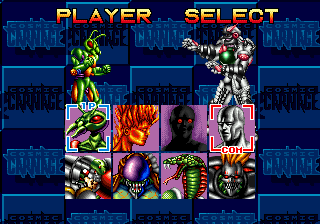
When you select a game and press Start, the Player Select screen appears. Use the D-Pad to highlight the desired fighter, and press Start.
In a One Player game, the computer randomly chooses an opponent once you've chosen a fighter. In a Two Player game, both players must select a fighter and press Start to proceed to the next screen.
SELECT YOUR ARMOR
The Parts Select screen appears next. If you chose one of the soldiers (Tyr, Naruto, Cylic or Zena-Lan), you select the armor you want your fighter to wear.
Press the D-Pad up or down to select the armor category and press left or right to choose within that category. The special attacks you can use depend on the armor your fighter is wearing.
Press the Punch, Kick and Provoke buttons to see how your fighter moves with the armor you've chosen. If you've chosen one of the fugitives from the prison barge, the screen shows that no armor is available.
In a One Player game, the computer automatically selects armor (if available) for your opponent. Press Start to begin your match.
GAME OVER
ONE PLAYER GAME
When you win a match, the Player Select screen returns and the computer selects a new challenger to pit against your champion. The game ends when you either lose a match or defeat all your challengers.
If you lose a match, the Continue screen appears next. To continue at the same level of battle with the same fighter, press Start before the countdown reaches 0.
TWO PLAYER GAME
The game ends when either player loses a match. The Player Select screen appears next. The winner retains his or her champion while the loser has the option of selecting a new challenger.
THE MOVES
Here are the eight basic D-Pad positions used in the game. These positions are for a character facing RIGHT. Reflect the positions for a character facing left.
Punches and Kicks
The D-Pad directs the types of punches and kicks thrown when you press the Punch and Kick buttons. Experiment to see which works best with each fighter.
Jump
Press the D-

.png)