Getting Started
Installation
1. Set up your PlayStation® game console according to the instructions in its instruction manual. 2. Make sure the power is off before inserting or removing a compact disc.
3. Insert the ATV Mania disc and close the disc cover.
4. Insert game controllers and turn on the PlayStation® game console. Follow on-screen instructions to start a game. Console Top View
Console Front View
Main Menu
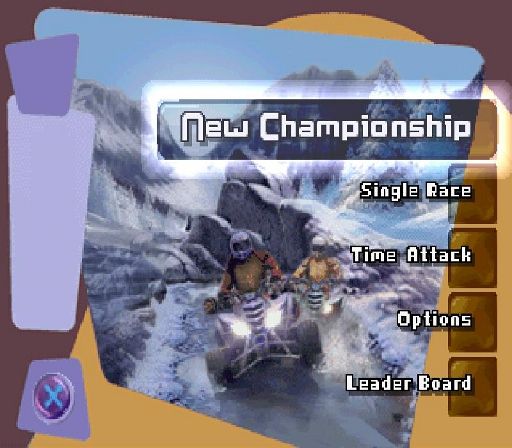
The Main Menu is where you can choose game modes and access the Options screen.
•
NEW CHAMPIONSHIP: Choose to compete in the week's activities and take the title.
•
SINGLE RACE: Choose the track you wish to compete on, plus the competitor you wish to race as.
•
TIME ATTACK: Select track and competitor before attempting to set the fastest lap record.
•
OPTIONS: Configure the options to suit your preferences.
•
LEADER BOARD: View the current top lap records for all the tracks.
Options
The options menu is split into Display and Audio options, and Game options.
•
DISPLAY AND AUDIO OPTIONS: Here you can adjust your screen to suit your TV if needed. Switch between horizontal and vertical split-screen mode, change speedometer readout, and adjust music and SFX volume.
•
GAME OPTIONS: Controller configuration can be selected and customized, difficulty level altered, weapons and interview screens set on or off.
Saving and Loading
It is advised that you do not insert or remove the MEMORY CARD once the power is turned on. If you wish to save your game, make sure there is at least one free block on your MEMORY CARD before commencing.
ATV Mania only supports MEMORY CARDS inserted into MEMORY CARD slot 1.
ATV Mania uses Auto Save throughout the game and therefore does not require manual acceptance of loading or saving.
Event Types
Championship
Race your way through an entire championship consisting of six races. This is where you take on some of the most aggressive ATV riders in the world using weapons as well as racing skills to beat them to the finish line.
After racing, you may have to face an onslaught of questions from one of four characters, ranging from a reporter to a police officer, intent on locating and closing the event. Your answers here could see you land in jail, lose money, and even points from your score. Alternatively, if you do well you might receive a cash bonus. The rider with the highest number of points after all races have been completed is declared the winner.
1. From within the main menu, highlight and select NEW CHAMPIONSHIP, then press the button.
2. Now select the NUMBER OF HUMAN PLAYERS, then press the button.
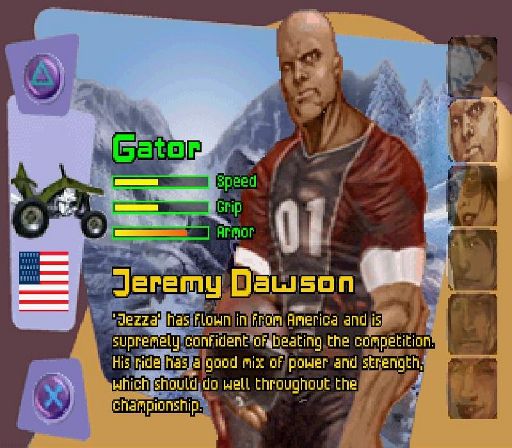
3. Select competitor (complete with ATV), then press the button.
4. Enter your name by deleting characters with the Left directional button, cycling through characters with the Up or Down directional buttons and accepting character entry with the Right directional button. To finish press the button.
5. You will now receive your entry letter. Proceed by pressing the button.
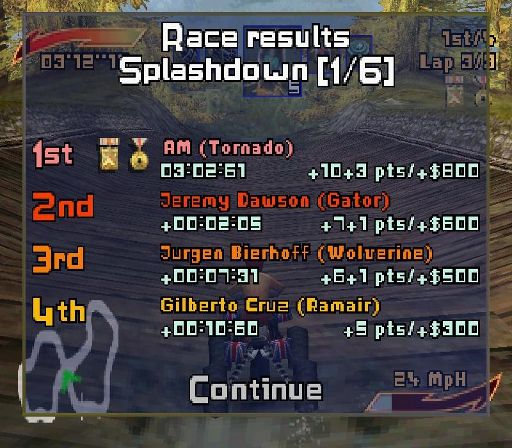
After each race in championship you will return to your race garage where you can purchase new weapons before starting the round. The game is automatically saved after each event, so you don't need to worry about doing it manually. Selecting CONTINUE takes you onto the next race.
Single Race
1. Choose SINGLE RACE from the main menu, then press the button.
2. Now select the NUMBER OF HUMAN PLAYERS, then press the button.
3. Select competitor (complete with ATV), then press the button.
4. Using the directional buttons select desired track, then press the button.
Time Attack
This is a race against the clock on the track of your choice. The aim of this game mode is to record the fastest lap possible and register on the leader board. You may choose from any of the riders/ATVs and there is no set time limit.
A ghost version of your best lap will appear once you have completed one lap. Keeping ahead of your ghost means you will set a new record with the fastest lap in that session.
1. Choose TIME ATTACK from the main menu, then press the button.
2. Select competitor (rider with ATV), then press the button.
3. Using the directional buttons select desired track, then press the button.
Multiplayer
To start a two-player game, make sure you have a Controller inserted into both Controller port 1 and Controller port 2. From the main menu, select either New Championship, or Single Race, and choose the 2 players option.
Pause Menu
When the game is paused you will be given the following options:
•
RESUME RACE: Resume the current event.
•
RESTART: Restart the current event (Only in Single Race).
•
QUIT RACE: Leave the game and return to the main menu.
.png)

.png)
.png)
.png)
