Introduction
Welcome to Superbike 2000 from EA SPORTS. This game offers the thrills and spills of the SBK Superbike World Championship. Put on your leathers, pick your dream bike, and get ready to race against the World's greatest riders. Race as or against Superbike legends such as Carl Fogarty and Colin Edwards. Compete on official International Superbike World Championship circuits, including Monza, Laguna Seca, and Brands Hatch.
Setting Up the Game
Default options appear in bold throughout this manual.
Quick Start
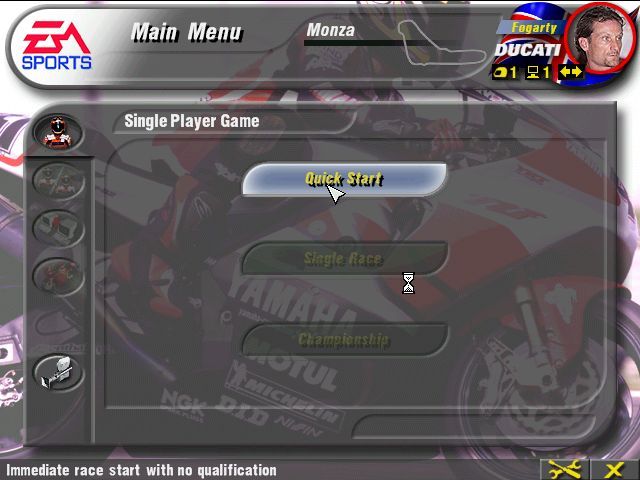
To begin a Quick Start game:
•
At the Main Menu, press the button to select SINGLE RACE.
•
At the Single Race screen, press the button to select Quick Race.
•
The game begins with all of the default settings active.
Main Menu
•
SELECT TO VIEW DETAILED LAP AND RACE RECORDS FOR EACH CIRCUIT
•
SELECT TO SET UP A TWO PLAYER GAME AND TAKE ON A FRIEND IN SPLIT SCREEN MODE
•
SELECT TO BEGIN A SINGLE RACE
•
SELECT TO BEGIN A CHAMPIONSHIP
•
SELECT TO ENTER PRACTICE MODE: Get to know the tracks riding solo and with no time limits.
•
SELECT TO ACCESS THE OPTIONS SCREENS
Options
From the Options screen, you can view the game's credits and adjust Hardware or Game Options to suit your preferences.
Game Options
Laps
Set the number of Laps for the next race to 2, 3, 5, or 10.
Difficulty
Set the Difficulty Level for the next race to EASY, MEDIUM, or HARD.
Weather
Set the Weather conditions for the next race to SUNNY, OVERCAST, WET, or AUTO. When set to AUTO, weather conditions are selected randomly for each race.
Damage
Toggle ON/OFF. When ON, your bike sustains damage each time you crash.
Tire Wear
Toggle Tire Wear ON/OFF for the next race. When ON, your tires sustain damage from wear and tear around the track.
•
SOFT TIRES WEAR OUT QUICKER THAN HARD TIRES, BUT PROVIDE IMPROVED GRIP AND ROLLING RESISTANCE.
Hardware Options
Display
Select this option to adjust the position of the screen on your television.
•
D-Button to move the screen and press the button when you are happy with the position.
Sound
•
BALANCE: Use the slider to adjust the balance between in-game music and in-game sound effects. D-Button to increase music volume or D-Button to increase the volume of sound effects.
•
COMMENTARY: Adjust the volume of the in-game commentary.
Controls
•
CONTROL PRESET: Select this option to change your Controller Configuration to one of three available presets.
To Change Controller Configuration:
1. D-Button to cycle through the available preset configurations. The button assignment for each is displayed on-screen.
2. When you're happy with the configuration displayed on-screen, press the button to select.
•
Vibration P1: Toggle the vibration function of the DUALSHOCK™ Analog Controller for Player 1 ON/OFF.
•
Vibration P2: Toggle the vibration function of the DUALSHOCK Analog Controller for Player 2 ON/OFF.
Memory Card
•
AUTOLOAD: Use the slider to toggle Autoload ON/OFF. When ON, your game progress and the current Game and Hardware settings are automatically loaded each time you start Superbike 2000 (assuming a Memory Card with a save file is detected in Memory Card Slot 1).
•
LOAD OPTIONS: Select this option to load a previously saved game. Highlight a Memory Card Slot from which to load your game and press the button to select.
•
SAVE OPTIONS: Select this option to save your game in progress. Highlight the Memory Card Slot that you want to save your game to and press the button to select.
Credits
Select to view the game's credits.
Game Modes
Take a couple laps against the clock or test your endurance in a Full Championship season.
Single Race
One or two players participate in a Single Race on any one of the 13 official Superbike World Championship tracks.
Single Race Menu
•
BIKE SETUP: Fine tune your bike for optimum performance.
•
BIKE & RIDER: Choose your bike and rider for the next race.
•
QUICK RACE: Begin a quick race.
•
RACE WEEKEND: Participate in a full race weekend.
•
OPTIONS: Access game and hardware options or view the game's credits.
Bike & Rider Select
•
TRACK: Choose one of 13 official Superbike World Championship circuits for your next race.
•
NUMBER OF LAPS FOR NEXT RACE
•
WEATHER CONDITIONS FOR NEXT RACE
Select BIKE & RIDER from the Single Race Menu to pick a rider and a machine for your next race.
1. D-Button to cycle through the available bikes and D-Button to cycle through the available riders.
2. Press the button when you are happy with your choice of bike and rider.
3. A pop-up menu appears with the Transmission options.
•
D-Button to toggle between AT (Automatic Transmission) and MT (Manual Transmission). If set to MT, you control the bike's gears manually.
Track Select
Choose a track from one of 13 official Superbike World Championship circuits, including Monza, Laguna Seca, and Brands Hatch.
•
D-Button to cycle through the available circuits and press the button to select.


.png)
.png)
