The Pause Menu
While the game is paused, press Select to view the Pause Menu.
•
Continue will unpause the game
•
Password will show the password for the current stage
•
Retire will end your game
•
Quit will take you to the title screen
In Edit Mode
•
Direction Buttons-Move cursor
•
Cancel decision, return to previous menu
•
L1 or R1-Change block color
Soft Reset
During gameplay, holding Select and holding Start for 2 seconds will return you to the title screen.
Tetris Plus Game Modes
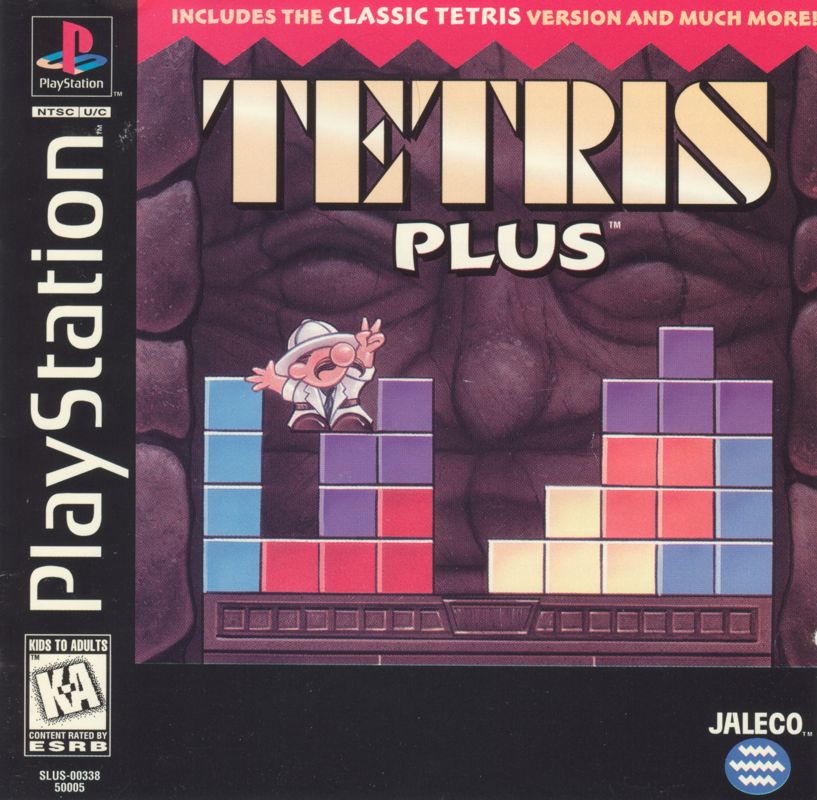
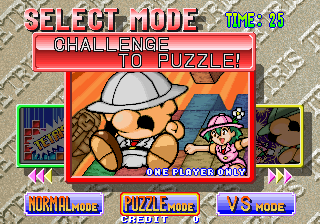
Tetris Plus is stacked with four modes of play: Classic Tetris, Puzzle, two-player Vs. Puzzle, and a unique Edit mode. The Edit mode allows the player to construct original puzzles. Classic Tetris
Players of all ages can enjoy the original game conceived by famed Russian inventor, Alexey Pajitnov. To score, try to form a horizontal line of blocks. Each complete line will disappear from the chamber.
Bonus points are awarded for clearing two lines, three lines and four lines (a tetris). If the blocks reach the top, the game is over!
Two-Player Non-competitive Play (Classic Tetris)
The unique split-screen in Tetris Plus allows two people to enjoy Tetris in non-competitive play. Player one's board is on the left side of the screen, while player two's board is on the right side of the screen. To begin non-competitive play, press the Start button on the respective controller.
Puzzle Mode
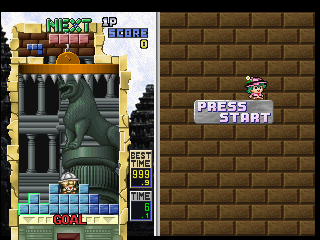
A curious little professor and his lovely assistant are in search of fortune and adventure. The supposedly intellectual mis-adventurer quickly gets into a heap of trouble and gets trapped inside the chamber of an ancient ruin.
As the chamber fills with blocks tumbling from above, a viciously spiked ceiling ominously descends upon the hero. When the blocks begin to pile, the professor tries to climb his way to the top. The chamber is already filled with patterns of blocks, so a path must be cleared in order for the professor to find his way to the treasure hidden below.
The professor's quest will take him across the globe and into the wonders of the labyrinth at Knossos, the Pyramids of Egypt, Angkor Wat, the Mayan ruins, and a mysterious city with an additional 20 stages of death-defying puzzle excitement. That's a total of 100 puzzles; each one more difficult than the last! Stages and Endings
Each level contains 20 stages. A stage is cleared when the professor reaches the vault hidden below each chamber. After clearing the 20 stages in a level, the player can choose the next site.
Saving Your Progress
When a game is over, a six-block password will appear on screen. If a Memory Card is not available, use this password to save your progress. Remember password saves are limited in the data saved.
Recalling a Saved Game
If using a password, select Password at the Puzzle Mode menu screen. Otherwise, make sure that the Memory Card (sold separately) with the Tetris Plus data is properly inserted then select Continue. Two-Player Non-competitive Play (Puzzle Mode)
The unique split-screen in Tetris Plus allows two people to enjoy Puzzle mode in non-competitive play. Player one's board is on the left side of the screen, while player two's board is on the right side of the screen. To begin non-competitive play, press the Start button on the respective controller. For competitive play see Two-player Vs. Puzzle mode. Two-Player Vs. Puzzle Mode
The two-player Vs. Puzzle mode is a competitive version of the one-player Puzzle mode. Each time a player clears at least two lines of blocks, those lines are sent to the opposing chamber. A player wins by getting the professor to the hidden vault first or if the opposing professor touches the spiked ceiling. At the beginning of each round, players may set a handicap by adjusting the height of the ceiling.
Edit Mode
This one-player only version of Puzzle mode is played the same way as Puzzle mode, except the player gets to construct and save original puzzles. In Edit mode, the background, blocks, the professor's location of appearance, and the ceiling height can be customized. The on-screen prompts will guide you through the entire construction process. Editing a Puzzle
In Edit mode, the player can create original puzzles or edit the ten sample stages included with Tetris Plus. To load a previously saved stage, select Load at the Edit screen. Use the Direction Buttons to select the desired puzzle. Screen Callouts
•
TONE FOIT LOAD SAVE CLEAR BG
•
SELECT A LOCATION FOR THE PROFESSOR TO APPEAR.
•
CHANGE THE PROFESSOR'S DIRECTION: L1-R1
.png)

.png)
