Startup Information
1. Set up your PlayStation game console according to its Instruction Manual. Ensure power is off before inserting or removing a compact disc.
2. Insert the XS Airboat Racing disc and close the Disc Cover.
3. Insert game controllers and turn on the PlayStation game console.
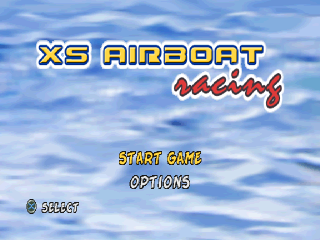
4. Follow on-screen instructions to start the game.
Saving Your Game
You can save your game whenever you complete a level if you have a MEMORY CARD. Insert your MEMORY CARD into MEMORY CARD Slot 1.
You can also play the game without a MEMORY CARD, but you will not be able to save the game and retrieve it later.
DUALSHOCK Analog Controller
•
DIRECTIONAL BUTTON RIGHT
•
LEFT ANALOG STICK/L3 BUTTON
•
RIGHT ANALOG STICK/R3 BUTTON
NOTE: Compatible only in Digital and Vibration mode.
NOTE: You may have a controller that looks like this. If so, please follow the digital instructions outlined above.
PlayStation Console Features
OPTIONS SCREEN
When choosing the Options section, you are presented with the following:
Game Options
•
Difficulty: Allows you to set the difficulty setting for the game.
•
Number of laps: Allows you to set the amount of laps for each race.
•
Vibration: Sets vibration mode on or off.
Sound Options
•
SFX: Sets the volume of the game sound effects.
•
Music: Sets the volume of the music played throughout the game.
Memory Card
•
Allows you to save and load your game settings.
Records
•
View the various records and times from each level.
PLAYING THE GAME
XS Airboat Racing tests your racing skills against the various characters in the game. You will race through various levels that will each prove to be as challenging as the next.
See if you can work your way up to the Gold Cup and unlock the various extras throughout the game.
GAME MODES
TOURNAMENT MODE
In tournament mode, you race in one of three cups. Each cup consists of three different tracks.
As you race, you will earn points depending on your finishing position. The better you do, the more points you will earn. At the end of the three races, the points will be tallied and the winner will receive the cup.
ARCADE MODE
In arcade mode, you race on a track selected by you. Be fast because it's a quick race, but only the best will win!
TIME TRIAL MODE
In this mode, you simply race against the clock. Choose a character, choose a track, and then off you go!
Once the race is over, your time will be stored for future reference. This is a great way to learn the tracks as you are the only one racing and you can study every nook and cranny.
PLAYING THE GAME (cont'd)
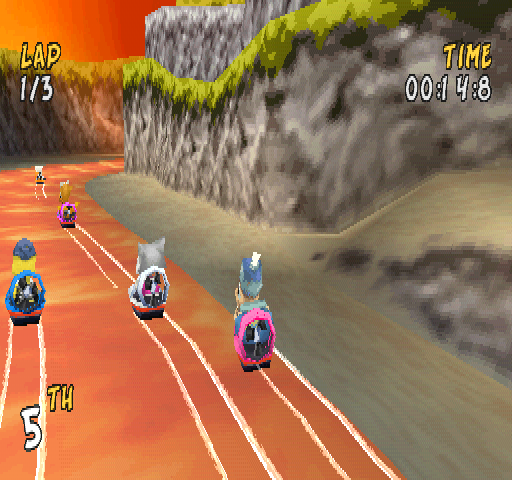
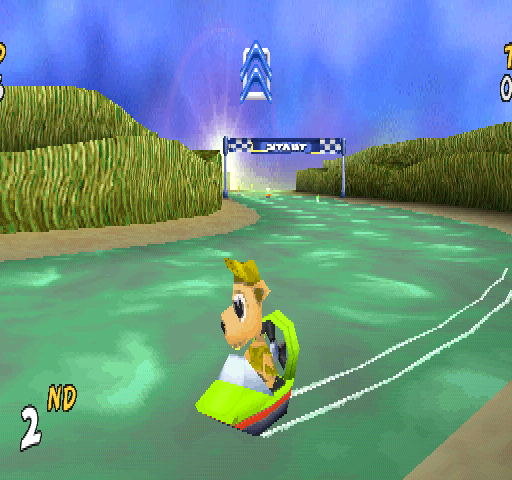
Game Play Screen
•
Area where your power up is shown
The Race Is On!
Once you have selected the game mode and the character you wish to use, you are ready to test your skills with your airboat. Once the Green light flashes, press the button to accelerate your airboat throughout the stage.
If at any time you need to slow down or brake, you can either release the button or press the button.
You can also press the button to reverse your airboat if you ever get stuck on the side of the level. Keep an eye on your place and watch your back by pressing the L2 to look and see who may be behind you.
If at any time you need to pause the game or quit, press the Start button and you can choose to exit the course or the game altogether.
Power-Ups and Weapons
During the race, you will encounter special power-up and weapons boxes throughout the level. Just race through one of the boxes and see what type of power-up or weapon you will receive.
You can see which type you receive by looking up on the top of the screen. To use your power-up and weapon, just press the R2.
.png)

.png)
.png)

.png)
.png)
_1.png)



_1.png)