Starting Up
1. Set up your Sony® PlayStation™ game console according to its instruction manual.
Plug in a game controller.
2. Connect a memory card if you want to save your games.
3. Insert the JUMPING FLASH!™ disc and close the CD door.
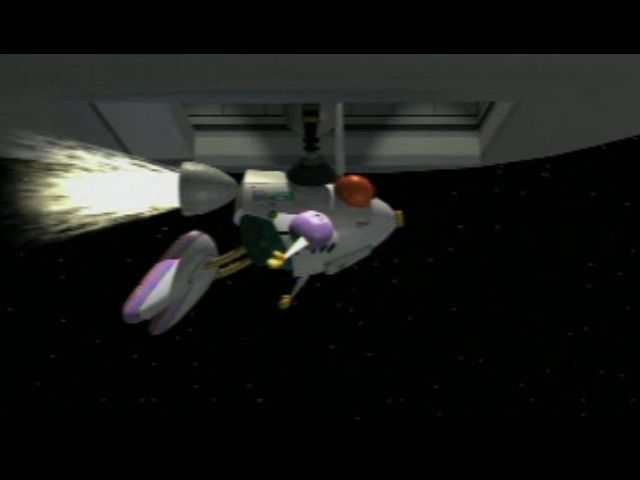
4. Turn the PlayStation game console ON. The opening movie will play, followed by several game demonstrations.
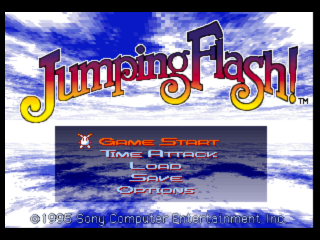
5. Press any button on the controller to bring up the Main Menu.
6. With "Game Start" highlighted, press O, or Start to jump into a new game.
PlayStation Console
Saving Games
If the memory card is full, you won't be able to save games. To avoid this, delete old data from the card before starting play.
Game Demos
Watch the game demos for hints on using the button controls, maneuvering Robbit and playing the game.
Radar
Locate attackers before they get you! The lighter blue V-shaped area is your field of view. Turn Robbit completely around for a full scan of your position. Watch the radar and you won't be ambushed by multi-footed felons lurking behind you!
Radar Squares
HP (Hit Point) Meter
Robbit goes from robustly healthy to dangerously weak as enemy shots pound his armor. His state of health decides how many more hits he can take. A full green meter is best, but it can soon drain to yellow caution and then to red alert!
If the meter drains to zero, Robbit's systems shut down and you lose a life. Collect Carrots to perk up Robbit's health, and dodge enemies or blast them before they can shoot you.
Lives
You start each game with three lives. Lose all three, and the game ends - for the moment. You can revive lost games with unlimited Continues. You'll resume the game from Stage 1 of your current world with three new lives.
Hunt down Robbit "1-Ups" and try for super-high scores to add to your lives.
Jet Pods
This counter keeps track of Jet Pods as you collect them. Recover four Jet Pods and then tag the Exit Pad to clear Stages 1 and 2 of each world.
Kumagoro
Your fun-loving sidekick pipes up to warn you of impending doom or offers hints on how to win.
Playing Bonus Rounds
Bonus rounds are hidden in every world, and they're worth finding. In these no-foe rounds, you race against the clock to pop all the balloons or amass piles of power-ups and coins — without having to dodge enemies.
Look for the Bonus Ring and jump into it to enter the round. Pop balloons by shooting and jumping on them. Burst all the balloons before "Time Over" and you'll win an extra life.
Some balloons spill power-ups and coins when they burst. You can collect these to take with you when the regular stage resumes.
Bonus Round Choices
You must choose between popping all the balloons for an extra life or collecting items to take with you. You can't do both.
The round ends when you pop the last balloon, fall off the stage, or the clock ticks down to "Time Over."
Pausing a Game
Press Start to pause the action and the game clock, and bring up the Pause menu. Use the Direction Buttons to select an option, and press Start to continue.
•
Continue - Resume the game.
•
Try Again - Start the current stage over from the beginning.
•
Retire - End the game and go to the Main Menu, where you can start a new game, save the game at the point where it ended, or load and play a saved game.
Saving and Loading
Saving and loading require a memory card.
Scoring
A Score screen adds up your points when you finish each stage. The better you do, the more award points you receive. For instance, you receive award points for time remaining on the Clock, so finish each round as fast as you can.
Game End Conditions
The game ends when you free all six worlds. You can repeat the worlds with all-new challenges! Select Game Start on the Main Menu and press the Direction Buttons LEFT or RIGHT to highlight a world. Then press O, or Start to proceed.
The game also ends if you lose all your lives. But don't worry, you have unlimited Continues. To resume a game from the beginning of your last stage, select "YES" on the Continue screen and press O or Start.
Using the Main Menu Options
You'll see the Main Menu at the beginning of a game when you first start playing. You can also return to it by selecting "RETIRE" on the Pause menu.
The Main Menu has a number of different selections that you can choose. Use the Direction Buttons to select, and press O or Start to continue.
•
Game Start - Play a new game, or replay any world you've already reached by pressing the Direction Buttons LEFT or RIGHT to choose a world.
•
Time Attack - Try to beat your own time on any stage you've already cleared.
•
Load - Resume a saved game (requires a memory card).
•
Save - Save the last game you played (requires a memory card).
.png)

_1.png)






.png)
_1.png)