SAFETY PRECAUTIONS
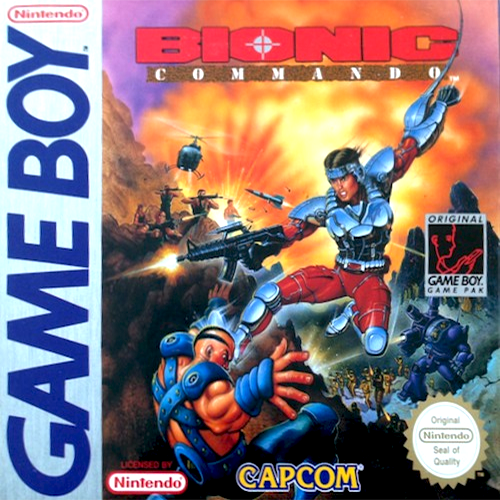
Follow these suggestions to keep your Bionic Commando Game Pak in perfect operating condition.
•
DO NOT subject your Game Pak to extreme temperatures, either hot or cold. Always store it at room temperature.
•
DO NOT touch the terminal connectors on your Game Pak. Keep it clean and dust-free by always storing it in its protective plastic case.
•
DO NOT try to disassemble your Game Pak.
•
DO NOT let your Game Pak come in contact with thinners, solvents, benzene, alcohol, or any other strong cleaning agents that can damage it.
ADVISORY
A very small portion of the population may experience epileptic seizures when viewing certain kinds of flashing lights or patterns that are commonly present in our daily environment. These persons may experience seizures while watching some kinds of television pictures or playing certain video games including games played on the Game Boy Compact Video Game System.
Players who have not had any previous seizures may nonetheless have an undetected epileptic condition. Consult your physician before playing video games if you have any epileptic condition. Consult your physician if you experience any of the following symptoms while playing video games: altered vision, muscle twitching, other involuntary movements, loss of awareness of your surroundings, mental confusion and/or convulsions.
GETTING STARTED
•
Insert your Bionic Commando Game Pak into your Nintendo Game Boy and turn it on.
•
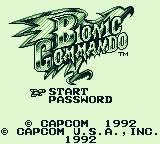
Watch the introductory screens or press the START button to skip them. When the title screen appears, two options will appear: START and PASSWORD. Move the marker next to START and press the A button. (For an explanation of the PASSWORD option, please read the Using Your Password section later in this manual.)
•
When the next screen appears, you will get a short briefing on your mission and then the view will switch to the area map. Choose DESCEND and Rad Spencer will begin his mission by parachuting into the middle of the Doraize's military stronghold.
•
To end the game at any time, simply turn your Nintendo Game Boy off and remove your Game Pak.
PILOTING THE TURBOCOPTER
The Dx-3 Turbocopter is a high speed helicopter which is primarily used as a drop ship. Flying at treetop level, the DX-3 can sail under enemy radar and drop men and equipment within a specific target area. Totally automated, the DX-3 uses a simplified satellite map for navigation and maneuvering.
When the satellite map is active, the pilot can plot his course using the DESCEND and TRANSFER navigational commands. By pressing left or right on the control pad, the pilot moves the arrow under the command he wishes to use and then presses the A button. If a mistake is made, the B button can be pressed at anytime to return to the main DESCEND and TRANSFER commands.
DESCEND Command
The DESCEND command tells the DX-3 to land in the current area and drop off its pilot. As the turbocopter descends, the pilot must choose which Weapon, Video Receiver and other item to take with him on his current mission.
When the selection screen appears, the pilot can press the control pad left or right to highlight the item he wishes to use. Once highlighted, pressing the A button will add the item to his pack. After all choices have been made, The DX-3 will open its hatch and allow the pilot to parachute into the area.
TRANSFER Command
The TRANSFER command instructs the DX-3 to fly to another area. When this command is chosen, the pilot can select his course by pressing the control pad left or right. Once the pilot has highlighted the new course, pressing the A button will begin the flight to the new area.
WARNING
The DX-3 Turbocopter is not an attack aircraft. It contains no weapons or shielding or any kind. If enemy troop carriers come in contact with the DX-3, the computer will begin a sequence of evasive maneuvers and land the aircraft. This allows troops to engage the enemy on the ground while preventing the destruction of the DX-3.