The Aim of the Game
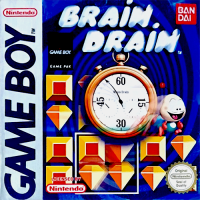
You have to place the elements of a scrambled puzzle according to a given model in a pre-defined time-limit. Special Effects
In Student and Genius difficulties, at a certain level, some special effects will make the game more complicated. Each effect is indicated at the beginning of the level.
•
Teaser: A block of 4 elements suddenly turns.
•
Control Teaser: The cursor suddenly moves.
•
Control Block: All movements are blocked for a few seconds.
•
Inverse control: All the controls are reversed.
•
Slow Motion: All movements are in slow motion.
•
Black-Out: The 4 elements in a block are hidden by ?.
•
3 Column Black-Out: The elements in a column are hidden by ?.
•
Row Black-Out: The elements in a row are hidden by ?.
•
Random Black-Out: Some elements are hidden by ?.
Note: There are sometimes several effects in the same level.
The Controls
•
Control Pad: To move the cursor (block of 4 elements) in the game.
•
Start Button: Pause during the game.
•
Select Button: To enter a level code (in Brain Game).
•
To turn the elements clock-wise.
•
To trigger the "clock" bonus (in Brain Game).
•
To turn the elements counter clock-wise.
•
To trigger a "flash" bonus (in Brain Game).
Brain Game Bonuses
•
The Clock: It gives you 20 additional seconds. You get this bonus if you finish a level in less than 10 seconds.
•
The Flash: It allows you to skip a level. You win this bonus in the bonus levels.
Every time you win a bonus, it appears in the bonus bar. To trigger the bonus, press the corresponding button.
.png)

 (SGB Enhanced).png)
 (SGB Enhanced).png)
 (SGB Enhanced).png)

 (Disc 2).png)



 (En,Fr,De,Es,It).png)

_1.png)
 (Disc 1).png)
 (Disc 2).png)
.png)