Object of the Game
Control Lee Wong as you fight through all five stages within a set amount of time to find the stolen secret scrolls. Defeat the Dragon God, Ryuken Oh, at the end of the game to save the captured children.
•
Tiger Road is a one-player game.
Inserting the TurboChip Game Card
•
Remove the TurboChip game card from its plastic case.
•
Hold the card with the title side up and gently slide it into the Game Card Port until you feel a firm click.
•
Do not bend the game card or touch its metal parts, as this could erase the program.
•
Slide the Control Deck Power Switch to the "ON" position. If the switch does not move all the way to the right, the game card is not inserted properly.
•
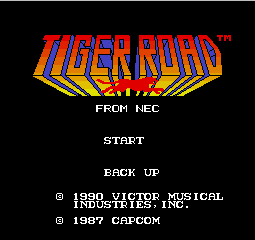
The title screen of "Tiger Road" should appear on your television.
Basic Tiger Road Game Screen
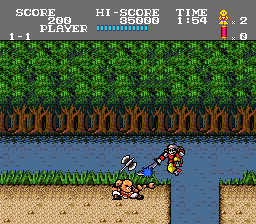
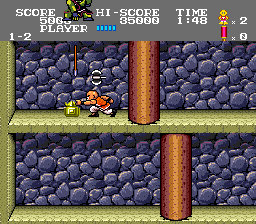
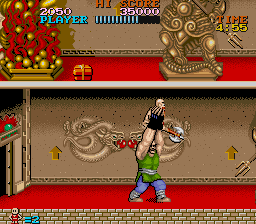
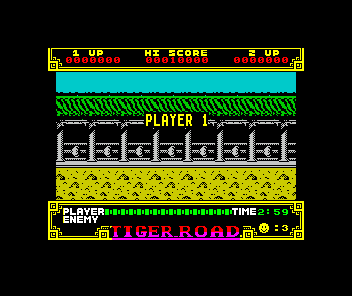
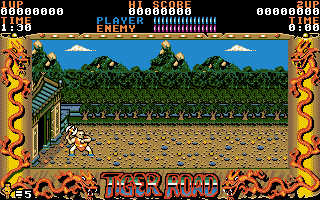
Familiarize yourself with the components of the Tiger Road game screen before you begin.
•
Lee Wong's Life Gauge: When this gauge reaches zero, you lose one "life."
•
High Score: Indicates the highest score to date.
•
Timer: Shows the time remaining to clear the stage. If you do not clear the stage in time, you lose one "life."
•
Score: Increases as you defeat enemies.
•
Stock of Scrolls: The counter increases by one each time you defeat a 'boss' and grab the falling scroll. Once you have all four scrolls, you can use the Double-Headed Tiger technique.
•
Lives Remaining: Indicates the number of lives remaining.
•
Enemy's Life Gauge: Indicates the life remaining for the enemy boss you are currently fighting. This gauge is not shown continuously. Backup Memory Features
Owners of the TurboGrafx-CD system or TurboBooster-Plus have access to backup memory. When the game ends, you can start again from the beginning of the round where you were last playing, even if the system has been turned off.
How to Save Data
•
The system automatically saves "data" when the game is over and the "GAME OVER" message appears on the screen.
•
If you do not wait for the "GAME OVER" message, your game will not be saved.
•
Only the highest round or stage reached will be saved; you cannot return to previous rounds.
Backup Memory Management
•
Full Capacity: If your backup memory unit is at full capacity, eliminate unnecessary "data" by following the on-screen instructions.
•
Initialization: The system is initialized and operational the minute it is turned on.
•
Battery Care: If the battery runs out or the unit becomes defective, you may lose saved data.

.png)
.png)