Ready for Adventure?
Insert the Sword of Mana Game Pak into your Game Boy Advance and turn the power ON. When the title screen appears, press START to display the main menu.
The first time you play the game, only the NEW GAME option will appear.
•
NEW GAME: Start a game from the very beginning of the story.
•
CONTINUE: Continue playing your last saved game.
•
COMMUNICATION: Exchange data with other Game Boy Advance game systems via Game Link Cable.
Ending a Game
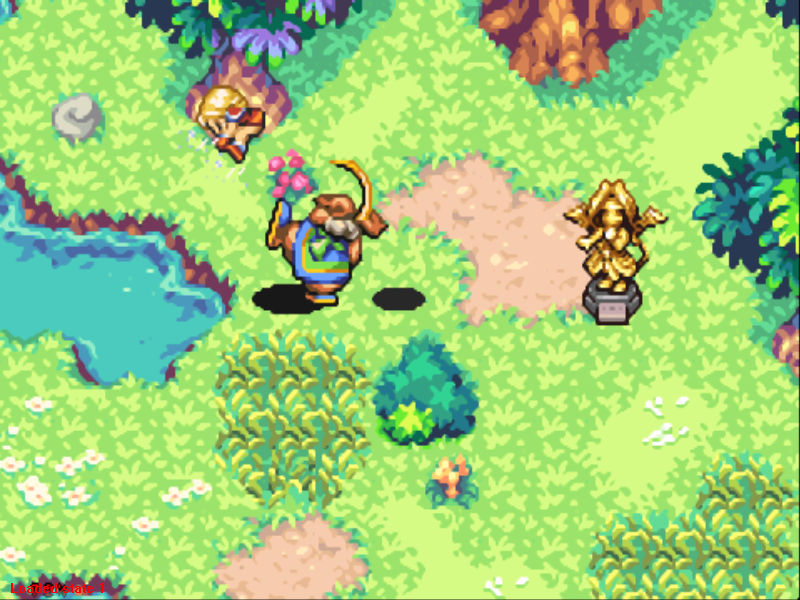
If you want to save your current game, you may do so at gold or silver Mana statues. To end the game without saving your current data, simply turn the power OFF.
To end your current game and reload a previous game, turn the power OFF and turn it back ON. Then, select CONTINUE from the main menu.
Starting a New Game
When starting a new game, select one of the two main characters, then give your character a name. The hero and heroine have their own individual weapons, and their overall statistics (shown in the status menu) are different. Moreover, the events that unfold in each story will vary in some respects.
Embarking on Your Adventure
After you have selected and named your character, the adventure begins! In this world, there are various villages and towns inhabited by fellow humans, and you will encounter a variety of monsters in your travels through wilds and dungeons. You can interact with other humans and battle monsters as you travel from town to town.
Meet the Townies
You'll find that the game's towns and villages are inhabited by some very interesting people. Talk to as many people as possible to gather valuable information that might help you on your journey. Several establishments in towns and villages will help you prepare for your adventure.
•
General Stores: When you visit a general store, you can buy and sell items and equipment to keep you well supplied. Look for Mori, the famous dancing clerk, who is always more than happy to help you with whatever you need.
•
Inns: Heal your wounds and rest up at local inns. Not only do you fully recover your HP and MP when you stay at an inn, but you are also boosted to 'Best' status, giving you both increased power and protection.
•
Blacksmiths: The village smithy can use materials you have acquired to forge new weapons and armor. He can also temper older pieces of equipment.
Requests from Residents!
When you chat with the local residents, some of them may request favors or ask you to run errands for them. These are called 'quests.' Upon completion of these quests, you might receive a reward, such as items or lucre. It might be worth your while to play the Good Samaritan from time to time...
Exploring Wilds and Dungeons
Nasty monsters lie in wait in wilds and dungeons. Battle mode starts immediately whenever monsters are present, prompting your character to ready his or her currently equipped weapon. Monsters will attack you and hunt you down using their special senses.
Although you can advance without defeating all of the monsters in a given area, bear in mind that you gain experience points (EXP)-and possibly lucre or treasure chests-as you vanquish the monsters.
Time Rolls On
Time passes as you go from one area to another. Different times of day (morning, afternoon, evening, and night) are reflected in the lighting of the scenery. Certain monsters and conditions can only be found at certain times of day. If characters you're looking for are not present or if a place you want to go is inaccessible, try visiting the same place at a different time of day.
This world also has days of the week, but they're slightly different from ours. Each day is named after a spirit. Just as with the time of day, the day of the week affects certain aspects of the game. For example, each day has characteristics related to the type of spirit it is named after, and a spirit's magic is stronger on its corresponding day. You can determine the day of the week by the spirit icon in the lower left corner of the ring-command screen.
The Ring Command System
If you press START while you are in a town, wild, or dungeon, the rotating ring command appears. From this menu, you can select items to use, spirits to summon, weapons and armor to equip, or status and inventory menus to check. Most of these can be accessed during battle.
The ring commands are also used for buying and selling in shops as well as for forging and tempering equipment.
Using Ring Commands
Ring commands can be used regardless of your location. Using the + Control Pad, select a ring command, then press the A Button. That's all there is to it! Additional ring commands may pop up and give you more choices. When you're finished, press the B Button to cancel out of the ring command menu.
•
Weapons: Choose the weapon you want to equip. You can also view a weapon's attack trait in this menu.
•
Accessories: Choose the accessory you would like to equip. You can also check the accessory's status from this menu.
•
Magic Rope: Through the power of the Mana Goddess, the Magic Rope allows you to return to a safe place immediately. There are a few places where the Magic Rope cannot be used. In those rare cases, its icon will not appear as a ring command.
•
*NOTE: The Magic Rope will not appear as a ring command until you have received it in the game.*
•
Spirits: From this menu, you can select one of the spirits you have acquired



.png)
 (Es,It).png)
.png)
