Starting the Game
Make sure the POWER switch is OFF.
Insert the Commander Keen™ Game Pak into the Game Boy® Color slot as described in your Nintendo® Game Boy® Color instruction manual.
Turn the POWER switch ON.
•
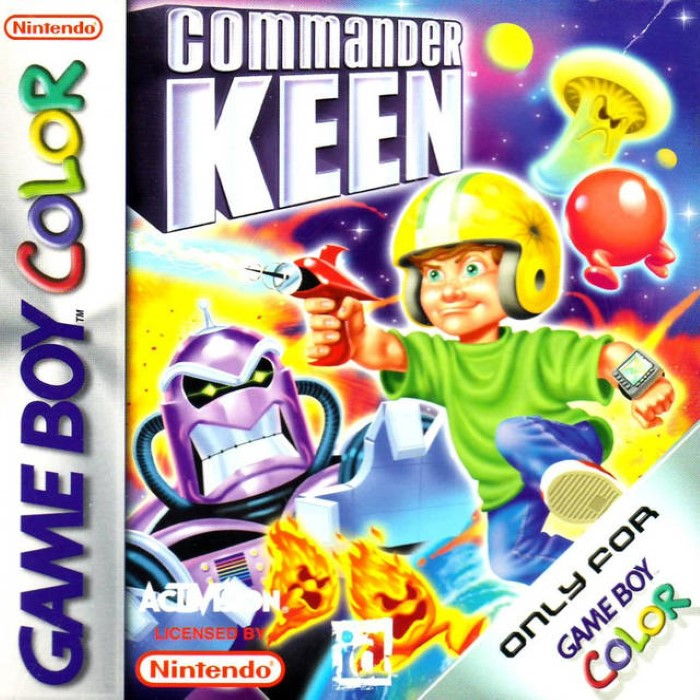
Note: The Commander Keen™ Game Pak is for Game Boy® Color only.
Main Menu
•
New Game: Begin your journey to stop the destruction of Earth by the evil Fribbulus Xax.
•
Password: You can enter a password and return to your last saved position in the game.
New Game Menu
In the New Game menu, you can select the skill level for your game. Use the Control Pad to select between Easy, Medium, or Hard and then press the A Button to start the game.
Press the B Button to exit the New Game menu and return to the Main menu.
Skill Levels
•
Easy: Commander Keen™ has nine lives and nine continues to make it through the game. Monsters will move more slowly on this skill setting.
•
Medium: Keen has seven lives and seven continues on this skill setting, and the monsters will move at their normal speed.
•
Hard: Keen has five lives and five continues on the hard skill setting. Monsters move incredibly fast and fire more accurately, so watch out!
Status Screen
You may pause the game at any time by pressing START. The Status screen will be displayed.
Use the Status menu to keep track of the skill level, view your score, and see the number of continues, lives, keys, and plasma crystals you have in your possession.
You can also quit out of any level or World Map from the Status screen.
•
To quit out of the current level from the Status screen, press SELECT, and choose YES on the 'Return to World Map?' screen.
•
To quit the game from the World Map, press START to bring up the Status screen, and then press SELECT. Then choose YES from the 'Quit Game?' screen.
Playing the Game
The Hub
Commander Keen™ begins the game in the center of the Omegamatic Warp Drive. There are two main features of the Warp Drive: three teleporters and three crystal-like indentations in the ground.
Each teleporter will send Commander Keen™ to a different world (Droidiccus Prime, Fribbulus Xax, ShiKadi) from which he can enter one of three levels of play. The three crystal-like indentations are for three plasma crystals that, once united in the Omegamatic Warp Drive, will destroy the sub-space anomaly. Planet Earth is safe! Victory! To enter any world from the Warp Drive, use the Control Pad to move Commander Keen™ onto a teleporter pad, and then press SELECT to teleport.
Level Elements
•
Toxic-Slime: Some floors and platforms have toxic slime all over them, that'll kill if you're foolish enough to step in the slime.
•
Poles: Climb up or slide down a pole to get to an otherwise unreachable area. To use a pole, simply press ↑ or ↓ on the Control Pad when Commander Keen™ is in front of the pole.
•
Shootable Blocks: Some blocks are shootable, allowing you to reach otherwise inaccessible areas.
•
Switches: Switches activate and deactivate some platforms. To use a switch, jump on top of it and press SELECT.
•
Teleporter Doors: When Commander Keen™ uses one of these, he pops out of another one in a different area of the level. To use the teleporter, jump onto the pad and press SELECT.
•
Color Key Doors: Commander Keen™ must open these with colored keys, and once they're open, he can move forward.
•
Clues: Watch your surroundings for clues on what Commander Keen™ must do to finish the level. Some clues may be color-coded, others will be symbols or pictures.
•
Neural Ray Blaster: Commander Keen™ can use his Neural Ray Blaster to stun his enemies. Commander Keen™ starts with a Neural Ray Blaster in his inventory. You can use the Control Pad in combination with the B Button to fire ↑, ↓, ⇨, or ⇦.
•
Note: Commander Keen™ can only fire down while in the air.
•
Pogo Stick: Commander Keen™ uses his pogo to get to otherwise inaccessible places, and to knock out his stunned enemies. Commander Keen™ starts with a Pogo Stick in his inventory. To pogo for extra height, press the A Button just as your pogo hits the ground.
.png)



.png)
