SETTING UP THE GAME
MAIN MENU
From the Main menu, you can jump right into a race, initiate a single player race or season, set up a two player race, adjust your options, or preview upcoming EA SPORTS releases.
QUICK RACE
Jump into a race with a randomly selected car at a randomly selected track. When you select this option, you start in a random position in the field.
1 PLAYER
Run a Single Race against the field, race in a Season, access your Thunder Cards, take a peek at the Hall of Fame, or view records by track.
2 PLAYER
Run a Single Race or race in a Season Mode with two players.
GAME OPTIONS
Set audio options, controller configuration settings, and auto track stat options, and view game credits.
ABOUT EA SPORTS
Preview other new titles from EA SPORTS.
SINGLE RACE
Trade paint in a single race and see if you can take the checkered flag.
SINGLE RACE SETUP MENU
Choose your car, select a track, and adjust race options.
NOTE: Default menu items appear in bold throughout this manual.
GO RACIN'
Begin the Race Weekend.
DRIVER
•
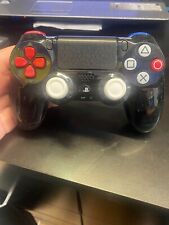
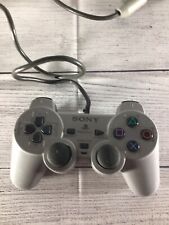
Press the D-Button to choose your car and driver.
•
Press the button to view driver and car photos and team and driver information.
TRACK
•
Press the D-Button to choose a track.
•
Press the button to view track diagrams and information.
NASCAR OPTIONS
Adjust your racing options.
After you select your car and track, select GO RACIN'. The Race Weekend menu appears.
RACE WEEKEND MENU
Navigate between all your NASCAR weekend events.
To get down to the track, select PRACTICE, QUALIFY, HAPPY HOUR, or START RACE.
GARAGE
Get under the hood and tweak your car.
PRACTICE
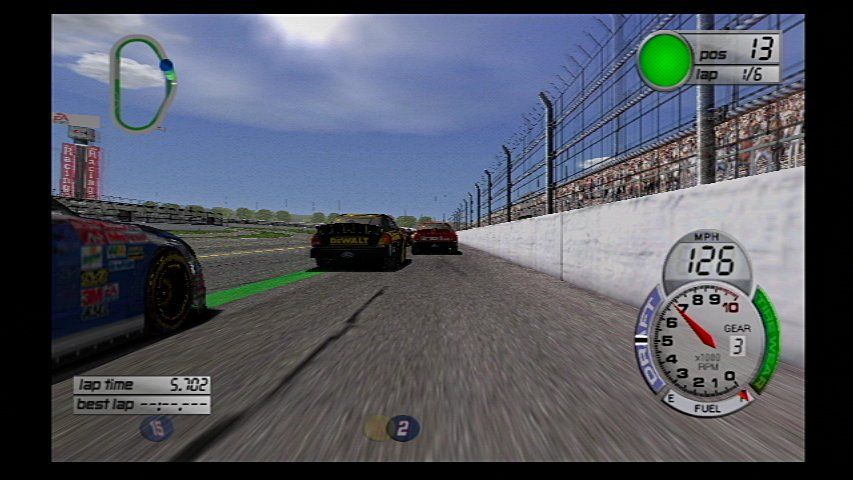
Take a few practice laps around the track to learn how to handle your car.
QUALIFY
To start near or at the front of the pack, you must record a fast qualifying time. If you don't qualify before a race, you automatically start from the back of the field.
HAPPY HOUR
Race and work out the kinks against real competition before the race.
START RACE
Go to the track for the start of the race.
LEAVE WEEKEND
Return to the Single Race menu.
SEASON MODE
Compete in a series of races in quest of a NASCAR championship.
From the 1 or 2 Player menu, choose SEASON mode. The New Season screen appears.
LOAD SEASON
Load a season from your memory card.
DRIVER
Choose your car and driver. You can also create a driver and car of your own.
NASCAR 2002 CHAMPIONSHIP POINTS SYSTEM
The winner of each race receives 175 points. For each subsequent finishing spot, the driver earns a lower point total.
Each driver who leads the race for at least one lap receives five bonus points. The driver who leads the most laps during a race receives an additional five points. (Check the results screen after each race for exact point totals).
To create a driver:
1. From the Season menu, highlight SELECT DRIVER and press the * button.
2. Cycle through the drivers by pressing the D-Button until CREATE 1 is displayed and then press the button.
3. Create a name, car number, select a car make, and go to the paintshop to customize your car. When you're done, press DONE from the Paintshop menu and your new driver appears in the Select Driver window.
SEASON TYPE
Select the type of season to compete in.
NASCAR OPTIONS
Adjust options that affect the rules and realism of the race and pick your race mode.
To select your Season Type:
1. Choose SEASON TYPE from the Season menu and press the button. The Season Type window appears with a list of tracks on the circuit.
2. Press the D-Button to choose a season type and press the button to return to the Season menu.
3. From the Season menu, select DONE and the Season menu appears.
4. To begin a race, select GO RACIN'.
To create a custom season:
1. Choose Season TYPE from the Season menu and press the button. Press the D-Button to change season type to CUSTOM SEASON.
2. Press the button to edit your custom season.
3. Press the D-Button to choose your tracks. Press the D-Button to add tracks to your season (at least five). Press the button to return to the Season menu.
4. From the New Season Setup menu, select DONE and the New Season menu appears.
SEASON RACING
You can access your next season race, keep tabs on the championship battle, and save your progress from the Season menu.
SAVE SEASON
Save and update your season to a memory card.
PLAYER STATS
View your driver stats.
SEASON STANDINGS
View the Standings for the current NASCAR season.
USER RECORDS
View your personal records or access the NASCAR Hall of Fame.
GAME OPTIONS
Set audio options, controller config, settings, toggle auto track stats ON/OFF, and view game credits.
GO RACIN'
Go to the next scheduled race in your season.
SEASON LOAD/SAVE MENU
Save or load a season in progress.
NOTE: Never insert or remove a memory card when loading or saving
.png)

.png)
.png)