Getting Started
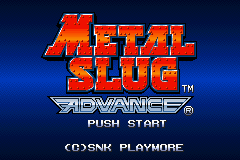
Insert the Game Pak into the GAME BOY ADVANCE and turn the system on. Push START when the title screen is displayed to access the File Select options.
File Select Screen
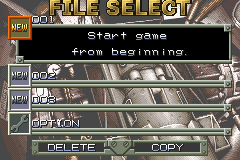
This screen lets you select files to begin game play, and delete or copy files. Select files and menus with the +Control Pad and push the A Button to confirm selections. Use the Option selection to turn continuous shooting on or off.
Starting a New Game
Select an empty NEW file and choose your difficulty level: NORMAL or HARD. Note that this setting is only available when you start a new game and cannot be changed during gameplay.
Now choose either Walter or Tyra from the Character Select screen. The attack objectives appear on the Map screen and the game begins.
Resuming Gameplay
Choose a file containing saved data to access the Camp screen. Select "MISSION" and begin play from that point.
You can resume play from the specific attack objective you select on the map.
Managing Files
•
Deleting: Choosing “DELETE” from the File Select screen allows you to select a specific file and erase the stored data. Select the file to be deleted and push the A button.
•
Copying: Choosing “COPY” from the File Select screen allows the contents of one file to be copied into another empty file. Select the desired file for copying and then the empty file in which data is to be transferred.
Base Camp Screen
Selecting a file in which data is saved calls up the Base Camp screen. Push Up or Down on the +Control Pad to select options, then push the A Button to confirm.
MISSION
This option lets you select the data to continue game play. Select an attack objective on the Map screen and the game resumes from that point.
CARD
This allows you to confirm information on cards obtained during missions. Push Up or Down on the +Control Pad to select the card whose information you want to see and push the A Button to confirm.
You can also turn card functions on and off here. The interface displays a list of cards (e.g., STEALTH, MARSNIUM) and their status (e.g., EQUIPPED WITH STEALTH CAPABILITY).
PRISONER
The HOSTAGE LIST option lets you see a list of the hostages rescued during missions.
SAVE
This option saves the data of cleared missions, including obtained cards and the names of rescued hostages. A confirmation prompt will appear: "CURRENT DATA WILL BE OVERWRITTEN. OK?" with YES or NO options.
END
•
QUIT: Ends the game and returns you to the Title screen.
•
END GAME: A confirmation prompt appears asking "END GAME?" with YES or NO options.
Pause Menu
Pushing START during missions (or in dungeons) calls up the Pause menu. Push START a second time to resume game play.
•
CONTINUE MISSION: Resumes missions.
•
RETURN TO CAMP: Stops the mission midway, returns characters to the camp, and the mission is abandoned.
Failing Missions
When characters die during missions (or in dungeons), the Continue screen appears. Continuing the game deletes all the cards and hostages obtained in the area (or dungeon) in which the character died. These items must be recovered after play resumes.
•
CONTINUE: Resumes the game from the area in which the character died.
•
RETURN TO CAMP: Stops the mission midway, returns characters to the camp, and the mission is abandoned.
Abandoning Missions
Abandoning missions by returning to camp erases all cards and hostages obtained midway through the mission.
In addition to obtaining cards and hostages, it is necessary to clear the mission (or dungeon) to keep these. Save data using the Camp screen after clearing a mission.


.png)
.png)
.png)