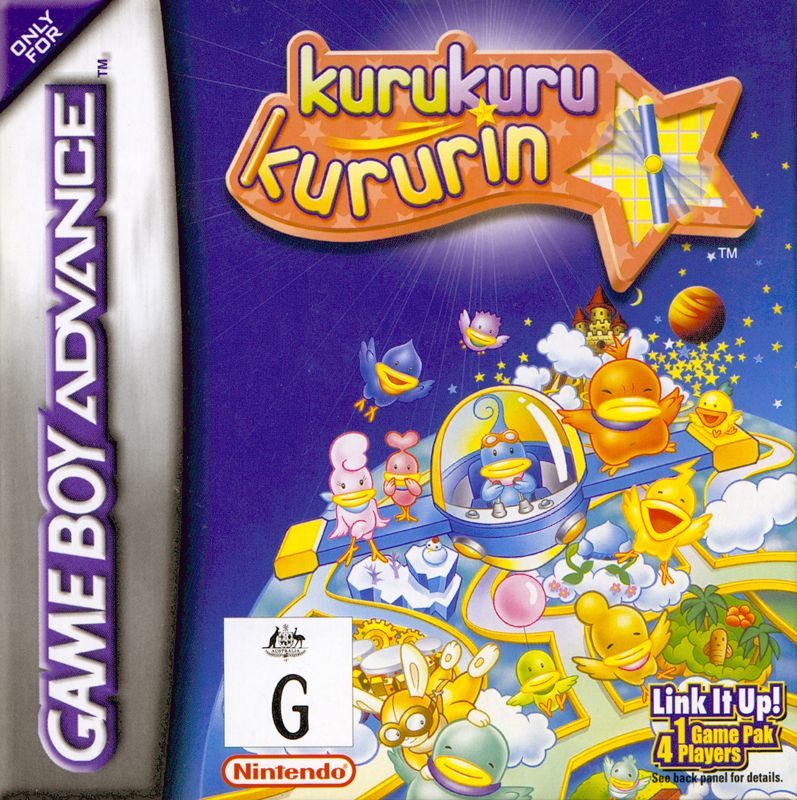
Starting the Game
Insert the *kurukuru kururin™* Game Pak into the Game Pak slot on your Game Boy Advance™ system.
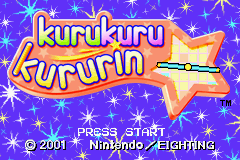
Move the Power Switch to the ON position. The GAME BOY screen will appear, followed by the Main Title Screen.
•
Press START or the A Button to access the File Select Screen.
Registering Your Name
To register a new name, enter the File Select Screen and choose an empty save slot indicated by NO SAVED DATA.
•
Use the Control Pad to select each letter of your name.
•
Press the A Button to register each letter.
•
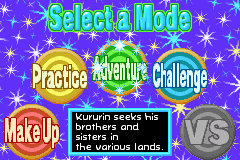
Select END to proceed to the Select a Mode Screen.
If you have already registered a name, select the desired file to begin playing.
Erasing File Data
Select DELETE SAVED DATA in the File Select Screen and choose the file you want to erase.
When the prompt "DO YOU REALLY WANT TO DELETE THIS DATA?" appears, select YES to erase the data.
Saving Data
The game features an auto-save function. Information such as cleared stages and settings for Helirin is automatically saved.
Clearing All Saved Data
To delete all saved data, turn the Game Boy Advance Power Switch to ON while holding the following buttons simultaneously:
When the prompt "DO YOU WANT TO DELETE ALL THE SAVED DATA?" appears, select YES to erase all game data.
Gameplay Overview
*kurukuru kururin* involves piloting Kururin in his special helicopter through narrow corridors. Your aim is to reach the goal line without colliding with walls or obstacles.
Flying Through Corridors
Adjust your timing and speed to navigate through narrow corridors successfully.
Hearts and Collisions
Each collision with a wall or obstacle adds 3 seconds to your time and deducts one heart from the Heart Meter. If you run out of hearts, Helirin can no longer fly, and the game is over.
The Heart Meter is displayed in the bottom left of the screen.
Check Points and Goal Area
Check Points allow you to replenish your hearts while piloting through stages. Once Kururin reaches the Goal Area, the stage is cleared.
Your total time and number of misses will then be displayed.
Pause Menu
Press START during play to pause the game and display the Pause Menu. This menu allows you to select PLAY AGAIN or QUIT. The content of the Pause Menu varies depending on the game mode.
SEE MAP
Use the Control Pad to get an overview of the map.
•
Hold the A Button to increase altitude.
•
Press SELECT to return to the original view.
•
Press the B Button to return to the Pause Menu.
PLAY AGAIN
Start the game over from the beginning of the current stage.
MAKE UP
Use the L and R Buttons to change the color and configuration of Helirin.
QUIT
End the game and return to the Stage Select Screen.
Game Modes
ADVENTURE
Kururin searches for his brothers and sisters, who are lost in 10 different worlds. If playing for the first time, practice by following Teacher Helri's advice available before the adventure begins.
PRACTICE
Practice a stage previously played in Adventure Mode. You can train in specific areas of a stage; if you make a mistake, hearts are returned quickly.
•
While paused, you can watch a demonstration showing the correct path to complete the stage.
EARNING A ★
Clearing a stage displays a mark in the Stage Select Screen. A ★ mark appears if you clear NORMAL and EASY stages at Helirin's standard length without hitting a wall.
CHALLENGE
Challenge the short courses of each level. There are 10 levels with 5 stages each, totaling 50 stages.
•
You start each stage with 2 hearts.
•
A ★ mark appears if you clear a stage at standard length without colliding with a wall.
•
Press SELECT while in the Start Area to change Helirin's length.
VS
Use the Game Boy Advance Game Link™ cable (AGB-005) to play with up to 4 players using a single Game Pak. This mode allows you to challenge friends in the 50 stages of Challenge Mode.
MAKE UP
Use items acquired in Adventure Mode to change Helirin's color and configuration. You can also have Kuririn's brothers and sisters ride on Helirin's propeller.
•
These settings can be used in Adventure, Practice, and Challenge Modes.
•
These settings are not usable in VS Mode.
Playing in VS Mode
Up to 4 players can compete simultaneously by connecting Game Boy Advance Game Link cables.
Setup
•
Single Game Pak: Data transmission to other players may take a few seconds.
•
Multiple Game Paks: All connected players must be waiting in the Select a Mode Screen for VS Mode to become selectable.
•
Graphics and Sound: Portions of graphics and sound for Players 2-4 may be abridged in single-game-pak play, but the game content remains identical to multi-game-pak play.
Selecting VS Mode
Move the cursor to VS in the Select a Mode Screen and press the A Button.
Selecting a Stage
Choose between two settings:
•
RANDOM STAGE: The stage is selected automatically. Use the Control Pad to select the number of times you wish to compete.
•
CHOOSE A STAGE: Manually select the stage you wish to compete in.
**Setting Hand


_2.png)
.png)
.png)