How to Start the Game
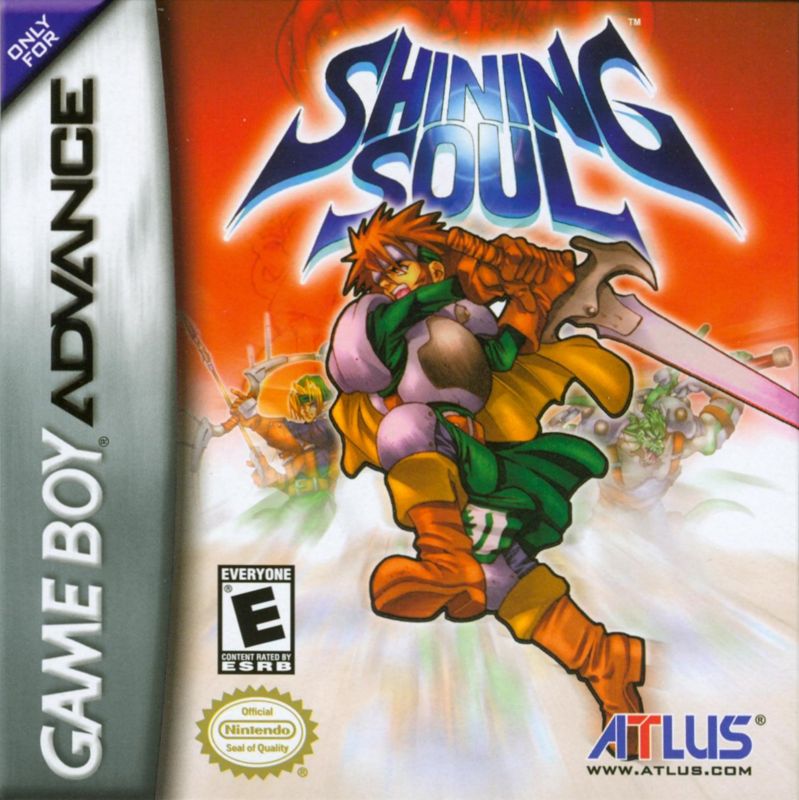
"Shining Soul" has two game modes: Single (1 player) and Multi (Multi player).
Single Play Mode
This is the mode to play in the game. Start a new game, or load save data to continue playing.
Start a new game
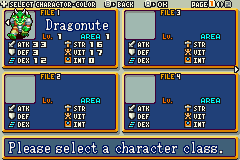
On the file selection screen, select the file labeled "New Game" with the ● button, and start with the ● button. Next, you select a character to use and its input method. For details on characters, please refer to page 24.
•
Use the buttons to select the character you will use. Once the character is decided, you can change the color on the left with the ◆ button.
•
When you move to the input screen, move the cursor with the ◆ button and enter characters with the ● button. Names can be up to 6 characters long.
Resume game with saved data
If you have save data, you can load the data to resume from where you left off. Please select the file with the save data and confirm with the ● button.
Game Save (About Data)
By long-pressing the ○ button on the file screen to select Cancel (P.16), "End" will be displayed. At this point, you can save the data in this screen state. Also, during the game, it will automatically go to the save screen and save automatically.
Multi Play Mode
Using the game mode data with a dedicated communication cable (sold separately), you can start a game played simultaneously with up to 4 players. Please refer to page 21 for connection methods and how to play.
Operation of the Field
Learn basic operations in the field. In the field, there are no complex commands. Basically, with just the ⑤ button, you can perform various basic operations, so let's get them memorized.
•
Talk: Interact with the people of the town or listen to what they have to say. To talk to someone, face them and press the ⑤ button.
•
Pick up: Pick up items found in the field. Press the ⑤ button while facing down over an item you are carrying to display your items. To acquire a specific item, press the ⑤ button over that item.
•
Use an item: Press the CID button or the ball in the TEM slot (P.11) will move. Align the cursor with an item and use the ⑥ button.
•
Move to another continent: As you advance in your adventure, stairs will appear inside dungeons. To move to the next floor, stand on them and press the ⑥ button.
•
Gain the power of a stone tablet: Stone tablets appear in dungeons. By touching these tablets and pressing the ⑥ button, you can gain various effects.
•
Open a treasure chest: As you continue your adventure, you may find treasure chests. Press the ⑥ button on top of a chest to open it. It's fun to see what's inside.
Fight
While in a dungeon, pressing the B button attacks in the direction you are facing. If you have collected the weapon's Skill (P.18) manuals, you can hold down the B button to perform a Gauge Attack. The attack method changes depending on the character and equipped items.
About Leveling Up
When you defeat monsters, you gain Experience Points (EXP). When this EXP reaches a certain value, you level up. After leveling up, please go to the Start Screen (P.18) to allocate Status Points and grow your character.
If your HP reaches zero during an adventure
If your HP reaches zero during a battle, your character will fall down. When you fall, you lose all your money and start over from the location of the previous checkpoint/inn. Money deposited in the Pigeon Hole (P.29) will not be lost. Also, an angel will appear in the center of the village, and if you talk to them, you can resume your adventure from the entrance of the floor you fell on.
Attack methods differ by character
Depending on the character you initially select, the attack methods and equippable items will change. Try it with a character that suits you.
•
Dragonia: Approach and slash with a sword. Swordsmen have strong attack power, while Dragonia has strong recovery.
•
Attack Range: Short Range
•
Gauge Attack: Flame Spin, Rapid Combo, etc.
•
Archer: Shoots bow and arrow from a distance. When you perform a charged attack, multiple arrows are fired.
•
Attack Range: Medium to Long Range
•
Gauge Attack: Rapid Fire
•
Mage: Attacks with the magic of the book they are equipped with. Single attacks do not consume SP.
•
Attack Range: Medium to Long Range
•
Gauge Attack: Strong Magic (Consumes SP)
Operation of the Camp
Press the START button on the field screen to call up the Camp Screen. Set it up so you can operate it quickly even during battles. When the camp screen is active, 4 icons are displayed. Use the D-pad to select an icon and the A button to confirm. Please note that the game continues to progress even while the camp screen is displayed.
•
Item: Use items or equip them. → P.17
•
Status: Distribute stats when leveling up. → P.18
•
Option: Perform various in-game settings. → P.20
•
Quit: You can save game data. → P.20
Use items and equipment. Select an item


_2.png)
.png)
 (En,Fr,De,Es,It).png)
.png)
