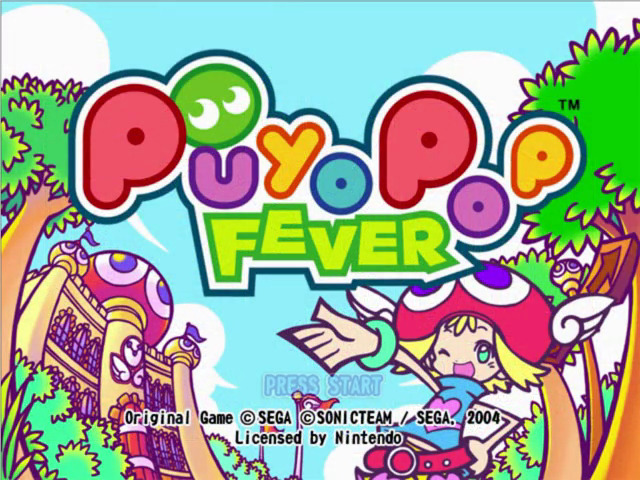
Game Start
When starting the game for the first time, the System File Create screen will be displayed. Select YES to create a system file on the Memory Card.
If you select NO, the game can be played but records and settings will not be saved. If a System File has previously been made, it will be loaded automatically.
Save Files
Puyo POP Fever is a NINTENDO GAMECUBE Memory Card compatible game. Never turn OFF the NINTENDO GAMECUBE power or remove the Memory Card while the game data is being saved. This game has two kinds of Save Files. The space required on a Memory Card for each is detailed below.
•
System File: Options (p.12) and High Scores are recorded here. A minimum of 1 Block free space is required to create a System File.
•
Replay File: Battles in Single Puyo POP (p.10) and Double Puyo POP (p.11) can be saved for viewing. A minimum of 3 Blocks free space is required to create 1 Replay File, and up to 6 can be stored in total. See p.13 for further details on creating and viewing Replay Files.
Please refer to the NINTENDO GAMECUBE instruction booklet for directions on how to format and erase Memory Card files. Main Menu
After the System File has been created or loaded, the Title Screen will be displayed. Press the START/PAUSE button to bring up the Main Menu.
Explanations for the different game modes can be found from p.10 to p.12.
Single Puyo POP
Play against a succession of COM characters. RunRun Course and WakuWaku Course have Amitie as the player character, and HaraHara Course stars Raffine. A Free Battle mode where you can choose your player character and opponents is also available.
A second player can Burst into the game at any time making it a 2P game, by pressing the START/PAUSE button on a second controller.
Warning from Ms. Accord
In Single Puyo POP, game progress isn't recorded. If you stop playing in the middle of a game, you'll have to restart from the beginning, so take care now!
Double Puyo POP
This is a 2P battle mode using characters of your choice. Three different game styles are available, as well as a free mode where you get to select your own rules.
Endless Puyo POP
Three different single player games to challenge your elimination and Chain building skills.
Options
Change various game settings, play music, view story dialogues, select language, and watch games that have been saved as Replays.
How to Play
Here follows an explanation of the basic rules of Puyo POP Fever and the game screen. Make sure you understand these before playing.
Basic Rules
What's a Puyo?
Puyo are the silent stars of the game. They come in red, blue, green, yellow and purple, and drop into the playfield in Sets of 2 to 4 Puyo.
•
Triple Sets: A Set of 3 Puyo of no more than 2 colours. Press the A or B button to rotate the Set as it drops.
•
Quadruple Sets: A Set of 4 Puyo of no more than 2 colours. When all are the same colour, press the A or B button to change the colour.
Removing Puyo
The goal of the game is to remove as many Puyo from the playfield as you can. To do this, control a Set as they fall from the top of the playfield using A and B buttons and pile them on top of other Puyo.
Whenever a Puyo touches another Puyo of the same colour, they stick together. Connect four or more Puyo to remove them from the playfield.
Viewing the Game Screen - Normal Mode
The Game Screen is set out as below. The playfield on the left is for 1P, while the playfield on the right is for the COM or 2P.
•
NEXT Puyo: Shows the next Set that will drop into the playfield.
•
XX Marker: Lose the game when Puyo pile up to here.
•
Puyo Preview: Nuisance Puyo your opponent has sent are displayed here before dropping.
Game Over
The first player to allow Puyo to pile up to the XX at the top centre of the playfield loses the game.
Nuisance Puyo
When you remove Puyo, you not only receive points, but also send Nuisance Puyo into your opponent's playfield.
When Nuisance Puyo Appear in Your Playfield
Nuisance Puyo cannot connect to colour or other Nuisance Puyo. However, when colour Puyo are removed, any Nuisance Puyo touching them horizontally or vertically disappear with them.
Simultaneous Elimination
The more Puyo you can connect and remove at the same time, the higher you score. You can also earn high scores by removing Puyo of two or more colours at the same time.
Chains
Whenever a group of Puyo is removed, any Puyo on top will drop down. When these Puyo then connect with and remove other Puyo, this is called a Chain.
Complicated Chains with greater numbers of steps earn higher points. Longer Chains cause lots of Nuisance Puyo to drop in your opponent's playfield.
All Clear
All Clear means that every last P
.png)