Main Unit (Top View)
Main Unit (Front View)
Game Start
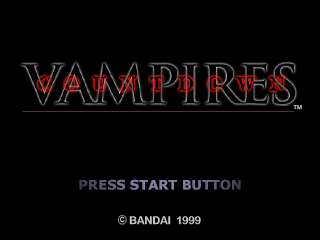
Press the OPEN button on the main unit to open the cover, then place CD-ROM Disc 1 into the drive. Turn the unit ON. You will see an opening demo, then a TITLE screen.
To skip the opening demo, press the START button on the controller.
New Game
Select "NEW GAME", then press the button to confirm. The MODE SELECTION screen appears.
Select NORMAL or EASY (for beginners) and press the button to confirm.
Continue Saved Game
Select "LOAD GAME", then press the button to confirm.
Disc Change
You may need to change discs during the game. Replace Disc 1 with Disc 2 according to the instructions on screen.
Memory Card
Don't forget to insert a Memory Card. If you don't use a Memory Card, you will not be able to save your game.
Do not attempt to remove a Memory Card from the unit during a game. This game uses a 3 block memory card.
Game Objectives
•
To put to sleep all vampires that were formerly humans by shooting them with an anesthetic gun, and to rescue them by changing them back into humans with "White Water."
•
To defeat the true vampires. However, there is a hidden purpose... Discover it yourself!
Rescue Method
If you shoot vampires that were formerly humans with the anesthetic gun, they will go to sleep. By getting close and sprinkling "White Water" on them, you can rescue them.
Even if they go down once, they may get up again. Make sure they are fully asleep before you attempt to rescue them.
Game Over
A player is wounded whenever attacked by the enemy. Player's movement will change when injured. The degree of injury can be checked with the Condition Gauge.
If wounds accumulate to a certain degree, the player dies and the game is over.
Condition Gauge
•
(Green) Condition with no wound
•
(Yellow) Condition wounded
•
(Red) Seriously wounded and dying
Rescue
After putting vampires that were formerly human to sleep with the anesthetic gun, a player can rescue them by splashing "White Water" over them.
Push the Button near sleeping vampires to splash them with "White Water" and win a bonus.
Switching Weapons
The player can equip himself with two weapons at a time, but one has to be the anesthetic gun.
If the player pushes the Button while pushing the R1 Button, the weapon can be switched.
Emergency Evasion
When a player is trapped by being grabbed or bitten, the player can quickly evade the situation by continuously hitting a Directional Pad and any of the ▲ Buttons.
Option Menu
If a player selects Option on the Title screen, or during the game, the Option menu appears.
Key Config.
Player can reconfigure the arrangement of buttons on the controller.
Vibration
Player can switch the vibration function of the analog controller ON or OFF. If the analog controller is not connected to the main unit of the Play Station, vibration will not function.
If a player sets SE (Sound Effect) Volume at 0, vibration will not function.
Sound
Volume can be set for BGM (Back Ground Music) and SE (Sound Effect). Sound can be switched to stereo or monaural.
If the main unit of the Play Station is connected to a TV with monaural output, the sound may be unclear unless it is set to monaural. Please set according to the TV in use.
Display Tuning
If the TV in use has controls to adjust brightness, contrast and color, use the color bars provided to get the best picture.
Map
When a player buys a map from a Map machine within a Stage, a Map appears. Selecting "MAP" from the Status screen displays the Map screen.
From the Play screen, pressing the R2 Button will also display the Map screen. Pressing the Button will enlarge the map, centering on the player's current position.
File
Selecting "FILE" from the Status screen displays a File List. Selecting a file from the list displays details of that file.
Player may obtain useful hints from this information.
Mail
With a Network PC, a player can read their own e-mail or the e-mail of the PC's owner.
When standing in front of the Network PC and pressing the Button, the Maintenance screen appears. When the player selects "MAIL," mail received is displayed. Use the cursor to select mail you want to read.
 (Disc 1).png)

 (Disc 2).png)
 [NTSC-U] [SLUS-00898].png)

.png)
.png)
 (Disc 2) (Claire-hen).png)
.png)
_1.png)
.png)
.png)
.png)




.png)
_1.png)

