How to Start the Game
Startup Method
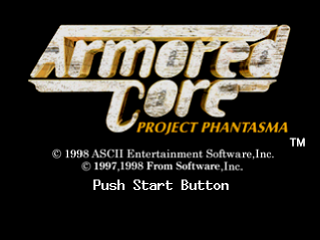
Set the game disc in the PlayStation console and turn on the power switch. After the demo screen ends, or by pressing the START button or the ◎ button during the demo screen, the title screen will be displayed. From the title screen, pressing the START button will switch to the mode menu screen.
Mode Description
SCENARIO MODE
This is the main mode where you undertake requested missions.
Earn rewards (parts and weapons) for successful missions to create your own original AC.
VS MODE
This is a split-screen versus mode.
VS MODE (REMOTE)
This mode appears only when a Versus Cable is used.
When you select "VS MODE", if a Versus Cable is connected, it will be a communication battle; if not connected, it will be a 1-screen split-screen battle.
To conduct a communication battle with two PlayStation consoles, a separately sold Versus Cable is required. To use it, connect the Versus Cable to the terminal on the back of each PlayStation console before turning on the power. Also, for communication battles, a disc of "ARMORED CORE PROJECT PHANTASMA" is required for each PlayStation console. If the Versus Cable is disconnected during a communication battle, always return to the main menu and reconnect it. Communication battles with the previous "ARMORED CORE" are not possible.
Game Flow
GAME START
SCENARIO MODE
Choose whether to start a new game or load save data.
When starting a new game, you will enter the pilot's name. When loading, it is similar to saving/loading game data in the SYSTEM.
If you have save data from the previous "ARMORED CORE", you can load it (previous data will be displayed in yellow) and continue the game with your parts and money carried over.
Players undertake numerous requests, purchase parts with the earned rewards, and strengthen their AC. By continuously succeeding in requests, the story progresses.
GARAGE
Assemble your AC before sortieing. You can also change the coloring here.
MISSION
Confirm the mission details here and sortie for the mission.
Success or Failure
If the mission is successful or fails, the income/expenditure screen will be displayed.
SHOP
If you have more money, you can buy parts.
MAIN MENU (Raven's Nest)
Raven's Nest is composed of the following 6 menus.
Select with the left/right directional keys and confirm with the ◎ button.
SYSTEM
Save/load game data and change game settings.
You can return to the title screen from here.
MAIL
You can read emails sent to you.
MISSION
Receive requests here. Selecting to sortie here will take you to the game screen.
SHOP
Buy and sell parts here.
GARAGE
Assemble ACs and change colors here.
ARENA
Compete against other Ravens. If you win the match, you can earn money and new parts.
On screens where the help mark is displayed, you can view help by pressing the start button.
Garage
Here you can assemble ACs and change their coloring.
AC Assembly
ASSEMBLY
You can combine parts and weapons to create your original AC.
Use the directional keys left and right to select the type of parts or weapons, and press the ◎ button to confirm. Use the directional keys up and down to select parts or weapons.
Once all parts have been selected, press the × button to complete the AC assembly. The assembly results will be displayed at that time. Once confirmed, press the ◎ button or × button to return to the GARAGE screen.
Press the △ button to view details such as price, weight, energy consumption, attack power, and defense power.
When assembling an AC, if the left-side numbers are displayed in red, it means you cannot sortie for a mission, so please reassemble the parts so that they do not exceed the right-side numbers.
Explanation of Displayed Status
•
EP: Displays the output of the generator.
•
AP: Displays the AC's ARMOR POINT.
•
WEIGHT: Displays the total weight of the AC.
•
CORE WP: Displays the durability of core parts.
•
LEGS WP: Displays the durability of leg parts.
Explanation of Warning Messages
•
Insufficient Equipment: Missing any of the minimum required head, legs, torso, generator, booster, or FCS for sortie.
•
Excessive Weight: The total weight of equipment exceeds the durability of the leg parts. Replace the leg parts or use lighter parts.
•
Insufficient Output: The equipment's output consumption exceeds the generator's output. Replace the generator or use parts that fit within the output consumption value.
•
Excessive Arm Equipment: The total weight of the equipped parts exceeds the durability of the core parts. Replace the core or use lighter parts.
Even if a warning is displayed, you can return to the GARAGE screen, but you cannot sortie for a mission.
Types of Parts
ACs are formed from 10 main types of parts.
•
Core Parts (CORE): These are the basic parts for assembling the machine. The generator and FCS are equipped in the core. It also has missile interception capabilities.
•
Head Parts (HEAD): Equipped with special functions such as biological sensors and radar.
•
Arm Parts (ARMS): There are two types: normal arms that can equip guns and laser blades, and arms that are weapons themselves.
-
.png)

 (v1.2).png)
.png)
.png)
.png)

 (Disc 2) (Claire-hen).png)
 (v1.1).png)



.png)
 (En,Ja) (Disc 2).png)
_1.png)