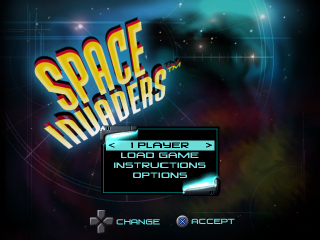
MAIN MENU
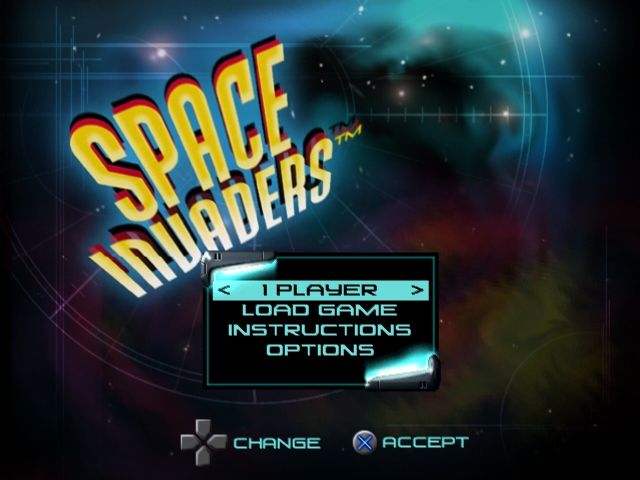
Choose from the following options to begin playing Space Invaders. •
1 Player/2 Player—Using left/right on the directional buttons, choose a one player or two player game. Press X to launch into the game. Two controllers must be plugged into the PlayStation to play a two Player game. •
Load Game—Choose this option to load a saved game.
•
Instructions—Choose this option to see a demonstration of how to play Space Invaders. •
Options—Choose this to go to the Options menu.
LOAD GAME
Select this option to load a previously saved game from a memory card. You have the option to save at anytime during gameplay by pressing Start to pause the game, and then choosing the Save Game option from the Pause menu.
In order to load a saved game, select the name of the saved game you want to play using the directional buttons. When selected, press X to initiate the load. Loading a game will take you to the beginning of the last level at which you saved.
OPTIONS MENU
Skill Level
This is where you can adjust the difficulty level.
•
Expert—Not for the weak of heart. You'll be lucky if you survive the first wave.
Volume Control
This is where you can adjust the volume level.
•
Music Volume—Use the left/right directional buttons to adjust the music volume.
•
Sound Volume—Use the left/right directional buttons to adjust the sound effects volume.
Control Configuration
Select this option to change the button assignments for player one or two. You can also choose to turn DUAL SHOCK™ analog controller vibration on or off.
High Scores
The high score screen shows the best scores.
Credits
Choose this option to see all of the people behind the scenes.
Reset Defaults
Choosing this option will reset your control configuration as well as the music and sound volumes to the default settings.
HUD
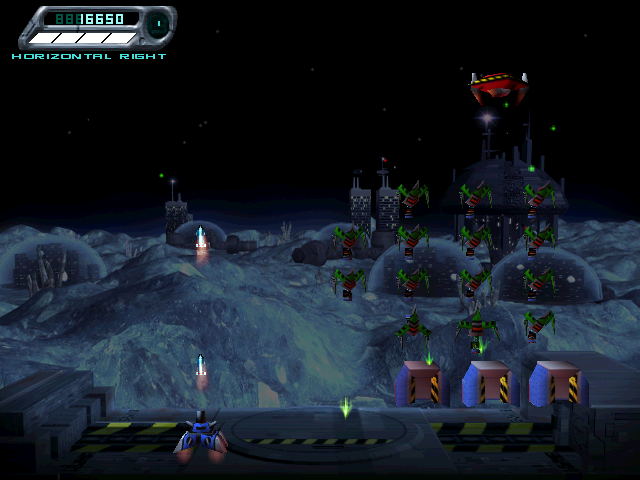
The Heads Up Display is in the upper left of the screen for player 1 or the upper right for player 2. The number of tanks remaining and score are tallied here. The power-up energy bar is also located on the HUD. (See Power-up Energy Bar for more info)
LOADING/BRIEFING SCREEN
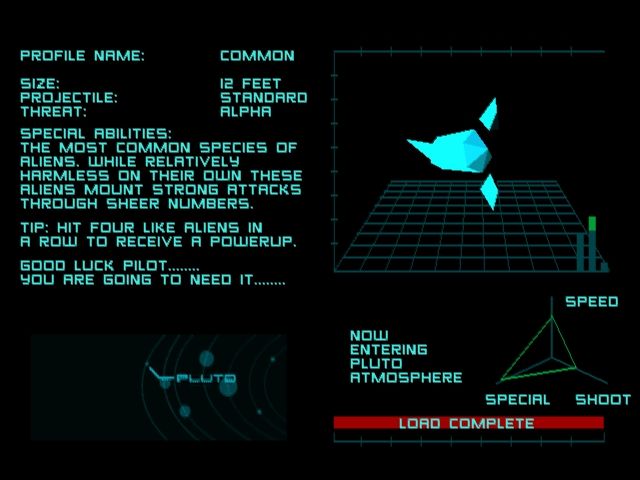
Before beginning each new game episode, a briefing screen is displayed. This screen provides you with useful information about the planet that you are fighting on, as well as useful information about any new aliens that appear in that particular episode.
Once the loading bar is completely full, begin the level by pressing X.
SAVE GAME
To save a game make sure a memory card is inserted into memory card slot 1 of the PlayStation. Space Invaders only saves to memory cards inserted into memory card slot 1. The Save Game option is only available for a one-player game. At any time during gameplay, press Start to pause the game, then choose Save Game from the Pause menu. Select one of the available slots by pressing up/down on the directional buttons. Press X to confirm your selection.
POWER-UP ENERGY BAR
Power-ups are earned when you fill the energy bar in the upper part of the screen. (See HUD.) The energy bar is filled by consecutively shooting aliens of the same type. It takes four aliens to fill the bar.
If you shoot a different alien before filling the bar, the bar becomes empty and begins to fill again with the color associated with the new alien.
Once the bar is filled, you are awarded a power-up. The type of power-up is dependent on the color of the bar. When it is full, the bar will begin to flash and pulse, and the name of a power-up will appear next to it.
After the bar is filled, subsequent shots have no effect on the bar until the power-up is used.
The power-up can be activated by pressing the ▲ button. The energy bar is then reduced to zero. Aliens destroyed by the power-up count toward refilling the energy bar in the order they are killed.
If the Tank is destroyed, the energy bar is reset to empty. When the level ends, the bar will carry over to the next level.
POWER-UPS FROM ALIENS
•
Red aliens provide the Vertical Blast—Shoots a missile straight up through the formation taking out anything in its path.
•
Green aliens provide the Horizontal Burst Right—Shoots a missile straight up until it hits an alien, then it starts going to the right, taking out anything in its path.
•
Blue aliens provide the Horizontal Burst Left—Shoots a missile straight up until it hits an alien, then it starts going to the left, taking out anything in its path.
•
Yellow aliens provide the Diagonal Burst—Shoots a missile straight up until it hits an alien, then it starts going diagonally in a Y shape, taking out anything in its path.
•
Switcher aliens provide Swarm Missiles—Missiles target the alien type that has the greatest number on screen. Only the number of missiles needed to hit the aliens are launched, up to a maximum of eight. For example, if there are five blue aliens, three red, three green, and two unique, then five missiles will be launched that will target each of the blue aliens.
•
Blocker aliens provide the Fat Laser—Large two column-wide laser beam that destroys everything in its path.
.png)

.png)
.png)
