GETTING STARTED
Set up your PlayStation®2 computer entertainment system according to the instructions in its Instruction Manual. Make sure the MAIN POWER switch (located on the back of the console) is turned on.
Press the RESET button. When the power indicator lights up, press the open button and the disc tray will open. Place the REZ disc on the disc tray with the label side facing up. Press the open button again and the disc tray will close.
Attach game controllers and other peripherals, as appropriate. Follow on-screen instructions and refer to this manual for information on using the software.
SETTING UP
Set up your PlayStation®2 computer entertainment system according to the instructions in its instruction manual. Make sure the MAIN POWER switch (located on the back of the console) is turned off.
Attach game controllers / other accessories as appropriate BEFORE you switch your console on. It is advised that you do not insert or remove accessories once the power is turned on.
Now turn the console ON by pressing the MAIN POWER switch and press the [STANDBY]/RESET button. When the [STANDBY] indicator lights up green, press the [OPEN] button and the disc tray will open.
Place the Rez™ disc on the disc tray with the label side facing up. Press the [OPEN] button again and the disc tray will close. Finally, press the [STANDBY]/RESET button again before commencing play.
PLEASE NOTE
The information in this manual was correct at the time of going to print, but some minor changes may have been made late in the game's development. All screenshots for this manual have been taken from the English version of this game, and some screenshots might have been taken from pre-completion screens that differ slightly from those in the finished game.
MEMORY CARDS
Throughout this manual, the term 'Memory Card' is used to describe the Memory Card (8MB) (for PlayStation®2) (product code SCPH-10020 E). Memory Cards (SCPH-1020 E) designed for use with PlayStation® (PS one™) format software are not compatible with this game.
To save game settings and progress, insert a Memory Card into MEMORY CARD slot 1 of your PlayStation®2. You can load saved game data from the inserted Memory Card, or any Memory Card containing previously saved Rez™ data. Make sure there is enough free space on your Memory Card before commencing play.
STARTUP
LOAD DATA
If there is a Memory Card containing previously saved Rez™ data inserted into MEMORY CARD slot 1, the data will be automatically loaded on startup. A message notifying you of this will be displayed. Press the button to continue.
DISPLAYING THE MAIN ACCESS MENU
Press the START button at the Title Screen to display the Main Access Menu. You will be given the following options: TRAVELLING, PLAY, OPTIONS and HOW TO PLAY. These options are explained in more detail later in this manual.
NOTE
Two additional modes, Score Attack and Beyond Mode, eventually become available based on your performance within the game.
HACKING PROCEDURE
Before you can gain access to Eden, you must unlock the various Area Sub-Systems by destroying the Viruses that inhabit them.
THE LOCK-ON LASER
To lock onto a Virus, aim the cursor at it and press the button. If you hold the button down, you can then aim the cursor at other targets, up to a maximum of eight.
When you release the * button, the laser will open fire, and all the Viruses you have locked onto will be destroyed.
AREAS
Each Area is made up of two phases - the Infiltration Phase, where you must destroy Viruses to hack into the System, and the Boss Phase, where you will face the Firewall protecting the Network Core. To clear the Area, you must defeat the Firewall Boss.
Areas are unlocked successively. To unlock Area 5, you must achieve 100% analyzation in Areas 1-4 by shooting every single Network Opening. Your analyzation percentage is determined by the number of Network Openings you shoot - for example, if you only shoot eight of the Network Openings in an area, you will only score 80%.
Network Openings are explained in the next section.
LAYER LEVELS
Each Area is made up of ten layer levels. To enter a new Layer Level, first destroy the Password Protector. This will give you access to the Network Opening, which you must then shoot eight times.
CHANGING YOUR PERSPECTIVE
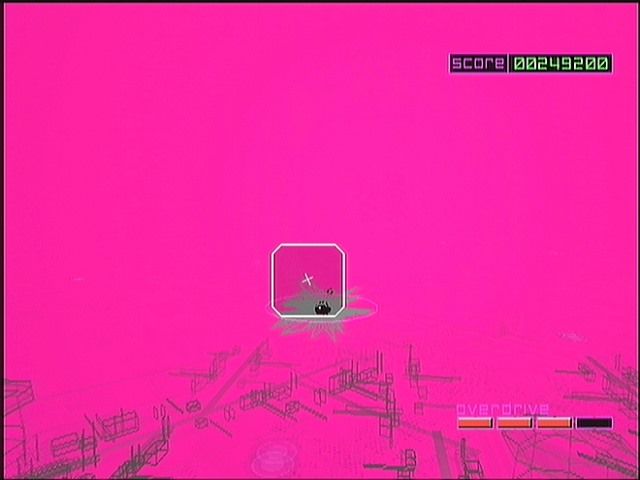
When you are in the network, you move along a predetermined system corridor and cannot change your position. Nor can you dodge attacks from missiles – you must use your Lock-On cursor to protect yourself before they hit you.
However, you can change your perspective by pushing up, down, left, or right direction with the left analog stick. The range of your viewpoint can be up to 150º in the Infiltration Phase. However, in the Boss Phase, you will have a 360º clear view.
EVOLUTION
These are the
.png)

.png)



