MENUS
USING MENU SCREENS
Navigating the menu screens in Rollcage is as easy as flooring the gas and shredding the opposition.
•
Use the directional buttons to highlight an option.
•
Press the button to confirm.
•
To return to the previous menu screen, press the button.
TITLE SCREEN
•
Press the START button to access the Main Menu.
MAIN MENU
•
LEAGUE: go to League Menu
•
TIME ATTACK: go to Time Attack Menu
•
2 PLAYER: go to 2 Player Menu
•
PRACTICE: go to Practice Mode
•
RECORDS: go to Records Menu
•
OPTIONS: go to Options Menu
LEAGUE MENU
Starting at the bottom of the Gemini League, you must race with the best and work your way up through the Scorpio League and into the elite Taurus League. It doesn't come any harder than this!
•
Press the button to access the Driver Menu.
TIME ATTACK MENU
Go up against the clock to beat your lap-time records in Time Attack Mode. Choose your Rollcage venue from the famous four listed below:
•
NEOTO CITY is a sprawling neon-washed urban complex, complete with imposing skyscrapers and an intricate street network.
•
SAPHIRE SPRINGS is a mountainside course, where nature and industry forge an uneasy alliance.
•
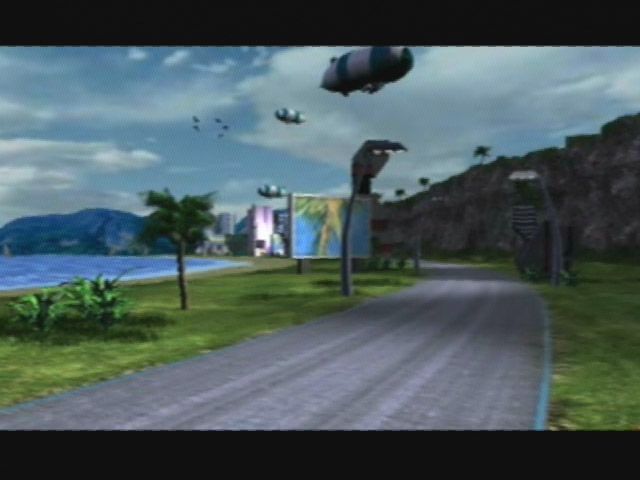
HARPOON ISLANDS is a scenic coastal paradise, where the rich and famous pamper themselves and the sun beats down all day.
•
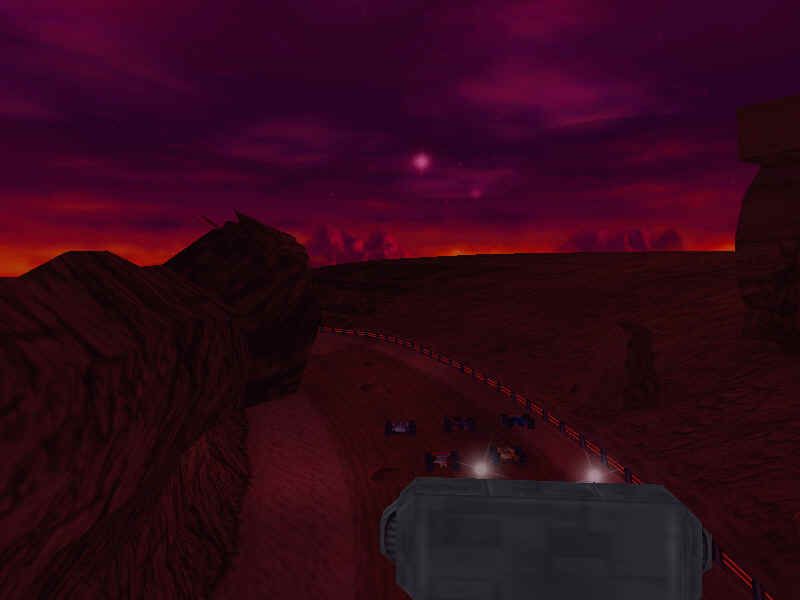
OUTWORLD on the perimeter of the fledgling Martian colony is the newest Rollcage venue. Rollcage always was an out-of-this-world kind of sport!
While Rollcage cars can take all sorts of punishment, most of the trackside features are destructible and this is one thing all Rollcage venues share in common. The spectacle of a building's weak point being pummeled by a car and then crumbling down onto the track and onto the chasing pack has to be seen to be believed.
Once you have selected your venue, you must choose a Rollcage course from the thirteen available tracks. Then press the button to access the Driver Menu.
2 PLAYER MENU
Before you go head-to-head with your friend, you must first choose your venue and track. Then press the button to access the Driver Menu.
NOTE
The LEAGUE MENU, TIME ATTACK MENU and 2 PLAYER MENU lead directly to the DRIVER MENU.
DRIVER MENU
Lothar, Leon, Jet, Ria, Tony and Lenny each have their own characteristics and will handle their vehicles differently. Choose the driver that suits you.
•
Use the up and down directional buttons to select your driver.
•
Press the button to access the CONFIRMATION MENU.
CONFIRMATION MENU
The Confirmation Menu is the final menu before the big race, so if you need to alter any options you will not get another chance!
•
RACE: takes you directly into a new race.
•
CHANGE TRACK: (if applicable) choose a new race venue and track.
•
CHANGE CAR P1: (if applicable) reassign driver character.
•
CHANGE CAR P2: (if applicable) reassign driver character.
•
QUIT: are you sure? Yes (return to Main Menu) or No (return to Confirmation Menu).
PRACTICE MENU
Go trackside to practice your race skills. Handy for polishing your driving techniques and perfecting the art of using your weapons.
•
To exit the practice session, press the START button.
•
Highlight QUIT PRACTICE and press the button.
•
You will then be prompted to confirm. Choose YES to return to the Main Menu.
RECORDS MENU
Access the high scores for every track in every venue. Remember the times to beat.
OPTIONS MENU
USER SETUP
•
CONTROLS P1: choose from six set-ups to change the control method.
•
CONTROLS P2: choose from six set-ups to change the control method.
•
DIFFICULTY: complete Rollcage in EASY mode to access HARD mode and beyond. You have been warned!
•
ADJUST SCREEN: use the directional buttons to position the screen to your satisfaction.
AUDIO
•
CD Volume - use the left directional button to decrease and the right directional button to increase the volume of the in-game music.
•
FX Volume: Use the left directional button to decrease and the right directional button to increase the volume of the in-game sound effects.
•
Exit: Press the button to return to the Audio Menu.
•
INDEXING: Press the button to toggle between Normal and Random audio track selection.
•
SELECT: Press the button to scroll through the list of in-game musical tracks.
BONUS BITS
Unlock hidden Rollcage Death Match courses in various venues. We could tell you how to do this, but that would be cheating. And cheaters never prosper, do they?
GAME SETUP
•
WEAPONS: on or off (use the left and right directional buttons to select).
•
CATCH UP: on or off (use the left and right directional buttons to select).
•
HUD LEVEL: use the left button to decrease and the right button to increase the brightness of on-screen message overlays.
•
SPLIT SCREEN: use the left and right directional buttons to divide the 2 Player screen horizontally or vertically.
•
WEATHER: good or bad (use the left and right directional buttons to select).
•
MOTION BLUR: on or off (use the left and right directional buttons to select).
IN-GAME MENU
•
MUSIC VOLUME: use the left directional
.png)

.png)


_1.jpg)
_1.png)
.png)

_1.png)