GETTING INTO THE GAME
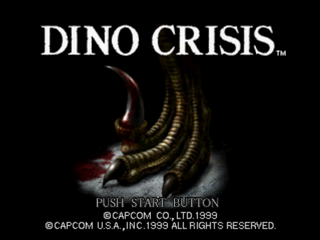
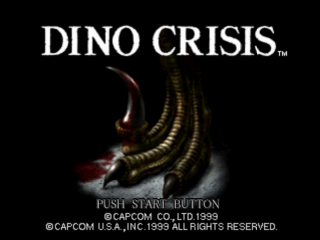
1. Press START at the title screen to display the Game Mode menu.
2. Highlight NEW GAME and press START or the X button.
3. Use the D-Button to highlight a difficulty: EASY or NORMAL.
4. Press START or the X button to begin the adventure.
SETTING OPTIONS
Highlight OPTION on the Game Mode menu and press START or the X button.
Press the D-Button up/down to highlight an option; press left/right to adjust or change a setting.
Press the X button to open an option's submenu; press the ▲ button to cancel a menu or submenu.
OPTIONS
KEY CONFIG
Choose from three different button configurations and turn the vibration function ON or OFF (Dual Shock™ analog controller only).
SOUND
Set game sound to STEREO or MONAURAL; adjust volume of background music (BGM) and sound effects (SE).
MONITOR TUNING
Adjust your monitor's brightness (available only with TVs that have a brightness adjustment feature).
RESET
Restore default settings and return to Game Mode screen.
EXIT
Return to Game Mode screen.
SAVING AND LOADING GAMES
You must use a Memory Card in order to save game data.
You must have a Memory Card containing saved games in order to load games.
SAVING GAME DATA
You can save game data when leaving certain rooms. When you begin to leave by opening a door, you will be asked if you want to save game data.
To save:
1. Select YES when prompted and press the X button.
2. Press the X button again to display the saved data screen.
•
If you have multiple saved games, press the D-Button up/down to highlight the game you want to overwrite.
3. Press the X button to save.
•
When overwriting game data, highlight YES when prompted and press the X button.
4. Select EXIT and press the X button to continue the game.
LOADING GAME DATA
With one or more saved games, you can resume play from the Game Mode menu.
To load a saved game:
1. On the Game Mode menu, highlight LOAD GAME and press the X button. A list of saved games will appear.
2. Press the D-Button up/down to highlight a saved game.
3. Press the X button to load the game.
USING THE INVENTORY
Without her inventory, Regina would have no hope of completing her dangerous assignment. She'd even have trouble staying alive! Press the Inventory button (default) to open the inventory. Use the four main buttons, ITEM, EQUIP, MAP and MIX, to manage your inventory collection.
Use the D-Button to highlight a supply, item, piece of equipment or action and press the Action button (default X).
Highlight an action and press the Action button. Press the Inventory button to return to your mission (or highlight the main EXIT button and press the X button).
ITEM
Use or review the items you are carrying.
•
SUPPLIES Bullets and med paks. You can carry only a limited supply.
•
ITEMS Keys and items for solving puzzles. Of these, you can carry an unlimited supply.
•
CHECK Examine an item or weapon.
•
SORT Combine similar items (supplies only).
EQUIP
Equip or review the weapons you've acquired. After selecting a weapon, choose an action for it:
•
EQUIP Make a weapon or bullets ready to use.
•
CHECK Examine a weapon or bullets.
MIX
Create a new item, or upgrade some items by combining two supply items. After selecting an item, choose an action for it:
•
SORT Combine similar items (Supplies only).
MIXING ITEMS
Use MIX to combine certain items to make new items. For example, by mixing a hemostat with a multiplier, you can double the number of hemostats you have.
USING WEAPONS
When Regina picks up a new weapon, it is not ready to use. It is only added to the equipment in the inventory. To use it, you must equip the weapon and its ammunition. To pick up a weapon or ammo, walk up to it and press the Action button (default X). The item is added to your inventory. Regina starts the mission with one or more weapons depending on your difficulty mode. You must equip other weapons and ammo before you can use them. To ready a weapon for use:
1. Press the Inventory button (default) to open the inventory.
2. Highlight EQUIP and press the Action button.
3. Highlight EQUIPPED WEAPON to use the weapon currently selected, and press the Action button.
•
To select a different weapon, press the D-Button right to open the WEAPON LIST. Press the D-Button up/down to highlight a weapon and press the Action button. Press the Action button again to bring the weapon into use.
4. Next, highlight EQUIPPED AMMO and press the Action button to load your weapon with the currently selected ammunition.
•
To load different ammunition, press the D-Button right to open the AMMO list for the selected weapon. Highlight an ammunition and press the Action button. Press the Action button again to load the ammo into the weapon.
5. Press the Inventory button to close the inventory and return to the mission with a loaded weapon.
 (Rev 1).png)

 (Rev 1).png)


_1.png)
.png)

_1.png)
_1.png)



.png)




.png)