FILE SYSTEM
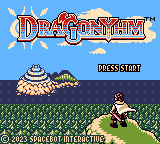
Pressing the START Button (or the A Button) from the Title Screen will take you to the File Select Screen. From here, you can either start a new adventure from a blank File, or resume from a saved File.
A saved File will display some basic current information about that adventure, such as Kris' level, outfit, and gonessences. If a Golden Dragon Statue is applied to a File's adventure, an icon denoting this will appear under the level indicator.
To copy or delete a File, use the respective options on the bottom (COPY/DEL). Copying a File will subsequently trigger Paste mode, whereafter the destination for the copied File can be decided. Even Files that have content can be overwritten in Paste mode.
A confirmation prompt will appear before any of these actions are completed. Keep in mind that you cannot restore a deleted or overwritten save File.
Saving to a File can be accomplished by using a Shrine of Reflection while playing.
COMMON MENUS
Status Menu
The Status Menu is accessed by pressing the START Button when in the Overworld, Dungeons, or buildings. This menu will display information about Kris' current state, with more detail than the File Select Screen.
•
Ailment Status (Poisoned or Healthy)
•
MP & SP (Mana Points & Strength Points)
•
Battle Stats (Mana, Strength, Defence, Agility)
•
Currently equipped Weapon
•
Current giliya (currency)
Inventory
The Inventory is where all Items are accessed. It is divided into 4 pages, labelled as Medicine, Equipment, Key Items and Keepsakes.
The pages can be changed by pressing Left or Right on the D-pad when an Item is not selected. Press the A Button to select an Item to be used or equipped.
Techniques Menu
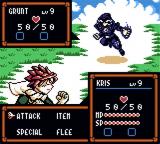
The Techniques Menu provides information on Techniques, a core aspect of Battles. This menu will initially present a list of 3 categories: Attack, Magic and Skill.
Magic and Skill are both lists in and of themselves, containing all Techniques available to Kris at the time of viewing. Selecting a Technique will provide its relative power, and a description, including its Status Effects.
Attack refers to the generic Technique which is always available. After viewing a Technique's description, its animation will play out in the mock Battle scene above.
Settings
The Settings Menu is where certain minor gameplay modifiers are controlled. At the bottom is a Default icon, which will revert all settings to their defaults when selected and confirmed.
Settings typically pertain to other menu interactions and graphic details, and do not affect difficulty. For difficulty modifiers, see the section on Golden Dragon Statues.
World Map
The World Map is accessed by pressing the Select Button when in the Overworld, Dungeons, or buildings. On this screen, all of the Overworld is represented.
By hovering the cursor over certain key locations, a label will appear at the bottom, denoting the location. Kris' approximate current location in Archend is represented by a flashing icon of his head.
Furthermore, activated Warp Altars will be seen as swirling blue orbs. Lastly, a pin can be placed anywhere on the map for quick personal reference.
Pressing the A Button over a Warp Altar will bring up the warp prompt, and doing the same anywhere else will bring up the pin prompt.
DUNGEONS
Types of Dungeons
A plethora of Dungeons await Kris on his quest. Not all are necessary to explore, and this applies mostly to Challenge Dens.
These small inlets dotted throughout Archend are single rooms containing brief challenges, with the majority of them being optional. Entrances to Challenge Dens are typically harder to recognize, so do keep a sharp eye out. They also tend to offer prizes upon completion.
Major Dungeons, conversely, feature multiple rooms/scenes, and also vary more significantly in structural nature and theme. Not all Major Dungeons are interior spaces, but they are each distinct from the Overworld, with all of a Major Dungeon's rooms/scenes represented as just one small place on the World Map.
Among the Major Dungeons, the Sealed Dungeons are generally the largest and most challenging.
•
An ominous room in a Major Dungeon.
Sealed Dungeons are signified by their unique stone entrances, which are sealed until a certain threshold of acquired Dragon Scales is met. Not all Sealed Dungeon entrances are visible from the Overworld; some may even be found within other Dungeons.
There is also a magical interference present in Sealed Dungeons, which prevents Kris from warping back to Warp Altars. Most of the Major Dungeons, including the Sealed Dungeons, are a prerequisite to finishing Kris' adventure.
•
Hallmarks of a Sealed Dungeon: stone entrance seals and similarly constructed foyers.
Puzzles
More often than not, Dungeons will have Puzzle Elements, though some may rely moreso on Hazards or Enemies as the main source of challenge. Some Puzzle Elements are more tangible than others, with some typical examples being various buttons or switches, special floor tiles, barriers, or movable objects.
Sometimes, temporary Items such as Keys may need to be acquired in order to proceed. At other times, Kris may be required to perform a sequence that involves little or no interaction with tangible objects or inventory Items. When a puzzle's task is completed, a signature musical motif can be heard.
Level & EXP
Levels are a general indicator of the power and difficulty of an Enemy. Kris' own level will increase as he gains EXP, which in turn increases his own capabilities. New Magic Techniques will be learned at certain levels,