Setting Up
Set up your Panasonic REAL™ 3DO™ Interactive Multiplayer™, following the steps in your operating instruction. •
Plug your 3DO Control Pad™ into the control port. •
Press the Power switch to turn the unit ON.
•
Press the Open/Close button to open the disc tray.
•
Place the CD into the disc tray, label side up.
•
Press the Open/Close button to close the disc tray.
Key Components
Demo Instructions
Listen to the narration carefully. For each detail, please refer to the following instructions.
Road Race
At the menu:
•
To choose an item: directional pad (Up/Down) and then A button.
At the track:
•
To speed down: B button.
•
To change view point: C button.
•
To change the direction of the car: directional pad (Left/Right).
•
To restart the demo: X button.
Shell Game
•
To choose a shell: A button.
•
To change speed/level: directional pad and then A button.
PGA Tour Golf
Color Echo
Storage Manager
When high-score and other data from games is stored, it is written in the built-in storage. The storage method used differs depending on the game and so reference should be made to the Operating Instructions of the game concerned.
Storage Manager is a tool for deleting data when the built-in storage is full.
Startup method
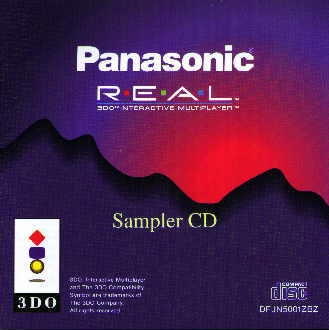
1. Start up the Sampler CD.
2. Select the REAL Machine section on the Main Menu. Press “Up” directional pad while “L” or “R” shift button being kept pressed to change the direction for displaying the top of the REAL Machine.
3. Use the directional pad to move the cursor onto the 'Storage Manager' panel, and press “A”. The description of this tool now starts to appear. When “A” is pressed again, Storage Manager starts up.
4. Use “Up”/”Down” directional pad to highlight an item to be deleted, and press “A”. A screen requesting confirmation of the deletion appears.
5. To delete the item, press “C”. To cancel the deletion, press “A”.
6. To quit, press “X” on the screen shown in Figure 3.
Caution
1. DO NOT switch off the power while Storage Manager is running. The data in the built-in storage may be lost.
2. When the ACD.PLAYLIST file is deleted, the settings made on the program screen during audio CD play will be cleared.




.png)

.png)
.png)
_1.png)
_1.png)
