Setup and Initialization
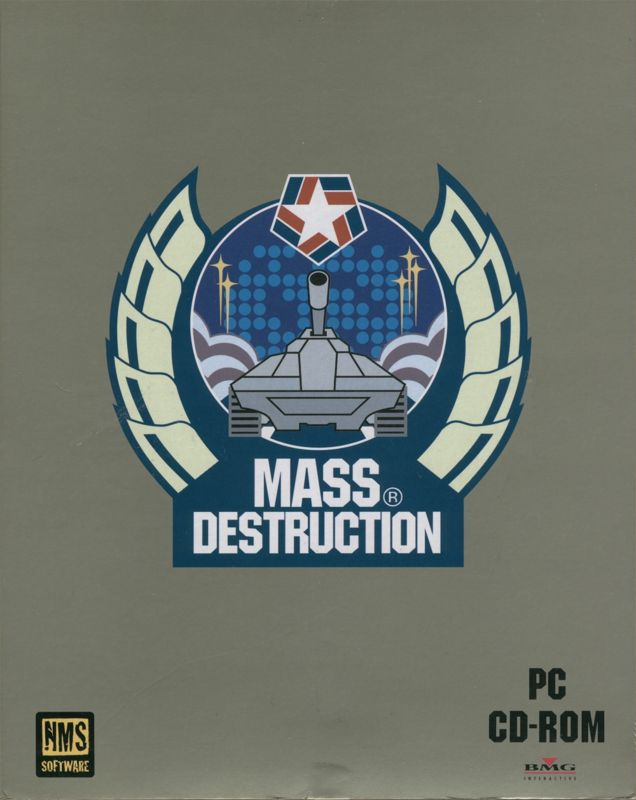
Set up your Sega Saturn™ System as described in its instruction manual. Plug in Control Pad 1. Note that Mass Destruction™ is for one player only. Place the Mass Destruction disc, label side up, in the well of the CD tray and close the lid.
Turn on the TV or monitor and the Sega Saturn™ System. The Sega Saturn™ logo will appear on screen. If nothing appears, turn the system OFF and ensure it is set up correctly before turning it on again. After a moment, the memory management screen will appear. Highlight either System Memory or Cartridge Memory (if you have an external memory cartridge inserted) and press START.
Handling the Disc
Your Sega Saturn™ CD contains a security code that allows the disc to be read. Keep the disc clean and handle it carefully. If your Sega Saturn™ System has trouble reading the disc, remove it and wipe it carefully. Start from the center of the disc and wipe straight out toward the edge. Game Controls and Menus
To stop a game in progress and return to the Main Menu, simultaneously press Buttons A, B, C, and START on the Control Pad. When the Title Screen appears, press START again to go to the Main Menu.
Once the game has loaded, press START to load the main menu. Using the D-Pad, select New Game, Load Game, or Options.
New Game and Commander Setup
This option allows you to start a new game. After selecting it, you will be prompted to enter a name for the tank commander.
Each name is limited to 7 characters. Use the following controls on the Tank Commander screen:
•
Up/Down arrows: Choose a character.
•
R: Move to the next space.
•
L: Move to the previous space.
Once you've entered all characters, press START to access the Game Options screen.
Difficulty Levels
On the Options screen, choose the difficulty level for the missions. You can also turn SFX On or Off and perform sound tests.
•
EASY: Strictly for novices. The enemy is slow to respond and has weak firepower.
•
MEDIUM: Poses a challenge for seasoned gamers. The enemy is stronger and smarter.
•
HARD: For experienced players. The enemy's hits do more damage and attack in multiple waves. Not for the easily frustrated.
Mission Selection and Briefing
Global Command has broken five global hot spots into a series of missions. Each series must be completed in designated order.
When a mission becomes accessible, the red "X" on the folder disappears. Highlight it and press START to move to the Tank Selection screen. Completed missions are marked with a tank icon and can be replayed for additional points.
The Mission Briefing Screen provides detailed information regarding terrain and objectives. Pay close attention to the intelligence provided, as it may save your life.
Listed at the bottom are primary missions which must be completed before receiving the location of the evacuation point.
Objectives
•
Primary Objectives: You must accomplish these to complete a mission. In some missions, they must be completed in a particular order. Consult the Mission Objectives screen (accessed with the Y-button) to plan your strategy.
•
Secondary Objectives: Completing all secondary objectives opens an additional extraction point leading to a different mission. They also award bonus points upon completion.
•
Bonus Objectives: Complete these by destroying specific structures, soldiers, or vehicles. A notification appears on-screen and in the Mission Objectives screen. They award bonus points at the end of the mission.
•
Hidden Objectives: Completing these activates a second extraction point leading to a previously inaccessible mission. These missions appear as folders on the Mission Selection screen once the objective is completed. Note there is no on-screen notification when a Hidden Objective is completed. If a folder is inaccessible, the previous mission likely contains an uncompleted Hidden Objective.
During your mission, press Y to uplink to the defense net to recall objectives or view a map of the area.
Weapons
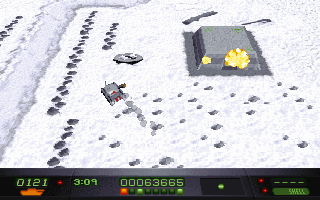
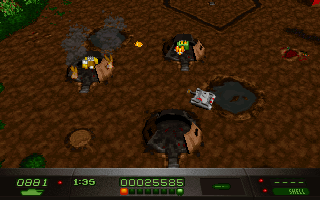
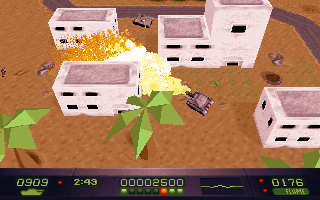
Each tank features a 360° swiveling turret, allowing you to fire in any direction regardless of facing. Weapon selection and management are important, especially in difficult campaigns.
•
Flame Thrower: The best weapon for taking out annoying foot soldiers.
•
Guided Missiles: One of two weapons capable of taking down a helicopter.
•
Chain Gun: Can tear apart enemy infantry or helicopters. It never runs out of rounds.
Hint: Visible aircraft, such as helicopters, can be destroyed. Shadow-casting airplanes cannot.
Saving and Loading
Provided you have space, Mass Destruction automatically saves progress to the Sega Saturn's™ internal memory as you complete missions. Each level completed overwrites that Commander's previous saved game. Saved games for different commanders do not overwrite each other. For example, Commander A's slot will not overwrite Commander B's.
To save using a Sega Saturn Memory Cartridge™, insert the cartridge before turning on the system. After the opening cinema, select whether to save to internal memory or the cartridge. Do not remove the Memory Cartridge until you turn off the system. If you have previously played, the "Load Game" option becomes available on the title screen. Select a commander from the list and press C to restore.
If your game was saved on a Memory Cartridge, you must insert the cartridge before turning on the Sega Saturn™ to load the save data. Pause Menu
Press START during the game to
.png)

.png)
.png)

.png)
.png)
.png)
.png)
.png)
.png)
.png)