Loading the Game
1. Make sure the power switch is OFF.
2. Insert the DragonHeart™ Game Pak as described in your NINTENDO GAME BOY® instruction manual.
3. Turn the power switch ON.
Title Screen
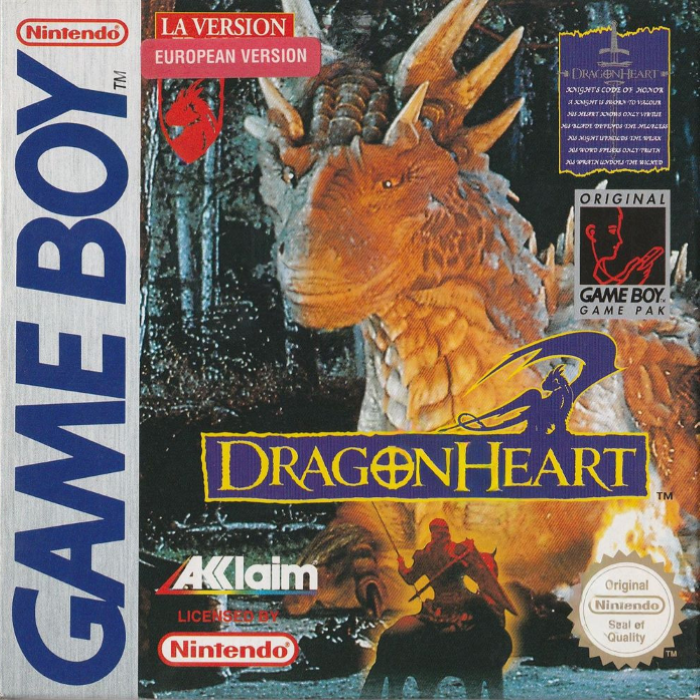
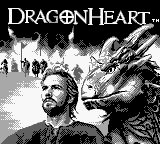
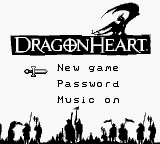
When the DragonHeart™ title screen appears, press START. A main menu will appear.
If no button is pressed, an introductory story will begin. You may bypass the story and return to the title screen by pressing the START BUTTON.
Main Menu
The MAIN MENU features three choices. To select any choice, move the Sword cursor with the CONTROL PAD. Press the START BUTTON to toggle settings, go to the password screen or begin game play.
•
NEW GAME: Starts the adventure!
•
PASSWORD: Select this to enter a password and begin gameplay at the level associated with a particular password (see Passwords on page 12).
•
MUSIC: Choose to play with Music on or off.
The Sword Pointer
Press the SELECT BUTTON to toggle the Sword Pointer or Cursor On or Off. When on, pointing the cursor at an object and pressing the A BUTTON may yield new experiences: people with information to share, opening and closing doors, anything is possible.
Also used to open and view inventory and map during gameplay.
Compass
At the bottom center of your frame is a compass which will change with your orientation. Use it to keep track of your progress, and your position. Sometimes you'll get clues which mention a direction.
Inventory
There are many items to collect on your journey. To bring up the inventory screen, point to INV with the Sword Pointer, then press the A BUTTON and toggle through items.
The items in your inventory will automatically be used at the appropriate time. Pressing the START BUTTON will return you to the game.
Map - Entering and Exiting Areas
Once you've collected the map pick-up for your inventory, a touch of your sword pointer will open a map which lets you see where you currently are, and the general lay of the land.
Throughout the kingdom, you will encounter many areas such as woods and villages which hold valuable resources such as inventory items, people to converse with, etc.
Some areas require you to have a particular item in your inventory to enter. To enter other areas, simply approach them. You may enter specific buildings and other sites by moving the Sword pointer to them and pressing the A BUTTON.
Exiting areas is similar: you may need to find a certain item before you can exit, or you may merely need to place the Sword pointer at an appropriate spot and press the A BUTTON. You have much to discover!
Conversations
Throughout your adventure, you'll encounter all manner of folk, fair and foul. Engaging them in conversation may give you the chance to exchange items such as food and money.
Depending on your approach, you may help or hinder your cause. Pay heed to the choices that you're blessed with, and to the answers you receive, for therein lie the clues that will lead you to your ultimate adventure!
To select one of the possible responses, press UP or DOWN on the CONTROL PAD to high-light the desired response. Press the A BUTTON to use that response.
You can engage in a conversation by either walking up to someone or, in some situations, by moving the sword pointer to them and pressing the A BUTTON.
Passwords
After completing certain tasks/adventures, you will be rewarded with a password, which will allow you to resume gameplay at a later time without having to repeat these tasks. Write these down in the NOTES section at the back of this booklet.
To enter a password, press LEFT or RIGHT on the CONTROL PAD to change the currently selected letter tile, and the A BUTTON to enter it. When your password is complete, you will automatically begin your adventure.
.png)

.png)

 (SGB Enhanced).png)

_1.png)