Starting a Round
To begin playing Sports Illustrated Golf Classic, make sure your Game Boy's power is off. Insert the Game Pak and turn the power on.
Press the Start or A Buttons once the title screens appear to begin the game.
If you are familiar with the game of golf, the bold sections at the beginning of each chapter and the controls summary will guide you quickly through basic controls and game play. For those not so experienced at golf, read carefully through this manual for an explanation of the game and its terms.
The Game of Golf
A round of golf consists of 18 numbered holes played in order. At each hole, players use various clubs to hit their ball along a smooth, grassy area called the Fairway. Each time the ball is hit, it counts as a stroke.
Throughout the fairway are obstacles: areas of higher grass called Roughs, where the ball rolls less easily, Woods and Water Traps, into which balls are lost and Bunkers (sandtraps) which are difficult to hit out of. The player's goal at the end of the fairway is a smooth grass area called the Green, which contains the hole marked by a flag. Once on the green, players Putt the ball more gently into the hole.
When each player has hit their ball into the hole, players move to the next hole. In general, the player with the fewest number of strokes overall wins the game.
Play Selection
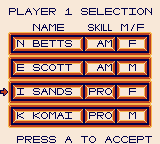
Begin by selecting the number of players and type of play. Sports Illustrated Golf Classic provides for 1-Player Practice or 2-Player Stroke or Match.
Choose one of these by moving the Control Pad up and down and select with the A Button.
•
Practice Play allows one player to play the course on their own.
•
2-Player games allow two golfers to play.
Stroke and Match are two different ways of scoring a round of golf.
Stroke Play
In Stroke Play, each stroke of the ball is counted, and the player with the fewest total strokes for all 18 holes wins the game.
Match Play
In Match Play, the player with the fewest strokes for any given hole wins that hole, and the player who wins the most holes wins the game. Match play has an advantage in that you can hit very poorly on a hole and lose only that hole, without having a bad score ruin your entire game.
Course Selection
Sports Illustrated Golf Classic presents 2 challenging courses for you to play. Choose one of these with the Control Pad and A Button as before.
Aiming Your Shot
Begin setting your shot direction by pressing the A Button. Then move the flashing crosshair with the Control Pad to the location where you'd like the ball to land. Distance is shown in the lower right corner of your screen, for instance: "230Y".
Then press the A Button to return to the tee. If you want to change your aim, press the B Button to go back to the tee and start the process again.
Each hole begins at the Tee. The computer will set your ball according to your skill level. Notice the Wind Gauge in the lower left of the screen; it indicates wind direction and speed. Wind affects your ball's travel, so keep it in mind.
The distance to your crosshair will appear in yards at the lower right. Scroll around the course until you have located the hole, marked by a flashing flag. Between your tee and the hole, you'll see light-colored fairways, dark-colored roughs, trees, water hazards, and bunkers.
Check out the entire hole to decide on your Approach (how you're going to get to the green). Keep your ball on the fairway at all times, if possible. Stay clear of woods and hazards – they will cost you strokes.
NOTE: the position of the crosshair is only to indicate the desired direction of your stroke and to give you the distance. Where your ball travels depends on your club selection, stroke power and snap.
Selecting a Club
The computer's autocaddy will suggest a club for you in the lower right, for example: “1DR 230Y”. Move the Control Pad up or down to change the club. Press A to select.
Club selection allows you to control how far you hit the ball. The computer's autocaddy will suggest a club for you according to distance. The following clubs are available to you, shown with their average maximum stroke distance in yards:
Woods are used for long, hard drives. Irons are used for medium-range strokes, and cause the ball to fly higher than a wood. This may make a difference in your stroke – the higher the ball, the more it will be affected by wind.
Wedges are used for shorter shots, and to get your ball out of a difficult spot, such as roughs or a bunker. Putters are used only on or near the green, for very precise hitting near the hole.
Remember, the distances in the chart are ideal maximum distances – hitting against the wind or from the rough will decrease the distance your ball travels.
Spin, Draw and Fade
Move the Control Pad up to select top spin, down for bottom spin, left for draw and right for fade. Press the A Button to select.
Top Spin makes your ball roll further on the ground for added distance. Back Spin decreases the distance your ball rolls. If you are aiming for a small patch of fairway, a normal hit will bounce and roll past it – add backspin to keep your ball from rolling too far.
Draw is a curve to
.png)

_2.png)
 (SGB Enhanced).png)
 (SGB Enhanced).png)
