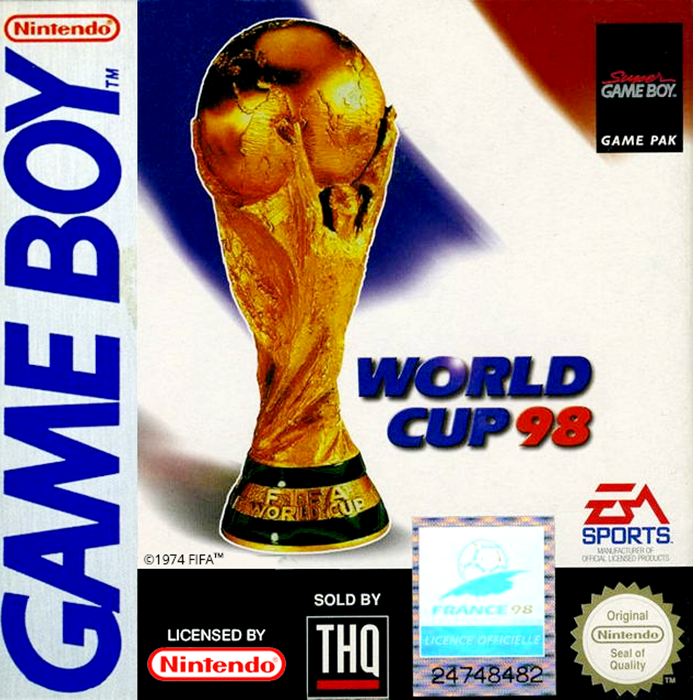
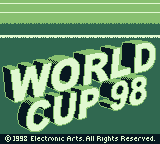
WORLD CUP 98
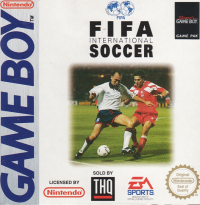
The only officially licensed game for FRANCE 98 on the Game Boy. World Cup 98 lets you experience all the non-stop action and thrills of the world's most prestigious tournament in the world's most popular sport. Join soccer's elite teams from around the globe in your quest to become World Champion 98.
GETTING STARTED
•
Turn OFF the power switch on your Nintendo Game Boy. Never insert or remove a Game Pak when the power is on.
•
Insert the WORLD CUP 98 Game Pak into the slot on the Game Boy. Press firmly to lock the Game Pak in place.
•
Turn ON the power switch. Press the Start Button to get to the Season Options Screen.
GAME MODES
EXHIBITION
A single game between two teams of your choice.
WORLD CUP
Select a team and attempt to make your way through the World Cup groupings to the Playoffs and on to the Finals.
PLAYOFFS
If you don't have time for the World Cup rounds, choose PLAYOFFS. The initial qualifying round is bypassed for a shorter path to the Finals.
LEAGUE
Select a team and carry them through an entire WORLD CUP 98 league. Each team plays every other team in the league twice to determine a league champion.
RESTORE
WORLD CUP 98 can restore a League, World Cup, or Playoff series in progress. Enter the assigned password and resume your series from the next game.
OPTIONS
Five game-modifying options are available to customize the match-up to your preference.
To change options:
•
From the Options screen, Control Pad up/down to highlight the desired option.
•
Control Pad left/right to cycle through choices.
•
Press A, B, or START to accept changes. The Game Setup screen appears.
HALF LENGTH
A complete soccer match consists of two equal halves. You determine the length of each half.
FOULS
With fouls ON, a vicious tackle or push could result not only in a free kick, but also in the ref reaching for a yellow or red card. Available FOULS options are OFF, EASY, HARD, STRICT and RANDOM.
GAME TYPE
SIMULATION games reproduce the effects of tired legs on the players' passing and shooting ability. Players in ACTION games don't tire as the match progresses.
FIELD TYPE
The influence of weather conditions can be seen in the state of the field, which affects the movement of the ball on the ground and the height of its bounce. The drier the conditions, the quicker the ball rolls across the field and the higher it bounces.
SOUND
Select from MUSIC & SFX (Sound effects), NONE, MUSIC ONLY, and SFX ONLY.
PLAYING AN EXHIBITION GAME
To quickly begin a game, familiarize yourself with the Command Summary and select EXHIBITION from the Game Setup screen. The Team Select screen appears.
TEAM SELECT
Choose which teams are matched up in the ensuing game. To assist in team selection, rating meters are presented for each team, detailing seven rating categories. The Home team appears on the left side of the screen, Visitors on the right. You always control the Home team on the field.
To select teams:
•
From the Team Select screen, Control Pad up/down to cycle through teams.
•
Control Pad left/right to toggle Home/Visitor.
•
When your team selection is complete, press any button.
PRE-GAME OPTIONS MENU
From the Pre-game options menu, adjust your team settings for the upcoming game.
To select a Pre-Game option:
•
From the Pre-game options menu, Control Pad up/down to highlight an option and press A or B to select.
•
To return to the Pre-game options menu from an options screen, press START.
START GAME
Leave the Control menu and line up on the field.
TEAM COVERAGE
Adjust the range of your players' field coverage. Coverage control is divided between Defense, Midfield and Attack.
To adjust your coverage:
•
From the Team Coverage screen, Control Pad up/down to highlight a coverage grouping.
•
Control Pad left/right to adjust the length of the shaded area on the field. The Midfield area extends in either direction.
TEAM STRATEGY
The best way to win games is to be consistent. Select a Strategy at the beginning of the match and follow it through to the end.
To implement your strategy:
•
From the Team Strategy screen, Control Pad up/down to highlight a strategy option. The arrows on the field change to illustrate each strategy.
TEAM FORMATION
Set the formation for the game. A diagram of X's on the field displays how each formation is positioned.
To set your team's formation:
•
From the Team Formation screen, Control Pad up/down to highlight a formation setting.
PLAYER SELECTION
The first 11 players are your starters, indicated by crosses on the field diagram. You can change your starters' positions or bring new players in to replace them.
To change your starting line-up:
•
From the Player Selection screen, Control Pad up/down to highlight a player you want to reposition. An X appears in the player's position on the field diagram.
•
Press B to select the player. Press A to cancel a player selection.
•
Control Pad up/down to move the highlight to the player you want to swap positions with.
•
Press B again. The two players swap positions.
.png)

_1.jpg)
 (Rev A) (SGB Enhanced).png)
 (SGB Enhanced).png)
 (SGB Enhanced).png)
.png)