Multiplayer Setup
This section explains how to connect two Game Boy Advance systems using the Game Boy Advance Game Link Cable. This game pak includes a multiplayer mode which requires the cable.
You Need:
•
2 Game Boy Advance systems or Game Boy Advance SP systems
•
1 MegaMan Zero 3 cartridge
•
1 MegaMan Battle Network 4 Red Sun or MegaMan Battle Network 4 Blue Moon
•
1 Game Boy Advance Game Link Cable
Connecting the Systems:
1. Confirm that the power is turned off for both units, then insert the cartridges in each.
2. Connect the Game Boy Advance Game Link Cable to each unit.
3. Turn the Power Switch ON on both Game Boy Advance units.
4. See page 15 for further instructions.
Player 1 will be the unit with the smaller of the two plugs on the Game Boy Advance Game Link Cable.
Cable Malfunctions
The Game Boy Advance Game Link Cable may malfunction under these conditions:
•
It is not for the Game Boy Advance system.
•
It is not connected correctly or has become disconnected.
•
It is connected to the cable.
•
More than two Game Boy Advance systems are connected.
Starting the Game
New Game
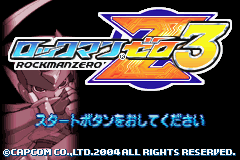
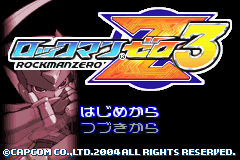
Press the START button on the Title Screen to bring up the main menu. Select "New Game" to begin a new game from the beginning, or "Load Game" to load a save and continue from there.
Load Game
Select a file from among the save data and continue the game from that location.
Select Mission
Missions are assigned in the Command Room. Stand on the plate in the middle of the room and talk to the Operator to select your mission. Missions that can be redone freely once cleared will also be available by talking to the Operator here.
Cyber Elves
Satellite
This type of Elf follows and circles you, providing backup. You can use them as many times as you want, and you won't have to worry about having any points taken off at the Result Screen either. You can equip one Elf in each of the two Satellite slots, and can change Elves from the menu screen.
Fusion
Some of these Elves can actually enter your body and become one with you, or transform into Sub-Tanks, etc. These types of Elves will die after one use, and will result in a penalty taken off on the Result Screen. Among the Fusion Elves, some can be modified and turned into Satellite Elves. There is no limit to the number of Fusion Elves you can use, in general.
Energy Crystals
Energy Crystals are essential for raising and modifying Elves, and each Elf requires a specific amount of Energy Crystals in order to raise or modify it.
List
View a list of all the Elves you've acquired through decoding Secret Discs.
Icon Explanations
Cycle through the tabs with the left and right directional buttons. In order from the left they are Nurse, Animal, and Hacker.
Satellite Elves
The ones with an "A" in the bottom-right are ones that go to work automatically when you enter cyberspace. You can use them as-is, just like that. Currently in use as a Satellite. The number in the bottom-right tells you which Satellite it is, either 1 or 2.
Fusion Elves
The ones with an "A" in the bottom-right are ones that go to work automatically when you enter cyberspace. You can use them as is, but they can also be modified for the opposite use, i.e., from Fusion to Satellite or from Satellite to Fusion. They can be used as-is, or modified and upgraded.
Cyber Space
At various points in the game you will find doors that lead to a world called Cyber Space. Stand in front of the door and press UP on the directional buttons to enter, and to come back to the real world, find the exit somewhere inside.
While in Cyber Space, the powers of certain Elves will automatically become effective, making you super-strong.
Saving the Game
When you're ready to save your game, go to the Resistance Base and talk to Ciel. When she asks, "Do you want to save?" select Yes. Your current progress, total number of Secret Discs, and button configuration will be saved. You can save up to five games before having to overwrite old save data.

_2.png)
.png)
.png)


 (En,Fr,De).png)


