LOADING
1. Make sure the power switch is OFF.
2. Insert the NBA JAM 2002 Game Pak as described in your Nintendo Game Boy® Advance instruction booklet.
3. Turn the power switch ON.
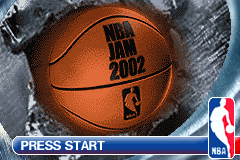
At the title screen, press START to advance to the Main Menu.
MAIN MENU
On this and other menus, press ↑ or ↓ on the Control Pad to move the highlight, press the A Button to confirm a selection and advance, or the B Button to cancel and/or go to the previous menu.
•
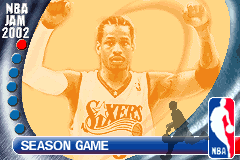
Season: Play a 28 game season schedule. You may start a New Game or use a password to resume a previous season from where you left off.
•
Playoffs: Skip the season and jump right into tournament play.
•
Quick Game: Play a one game match where anything goes.
•
Jam: The rules are looser and the jams are wilder in this one-game contest.
•
Horse: Test your skills in the special Endurance mode. Each time you fail to perform a move, you get a horse head icon. Get three horse heads and it's game over.
•
Practice: Brush up your skills going one on one with a teammate.
•
Options: Set up the game to fit your fancy.
OPTIONS
Highlight an option by pressing ↑ or ↓ on the Control Pad. Cycle through to the desired setting by pressing the A Button. When you're satisfied with your settings, highlight the "CONTINUE" button and press the A Button.
•
Difficulty: Choose Easy, Medium or Hard skill levels.
•
SFX Volume: Represented by a text percentage (i.e. 0% = Off, 100% full).
•
Music Volume: Represented by a text percentage (i.e. 0% = Off, 100% full).
Advanced
Advanced game play set-up (options follow:)
•
Player Switch: You can choose to turn the ability to switch players ON or OFF.
•
Shot Timer: Choose to play with the shot clock ON or OFF. When set to OFF, no shot clock violations will be called.
•
Quarter Length: Choose your quarter length, from one to five minutes.
MOVING
The Control Pad moves your player up and down the court. When any player is off-screen, his position is marked by an arrow, the height showing where he is vertically on the court, and distance from the edge showing how far off-screen he is.
SHOOT/BLOCK
When your team has the ball, the SHOOT button will cause you or your computer teammate to shoot for the basket. Your player releases the ball when you release the button. When your team does not have the ball, SHOOT/BLOCK causes your player to jump up for a block. Timing is crucial to denying the shot. Jump too early and the shooter can wait until you fall out of the way, jump too late and the shooter can shoot it over you!
Many times your defender will get a piece of the ball without rejecting the shot completely.
ALLEY-OOP
When either of your teammates has the ball, press ↑ on the Control Pad while holding the B Button to throw an alley-oop pass towards the basket (pressing the B Button quickly while pressing ↑ on the Control Pad will lead to a normal pass).
TURBO
Causes your player to run much faster than he normally would (determined by his attributes), whether on offense or defense, allowing you to blow by a defender, or to step around a pick and block a shot! Unfortunately, your player has only a limited amount of turbo power, indicated by the meter at the top of the screen. As you use it, the meter runs down, but when you release TURBO, it begins to regenerate.
Speed: Collect this speed pickup and you'll gain temporary turbo speed.
Never Miss: The ultimate in temporary skill, this gives you the ability to make a shot from anywhere on the court.
On Fire: Collect this to instantly (and temporarily) enjoy the increased speed, shooting and jumping ability gained from being On Fire.
PAUSING THE GAME
To pause the game, press START. Then press the A Button to quit the game and return to the main menu, or the B Button to return to game play. Press SELECT to make player substitutions (see “Substitutions” on page 20 for more details).
STARTING A GAME
CHOOSE YOUR MODE
At the main menu, choose from any game mode. Details on modes appear in Game Modes on page 18.
CHOOSE YOUR TEAM
Each team is rated in several key categories.
Press ► on the Control Pad to toggle between Eastern and Western and Special conferences. Special teams are only available in Jam, Horse, Quick Game and Practice modes (once they have been unlocked!) Press ↑ or ↓ to scroll the highlight to the desired team, then press the A Button to confirm your selection and advance.
EAST:
CHOOSE YOUR LINEUP
Once you have selected your team, the lineup screen will appear. Now you can select which players you wish to begin the game with (although you can make substitutions during the game too!). Notice that for every player featured in NBA J


.png)

.png)
.png)


 (En,Fr,De).png)



 (En,Fr,De,Es,It).png)




_1.png)