Game Board Aida/Disk Cartridge 'Thinking Sonori'
This manual is for the use of the Game Board Aida/Disk cartridge 'Thinking Sonori'. Please read this 'Instruction Manual' carefully before use, regarding how to read and precautions for use, and learn the correct method of use. Also, please keep this 'Instruction Manual' safely.
Warnings for First-Time Use
Use in a shaking state, impact, heat, or vibration may cause harm to your eyes or other injuries. If you have experienced allergies or seizures from strong light or laser light, please be careful. This may cause temporary muscle spasms or seizures; consult a doctor before playing.
If you feel symptoms such as dizziness, nausea, pain, or seizures during the game, stop immediately and seek a doctor's diagnosis. Ignoring these symptoms may cause long-term disability. If you experience intense pain in your hands or body, stop the game immediately and consult a doctor.
If you have abnormal sensations in your hands or body, or if you are tired, your condition may worsen while playing. In such cases, please consult a doctor before playing. If you experience dizziness, nausea, or abnormal discomfort, stop the game once and take a break of 5-10 minutes.
When playing the game for a long time, please take adequate breaks. As a guideline, we recommend a 10-15 minute break every hour.
Machine Handling Precautions
Warning
•
Use while driving or walking is prohibited.
•
Use in places where use is restricted, such as aircraft or hospitals, is prohibited.
•
Absolutely do not drive a car while using this device; it may cause accidents or injuries.
Caution
•
The cartridge contains plastic and metal parts, so do not burn it as it is dangerous.
•
When disposing of it, please follow the designated procedures of your local government.
Usage Precautions
•
Use in places with high humidity, many oil fumes, or high temperatures may cause malfunction.
•
Do not drop the cartridge or give it strong impact or vibration.
•
Do not scratch it, drop it, or give it strong impact.
•
Do not trap foreign objects inside the cartridge.
•
Do not place the cartridge in places exposed to rain or water.
•
Do not place it on the floor.
•
Do not touch it with wet or sweaty hands.
*Note: Please refer to the device manual for an explanation about the card.*
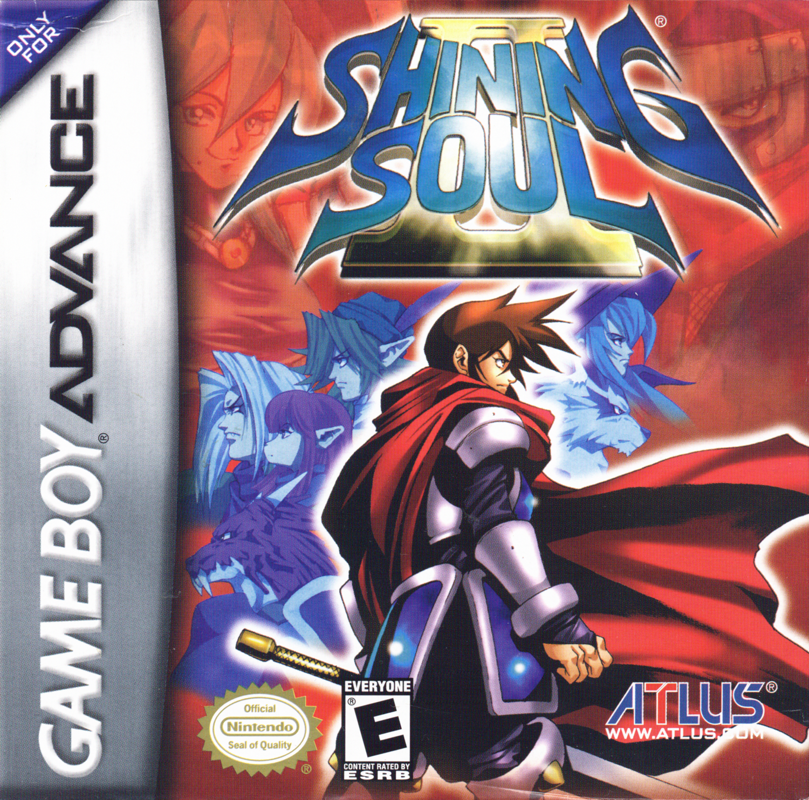
Shining Soul II Modes
There are two modes in "Shining Soul II": Single-Play Mode and Multi-Play Mode. At the title screen, pressing the [SELECT] button displays the two game modes. Use the [D-PAD] buttons to select the mode you wish to play, and press the [A] button to confirm.
•
Single-Play Mode: A free-form, one-player game mode. You can grow your characters, collect various items, and enjoy diverse events and stories.
•
Multi-Play Mode: A mode where you can play the game simultaneously with up to 4 players using a Game Boy Advance exclusive communication cable (sold separately).
How to Play Single-Play Mode
Starting Single-Play Mode
When you select the mode, you will move to the file selection screen. Select an unused file to start a new game, or select a setup file to continue from where you left off.
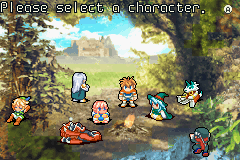
1. Starting a new game: Select an unused file with the [D-PAD] buttons and confirm with the [A] button. Next, select the character(s), color, and enter a name.
2. Selecting character(s): Use the [D-PAD] buttons to select the character(s) and confirm with the [A] button. You can change the color using the [D-PAD] buttons.
3. Entering a name: Use the [D-PAD] buttons to select characters, [A] to confirm, [B] to move the cursor, and [SELECT] to switch input modes (left/right, Katakana, or English letters).
4. Resuming the game: If a setup file exists, select it with the [D-PAD] buttons and confirm with the [A] button to load the data and resume.
Game Flow
The adventure begins with a progress count from the capital's castle and is divided into areas where monsters wander. You progress by traveling back and forth between the castle and these areas.
1. Make preparations: Prepare for adventure at the Castle.
2. Select an Area: On the World Map screen, use buttons to select an area. The story progresses as you defeat the boss of each area, and the next objective appears.
3. Explore the Area: Enemies appear in the exploration area. Defeat monsters and descend to the next floor. A boss awaits in the deepest part (in multiplayer, it does not activate until all players enter).
4. Return to the Castle: Use the "Castle Wing" with buttons to return. Report battle results to the King or appraise items. Note that a retreat gate appears when a boss is defeated.
Basic Actions in the Field
Controls in the field are simple; basically, a single button allows you to perform a wide variety of actions.
•
Talk: Exchange conversations with people. Press the button while facing the direction you want to speak. You can buy things by talking to someone across a counter.
•
Fight: Pressing the button attacks in the direction you are facing. The method changes depending


_2.png)
 (En,Fr,De,Es,It).png)
.png)
.png)


 (En,Fr,De).png)