Getting Started
Turn OFF the power switch on your Nintendo® Game Boy® Advance.
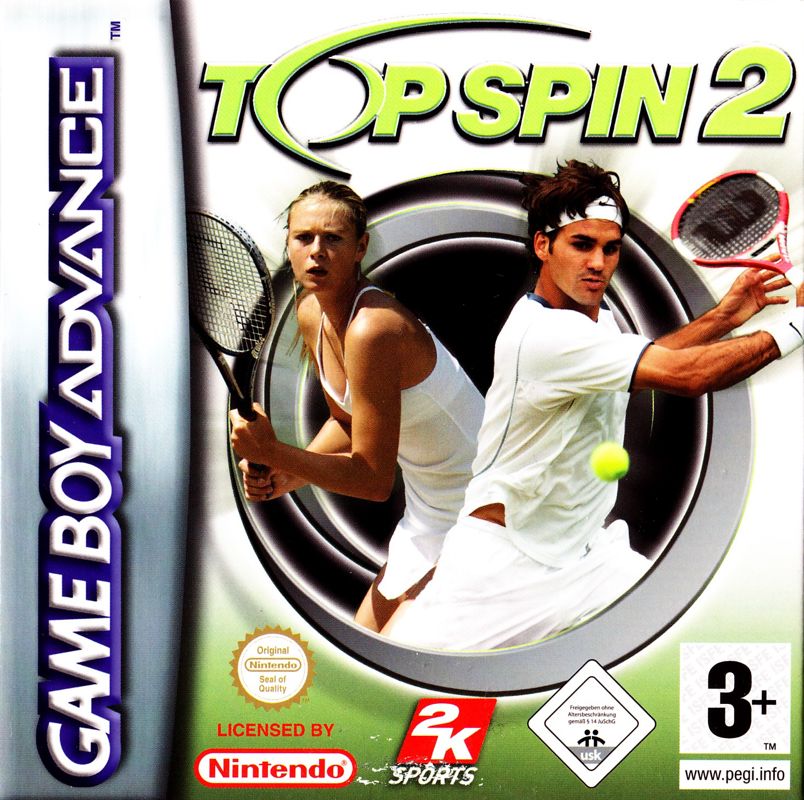
Insert the Top Spin® 2 Game Pak into the slot on the Game Boy Advance. Press firmly to lock the Game Pak in place. Turn ON the power switch. The logo screens will appear.
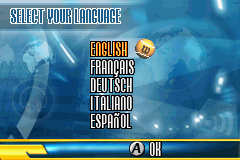
When the language select screen appears, select a language, and then press the A Button.
Press START on the title screen to proceed to the Main Menu.
Introduction
Top Spin 2 is a realistic tennis game designed to capture the professional tennis player experience. Create and train your player, and compete in tournaments to become the number one player in the world. You can also play just for fun in customized singles exhibition matches and tournaments. Exhibition
Play in a single match where you choose the venue, players, and length and difficulty settings.
•
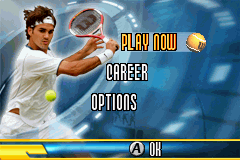
From the Main Menu, select Play Now.
•
Select One Player to play alone.
•
Select the settings for your match.
•
Choose your player and an opponent.
Exhibition Settings are configured as follows:
•
Games: Choose from 1 to 6.
•
Sets: Select 1, 3, or 5.
•
Deuce: Select On or Off.
•
Tiebreak: Select On or Off.
•
Position: Select Up or Down; this determines which side of the net you will be positioned. Player 1 always serves first.
•
Difficulty: Select Easy, Medium, or Hard.
Multiplayer
You can play Top Spin 2 with a friend. In order to play a Multiplayer game, each player will need a Game Boy Advance game system and their own copy of Top Spin 2. One Game Link® Cable is also required. •
From the Main Menu, select Play Now.
•
Enter the waiting room. The two game systems need to be connected.
•
Once connected, both players press the A Button.
•
Player 1 (master) chooses the match settings and a venue; Player 2 can see the selections on his or her screen while waiting.
•
Player 1 and Player 2 choose their respective player, and then both players press the A Button.
Tournament
Set up your own customized tournament and compete in singles matches against increasingly tough opponents.
•
From the Main Menu, select Play Now.
•
Select the settings for your tournament. Settings are similar to Exhibition except Deuce (On) and Position (Up) are preset and not listed, and you must select the number of rounds for your tournament: 2, 3, 4, or 5.
•
Information on your opponent is displayed. Press the A Button to proceed to the match.
Career
You begin your career ranked 100 in the world with the goal of becoming number one. Compete in tournaments around the world to improve your ranking, play mini-games to increase your attributes, and take on special key match challenges!
Player Creator
Kick off your career by creating your player.
•
Choose your player's gender, skin color, and country.
•
Change your player's hair color and outfit.
•
Enter a name for your player.
World Ranking
You are ranked 100 in the world at the start of your career. Your world ranking improves as you win matches and earn ranking points. As you move up in the rankings, you will begin to unlock items on the world map.
Attributes
Your player is defined by several attributes. By completing mini-games, you will earn Bronze stars that can be put toward increasing specific attributes to enhance your player in those areas. Complete additional training levels to upgrade your Bronze stars to Silver then Gold, giving your player the biggest boost in those attributes.
Play mini-games to earn stars that can be put toward increasing your attributes. Mini-Games are also a good way to master a variety of skills.
There are six mini-games, each with three difficulty levels. The better your performance and the higher the training levels you complete, the more stars you will earn. At the start of your career, all Level 1 mini-games are available. The higher training levels become available when you reach a certain rank: Level 2 at rank 70 and Level 3 at rank 40. However, you must successfully complete Level 1 in order to advance to the next level in a particular mini-game.
A tic-tac-toe board is drawn on the opposite side of the court. A ball machine launches balls at you that you try to hit in one of the nine squares on the board. If you hit an empty square, an X marks the spot. After each successful shot, an O is placed in one of remaining empty squares. Your goal is to get three Xs in a row. If you miss the ball, send the ball outside of the board, or hit a square that is already occupied with an X or an O, you can try again until the ball lands in an empty square.
If you or the A.I. wins, or the game ends in a draw, a new game will start. Beat the A.I. in two out of three games. The higher the training level, the smarter the A.I. will play.
Options
You can change the language setting and adjust the music and sound effects levels.
To access the Options Menu, press START during a match to bring up the Pause Menu, and then select



 (En,Fr,De,Es,It).png)


 (En,Fr,De).png)


