How to Start
1. Make sure that the power is OFF. Never insert the Game Pak when the power is ON.
2. Insert the Game Pak into the Game Boy® Color system.
3. Turn the power ON.
4. At the title screen, press START. Press any button to go to the Start Menu.
5. Press the A Button to start a new game, or press the B Button to continue a game you started before.
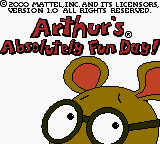
6. Once you've selected a new or saved game, use the + Control Pad to move Arthur around Elwood City.
7. When Arthur's eyes light up and a thought bubble appears, you have reached a fun activity to play. Press the A Button to play that activity.
Basketball Free Throw
Help Arthur make 10 baskets. You can control the power of the shot and how high and far the ball travels by how long you hold down the A Button.
If your shooting style is too strong or weak, move Arthur further from or closer to the hoop. You can also have Arthur crouch down or bounce the ball before he shoots. (Bouncing doesn't affect the shot.)
Note: There is more than one correct place to make a basket.
Basketball Free Throw Controls
•
LEFT or RIGHT: Move Arthur closer to or further from the basket.
•
DOWN: Crouch Arthur down.
•
A Button: Retract Arthur's arms. Release the button to shoot.
•
B Button: Bounce the ball.
•
START: Go to the Status Screen.
•
SELECT: Go to the Exit Option Screen.
Making Pancakes
Help Grandma Thora make 10 good pancakes (ones that are neither too light nor too dark). She starts by spooning batter onto the griddle.
When you see small bubbles, flip the pancake with the spatula by pressing the A Button. When the pancake is done, take it off the griddle by pressing A again.
Good pancakes are stacked on the serving plate, and Grandma Thora puts the burnt or undercooked pancakes in the trash.
Making Pancakes Controls
•
+ Control Pad: Move the spatula left, right, up, or down.
•
A Button: Flip the pancake when the 1st side is done. Remove the pancake when the 2nd side is done.
•
B Button: Look under the pancake when the 2nd side is cooking.
•
START: Go to the Status Screen.
•
SELECT: Go to the Exit Option Screen.
Jelly Bean Sort
Correctly sort 10 jelly beans in a row into containers. Move the containers at the bottom of the screen left or right so that the correct container (the one that is the same color as the jelly bean) catches each jelly bean as it comes out of the machine.
You can move the containers left or right using the + Control Pad. Or, you can press the A Button to move the containers right one space or the B Button to move them left one space.
Jelly Bean Sort Controls
•
LEFT or RIGHT: Move the containers continuously left or right.
•
A Button: Move the containers right one space.
•
B Button: Move the containers left one space.
•
START: Go to the Status Screen.
•
SELECT: Go to the Exit Option Screen.
Bonus Level
Once you have helped Arthur earn 16 gold stars, you can visit WonderWorld Amusement Park to play five exciting bonus activities!
Water Balloon Race
Make Arthur's balloon rise by hitting the center of the target (see the upper-right corner of the screen). Use the + Control Pad to aim the water pistol left, right, up, or down.
Then press the A Button to shoot water at the target. The player whose balloon reaches the top first is the winner!
Water Balloon Race Controls
•
+ Control Pad: Aim left, right, up, or down.
•
A Button: Fire the water pistol with each press; hold down to shoot continuously.
•
START: Go to the Status Screen.
•
SELECT: Go to the Exit Option Screen.
Sledgehammer Hit
Ring the bell to win a prize! Swing the sledgehammer back over Arthur's shoulder, and hit the lever to try to ring the bell.
Press and hold down the A Button to move the sledgehammer back. Then release A to hit the lever. You can control how hard Arthur hits by how long you hold down the A Button.
Sledgehammer Hit Controls
•
A Button: Move the sledgehammer back over Arthur's shoulder. Release the button to hit the lever.
•
START: Go to the Status Screen.
•
SELECT: Go to the Exit Option Screen.
Skee Ball
Arthur is playing skee ball. Can you help him roll the ball towards the targets to get a high score?
First use the + Control Pad to aim the ball. Next press and hold down the A Button to swing the ball back. Then release A to toss the ball down the lane.
As the ball goes up the ramp, it will go into one of the targets and Arthur will win the points shown on that target! Arthur has nine rolls in all.
Skee Ball Controls
•
+ Control Pad: Move Arthur to the left or right.
•
A Button: Move Arthur's arm back. Release the button to toss.
•
START: Go to the Status Screen.
•
SELECT: Go to the Exit Option Screen.
.png)




.png)