What Are Dogz?
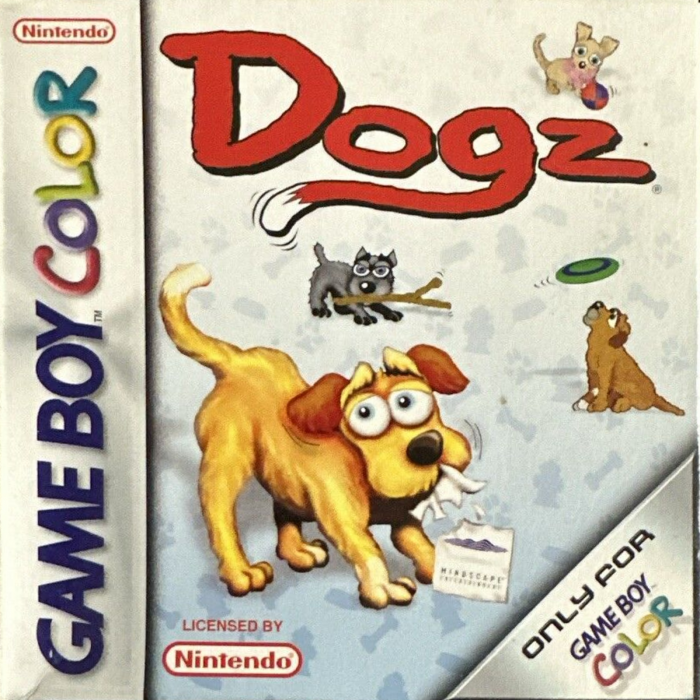
Dogz are virtual Petz that live on your Color Game Boy. They need lots of love and care. If you raise a happy, well-cared for Dogz, you get to adopt more.
After your first Dogz, you can adopt up to three more. Play with Dogz one at a time so they get plenty of attention. Brush them, pet them, feed them, and eventually they can retire to the Hall of Fame as a happy Dogz. Collect other special Toyz from friends and trade your Dogz. After each successfully raised Dogz, more different Dogz will become available to adopt. Eventually, you will get to adopt Rare Dogz like the Green Mutt.
Check the Status screen to find out how your Petz is doing. Learn what your particular Petz likes and what makes it happy. Each Petz is unique, and you influence how your friend grows and changes.
If your Dogz "Happiness" scale on the Status Screen stays red for too long, your Dogz may Run Away.
Starting the Game
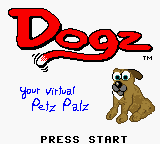
When you turn on the DOGZ GAME PAK, you first see the Title screen. Press any key to move onto the Main screen.
START Button
Pressing this button brings up the Status screen, Main screen, Trade Petz, and Share Toyz button links to the appropriate menus. During the display of these menus, the game is essentially PAUSED.
Main Screen
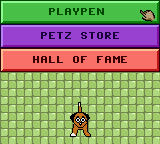
On the Main screen, you see three buttons: Playpen, Petz Store, and Hall of Fame.
Playpen
To play with a Petz you have already Adopted, select Playpen from the Main screen. From there, you see a screen with the names of your Adopted Petz. Choose which Petz you would like to play with, and you and your Petz are taken to the Playpen.
The Petz Store
Your first stop is the Petz Store, where you can choose and Adopt your new friend. At first, you can only have one Adopted Dogz. You should prove that you can successfully raise a Dogz before you Adopt more.
From the Petz Store, you see a list of three Dogz. Choose a Dogz that you would like to play with by selecting TRY, which takes you to the Playpen to see if this is the Dogz you would like. If you would like to ADOPT this Petz, press START to get back to the Petz Store.
To Adopt a Dogz, choose Adopt, and you are on your way to a new friendship. Once you Adopt a Dogz, check the Status screen by selecting the START. The Status screen lets you know how your Petz is doing. By continuously checking this screen, you learn what things make your Dogz healthier and happier.
Adopting Your Dogz
To Adopt a Dogz, you need to choose a name and to read and AGREE to the Adoption Pledge.
Naming Your Petz
Use the Control Pad to scroll through the letters and use the A Button to select the letter you want. When you have spelled the name you would like, go to the bottom right-hand corner and select OK. If you do not spell out a name, your Petz is given its default name.
Adoption Pledge
Next, you see the Adoption Pledge. Read this carefully, as it contains important information on how to care for your new friend. When you agree to the Adoption Pledge, you are taken to the Playpen, where you can play with your New Dogz.
Adoption Note
If you already have three Petz adopted and you click Adopt, you are told that you should Retire one of your Petz. Remember, this may affect your rating as a Petz Owner and therefore limit your options for New and Rare Dogz. Choose OK, and you are returned to the Main screen.
Hall of Fame
The Hall of Fame lists all your Retired Petz. The color of your Petz' name tells how successful you were as a Petz Owner.
•
Green means your Petz retired very happy.
•
Red means that you didn't do a good job raising your Petz.
The more green names you have, the more likely you are to Adopt Rare Dogz. If your Petz are not very happy, you are not able to Adopt more Dogz.
Toyz and Other Items to Care for Your Petz
Toyz are kept in the Toyz Shelf, which is accessed by pressing the SELECT button. Move the cursor to the Toyz you want and press the A Button to select it. Press the B Button at any time to cancel and return to the Playpen area.
Once an item is selected, you return to the Playpen area. Move the Toyz around with your hand cursor. Pressing the B Button performs an action appropriate to the Toyz that is currently being held.
Paint Petz
There are 32 different colors available to paint your Petz, and these 32 vary between Petz. To Paint your Petz, click on the Paint Can and use the on-screen arrows to scroll through the colors. When you find the perfect match for your Petz, press the A Button to 




.png)


