SETTING UP
Top View
Front View
Set up your PlayStation® game console according to the instructions in the Instruction Manual. Make sure the power is OFF before inserting or removing a disc. Insert the ESPN the Games™ MLST™ GAMENIGHT disc and close the disc cover. Insert your controllers and turn ON the console.
Do not insert or remove peripherals or MEMORY CARDS once the power is turned on. Make sure there are enough free blocks on your MEMORY CARD before commencing play.
This game supports MEMORY CARD slot 1 and MEMORY CARD slot 2. If you are using a Multi Tap, this game supports MEMORY CARD slot 1-A, MEMORY CARD slot 1-B, MEMORY CARD slot 1-C, MEMORY CARD slot 1-D and MEMORY CARD slot 2.
BASIC RULES
Official rules of soccer apply as a general principle within the game.
FIELD DESCRIPTION
•
GOAL LINE (end line) GOAL
•
GOAL LINE (end line) GOAL
•
FIELD (the pitch and surrounding area)
MATCH TIME
5 minute, 10 minute, 15 minute, 20 minute, 25 minute and 30 minute matches can be selected. The match time can be selected at the start of play. (Refer to Game Mode Settings on page 11.)
OVERTIME
Extra time in the form of a sudden-death rule and penalty-kick deciders are available with certain matches depending on the mode selected in Game Mode Settings. It is also possible to select whether to use the sudden-death rule and PK shoot outs for exhibition games.
YELLOW CARDS/RED CARDS
Players who are presented with two yellow cards during the same match will be sent off. Players who receive a single red card are sent off immediately.
In League matches and Cup matches, players who have received more than two yellow cards and players who have received a red card are not able to play in the next match.
OFFSIDE
A player is Offside when a player on the same team is closer to the goal line than the defensive line of the opposing team at the exact moment the ball is passed.
MULTIPLAY
With two controllers inserted, two people can play teams. Using a Multi Tap enables up to four people to play simultaneously.
Using a MEMORY CARD (sold separately) enables you to save results and settings for League and Cup matches.
MULTIPLAY USING A MULTI TAP
This game enables up to four players to play at the same time, either co-operatively or on opposing teams. Doing this requires extra controllers and a Multi Tap.
REQUIRED ITEMS
•
Two players: Two controllers
•
One to four players: Individual controllers for all players and one Multi Tap.
PRECAUTION WHEN CONNECTING MULTI TAP
When connecting controllers to a Multi Tap, make sure the first controller is connected to Controller port 1-A of the Multi Tap before connecting the others to Controller port 1-B, Controller port 1-C and Controller port 1-D in sequence.
STARTING THE GAME
GAME MODE AND PLAYER SELECTION
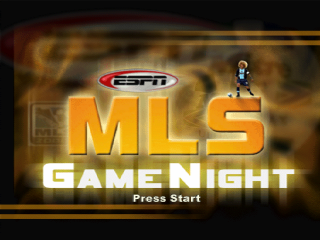
Press the START BUTTON on the Title Screen to display the Mode Select Screen. Selecting a mode displays the relevant Mode Setup Screen.
To select: Highlight a mode by pressing DIRECTIONAL BUTTONS/LEFT STICK. Press the X BUTTON to confirm or the BUTTON to cancel.
MATCH MODE
Select your favorite teams for a single match. Advance to Team Selection.
MLS SEASON
Compete in the 2000 MLS Season. Select your MLS Team and follow the season to the MLS Cup™ Finals. Points are awarded for wins so that you can trade for other MLS Players.
CUP MODE
MLS CUP™: Compete as one of the 12 MLS Teams in this eight-team tournament. Two three-game series will get you to the MLS Championship. The Finals is one game for the cup.
INTERNATIONAL CUP: This is a tournament in which 32 countries compete in a round-robin series of qualifying matches, then in a single elimination 16-team tournament. The two winning teams play in a final for the International Cup.
EUROPEAN, AFRICAN, AMERICAN and ASIAN CUPS: These are tournaments. Depending on the cup being played, some matches may have extra time while others may not.
When a Home and Away format is being played, each match must be played twice. If both teams have the same scores after both matches have been played, the winner will be decided in accordance with the number of goals scored in Away games, for which double points will be awarded. If the scores are still the same after this, extra time and a penalty shoot out will be played. Only one match will be played when the Home and Away format is not in effect. Advance to Game Mode Settings.
CUSTOM LEAGUE
Select 16 teams (international or MLS) and play against the computer in a round-robin series of matches. This mode has no extra time or penalty shoot outs. Advance to
.png)

.png)

.png)

.png)

.png)






.png)

 (En,Fr,De,Es,It,Nl,Sv,Da).png)