GAME DESCRIPTION
Game Features
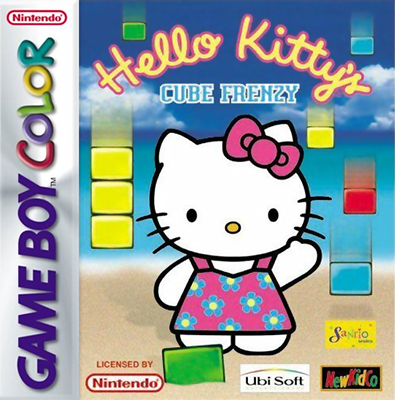
This is a puzzle game. Move Hello Kitty by making cubes disappear or piling them up, so she can climb them to collect prizes. You can choose which area to go to after clearing each land, which consists of three stages. The story will change depending on which land you choose.
Story Book Mode
You may select Story Book at the game start after you have finished a game or loaded a saved game.
GETTING STARTED
Preparation
Insert the Game Pak into your Game Boy® System and turn it ON. At the title screen, press START to begin a game.
Choose your game mode
If you push START while the title screen is on, you can either choose to start playing by selecting Play or go to the options screen by selecting Options.
If you have loaded a saved game, you may select Story Book to go to the interactive Hello Kitty Story Book. Select by pressing the A Button. Selection of Game Options
Sound On/Off
Sets sound effects on or off. Default is on.
Music On/Off
Turns game music on or off. Default is on.
Difficulty
Choose between the easy, normal or hard levels of play. The harder the level you select, the less time Hello Kitty will have to complete each stage! Default is normal. To see the Story Book
When you finish an area, you will see the heading Story Book on the Game Start screen. When you choose this, you can see the story of the area you have finished.
•
Press on the + Control Pad to advance to the next picture.
•
Press to scroll through the text in each picture caption.
Selection of the Game Mode
To start playing, you can choose your favorite game mode with the + Control Pad, then push the A or B Button.
When starting from the beginning in this mode, choose New Game or if you want to start at the next stage, choose Continue.
•
NOTE: Pressing the SELECT button at any point during the game selection process will back up to the previous menu.
The 3 modes are:
You can choose which land to go to after clearing three stages in this mode. The story will be different depending on which land you choose.
This mode will appear after you clear all the lands.
Playing this mode will allow you to play any of the lands you have already completed.
Choose your game level on the Map screen. You will see the lands open to you on the Area Selection screen.
If there is more than one land available, move between lands with the + Control Pad and push the A Button to select the land you want. If you are playing in the Free Play Mode, press ◀ or ▶ on the + Control Pad to choose the stage.
Lining up cubes
When three cubes of the same color line up vertically or horizontally (not diagonally!), they will disappear.
You can earn more time by making cubes disappear and if you do it in a chain reaction, you get even more time.
These are the game blocks:
Cubes that stay
Cubes made of bricks (or cubes that appear as pictured below in the Game Boy® or Game Boy® pocket systems) will not disappear even if you put three of them in a row.
The cubes without a pattern and a matching color that are connected to them will disappear when lined up properly.
These are the blocks that stay:
Get the items!
Guide Hello Kitty to the items to clear the stage. The stage is cleared when she gets all the items on the screen. Score indicator
The score is shown after you clear each stage. You can go on to the next stage by pushing the A or B Button.
Clearing a land
When you finish all three stages in each land, you have cleared that land and may proceed to the next.
The Level Selection screen will be shown and you can choose the next land to go to by using the ◀ or ▶ on the + Control Pad.
Times up!
You will lose a Hello Kitty and have to restart the stage if you cannot get all the items and run out of time, the cubes are piled up to the top of the screen, or Hello Kitty falls off the bottom of the screen through a hole in the cubes. When there are no more Hello Kittys left, the game is over.
How to get a password
The Password screen will be shown each time you finish a land. Write the assigned 8 letter password down and enter it the next time you play Hello Kitty's Cube Frenzy™ to resume a game already in progress. A space at the back of the manual has been provided to record your passwords. .png)



 (GB Compatible).png)
