Starting the Game
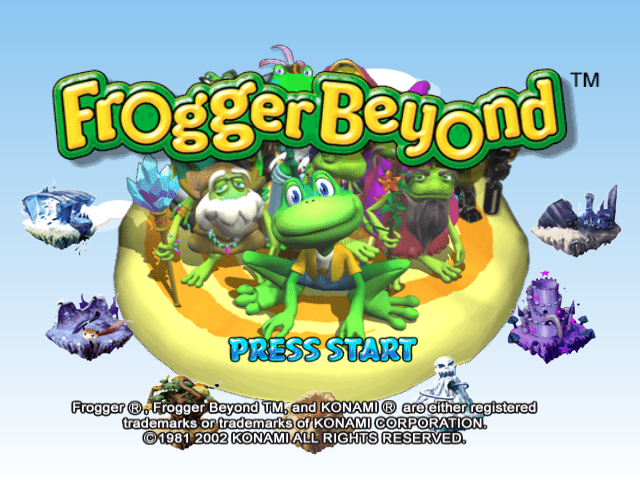
When the title screen appears, press START.
On the next screen, use the +Control Pad to select "New Game" or "Continue". Press the A Button to confirm.
New Game
Selecting "New Game" brings up the Name Entry Screen.
•
Use the +Control Pad to select letters.
•
Use "DEL" to delete characters.
•
Select "END" when finished to advance to the Main Menu.
The name you enter will contain all your saved game progression, options, and Time Attack Records. Whenever you save, it will be under this name. When you power-off and reset, you can choose this name from the list to resume your game.
Continue
Selecting "Continue" brings up the Load Game Screen.
You will see a list of saved games on the inserted Nintendo GameCube™ Memory Card. Select the desired game and press the A Button to go to the Main Menu. If there are no saved games on the Memory Card, press the B Button to return to the Title screen.
Main Menu
Story Mode
Take Frogger through all the worlds in succession. Meet the members of the Elder Council and complete their tasks to proceed. All your game progression data can be saved. After completing each level, you will be prompted to retry or advance to the following level.
Time Attack
Time Attack Mode lets you prove "Who's the fastest frog!!"
Hop Frogger into the main hub transport portal to bring up the World Select View. •
Use the +Control Pad to select a world and press the A Button.
•
Doorways for each level in that world will appear. Only levels completed in Story Mode will open.
•
Hop in front of a doorway to see that level's top recorded times and collected coins.
•
Hop into any open doorway to challenge that level's best records.
If your time is among the top 3 for that level, it will be automatically added to the list. You can save your game when you return to the main Hub and save game menu.
When the level starts, a clock appears and times you. You can use up to five lives. If you die, the clock continues ticking.
Main Hub Transport Portal Options
Hopping into the main hub transport portal also brings up choices at the bottom of the screen. Press down on the +Control Pad to access them:
•
SAVE GAME: Select this to save your records to the Memory Card. You MUST save your records this way, or they will be lost when you turn the Nintendo GameCube™ off. •
ITEM SHOP: Select this to purchase special Power-Ups and extra lives.
•
QUIT GAME: Select this to return to the Main Menu.
•
RESUME: Use this to exit the menu.
Options
The Options Screen allows you to customize game settings:
Saving
You can save game data after completing any level while in the World Select view. Stand on the central hub portal and you will be given the option to save or quit your game. Confirm using the A Button.
Save Game Screen
Lives
Number of Lives: You may play Story Mode with 3, 5 or 7 lives.
Controller Setup
There are 3 types of controller configurations available. The first is the default, and there are 2 more custom types.
Rumble can be set to on or off. Rumbles occur when Frogger is hit by objects and enemies, falls down, or hops across Breakaway Tiles. Audio Setup
You may adjust the background music volume and the sound effect volume. You may also choose to play the audio in Mono or Stereo. Press the Y Button to return all settings to their defaults.
Screen Adjustment
You may adjust the position of the screen horizontally or vertically. Press the Y Button to return all settings to their defaults.
Note on Memory Cards
•
One Frogger Beyond™ save file containing game progression and options uses 3 blocks on the Memory Card. •
You can save up to 5 players' information in this save file. Attempting to save more than 5 will prompt you to overwrite one of them.
Mechanics
Switches
Switches are special tiles that make other events happen in the level. They may make a platform move, open a doorway, or shut down electricity.
They are often camouflaged, making them hard to find. Listen to sound effects and watch the screen carefully as you explore.
Moving Platforms
These help Frogger travel to otherwise impossible areas. They come in many shapes and sizes. In the rainforest, they are disguised as Propeller plants. In the High Tech world, some microchips are moving platforms.
Breakaway Tiles
Some tiles will slowly fall apart or disappear when Frogger hops on them. If you must step on an unfamiliar tile, hop on and off quickly instead of resting on it. Hazardous Tiles
Hazardous tiles are not generally camouflaged and usually look dangerous. They may conduct electricity or have spikes. A smart frog avoids them when possible.