STARTING THE GAME
•
Insert the Game Disc in the Nintendo GameCube. •
Plug the Nintendo GameCube Memory Card into Slot A. •
Turn the POWER Button "On".
Start the Game
Pressing START will take you to the Mode Selection Screen. Use the Control Stick to highlight a mode and press A Button to confirm.
Saving and Using Memory Cards
You can save the game at the Options Mode. To save the game, a Memory Card with 2 free Blocks must be inserted in Slot A.
The game will automatically resume from previously saved data if it exists. To delete a saved game or format the Memory Card please refer to the Nintendo GameCube hardware manual. GAME MODES
Choosing a Mode
There are 8 modes in total consisting of the Options and 7 play modes. Use the Control Stick to highlight the mode you would like to play and press A Button to confirm.
ONE PLAYER
Choose a character and attempt to clear all 8 stages.
Choosing Your Character
Choose the character you would like to play with. Use the Control Stick to highlight and press the A Button to confirm. Your opponent will be assigned automatically.
Enter Battle
A second player can use the Nintendo GameCube Controller plugged into Controller Socket 2 to enter the battle. TWO PLAYER BATTLE
A two-player mode where players can choose game conditions. Make sure Controller 2 is plugged into the Nintendo GameCube before playing. Choose the Characters
Choose the characters you would like to play with.
Set Stage/Power
Move the Control Stick Left and Right to choose the stage where you would like to face each other. The characters' overall Attack Power can be set by selecting the shuriken and using the Control Stick to increase or decrease their power.
See Battle Results
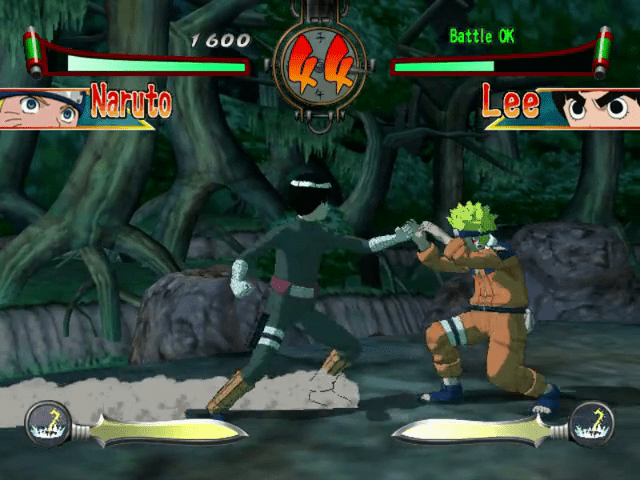
Displayed on the top portion of the battle screen is the number of rounds won by the players from the second round onwards.
Check Combos
Pressing START during play will take you to the pause window. Here you can go to the Combo List to see the combos for the character being used by the player who pressed START.
PLAY AGAINST COMPUTER
A one-player, single-match mode where you set the character, battle stage and Attack Power of characters' moves for both yourself and the computer.
SURVIVAL
A one-player mode where you compete to see how many consecutive wins you can put together against the computer. Matches are a single round each and your health is restored according to how much time is left when an opponent is defeated.
TIME ATTACK
A one-player mode where you compete based on the time it takes to defeat all 8 opponents. Your Health Gauge is filled after each win and ends when all opponents are defeated.
TRAINING
A practice mode to work on moves. Press START to display or change play conditions.
STORY
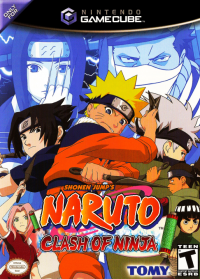
In this mode, you follow the storyline as the main character, Naruto Uzumaki. As graduates of the Ninja Academy, Naruto and his friends will be presented with a new challenge from their new sensei Kakashi Hatake.
OPTIONS
Configure game settings, change rules, and view play data. Changing difficulty will change the difficulty level of enemy characters for Play Against Computer, Story, and One Player modes.
SAVING THE GAME
You can save or load game data by choosing the Memory Card menu in the Options mode.






_1.jpg)