Getting Started
Installation
1. Set up your PlayStation® game console according to the instructions in its instruction manual. 2. Make sure the power is off before inserting or removing a compact disc.
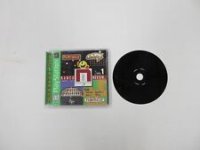
3. Insert the Austin Powers Pinball disc and close the disc cover. 4. Insert game controllers and turn on the PlayStation® game console. Follow on-screen instructions to start a game. Console Top View
Front View
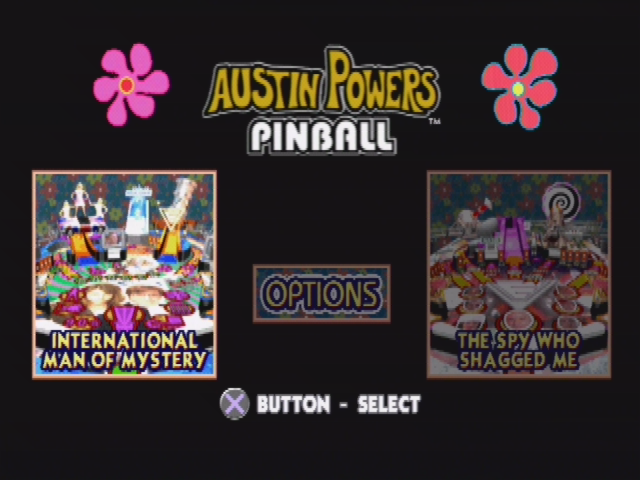
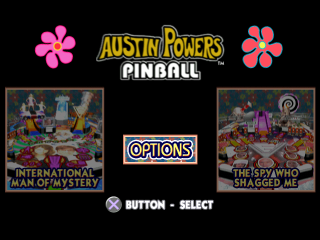
Table Selection
Choose from one of two tables - "International Man of Mystery" or "The Spy who Shagged Me" by highlighting the table's graphic and pressing the ❌ button.
Select backstage to enter the game options screens.
Table Menus
There are two tables to choose from, each with four game modes.
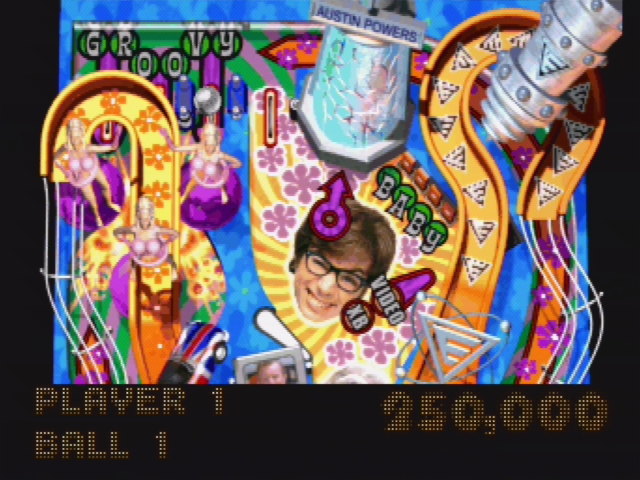
International Man of Mystery
As the utterly shagadelic Austin Powers, you must save the world from the never-ending threat of Dr. Evil! Defrost after 30 years in Cryogenic Suspension. Catch up to the '90s, and with the help of the smashing Vanessa Kensington, find the secret underground lair beneath the Virtucon headquarters.
Stop Dr. Evil's plan to extort "100 Billion Dollars" and save the world from certain destruction by liquid hot magma.
Beware the seductive fembots, who can lure men to their doom, and don't fall victim to the wiles of the sexy Alotta Fagina and her seemingly innocent hot tub... Oh behave!
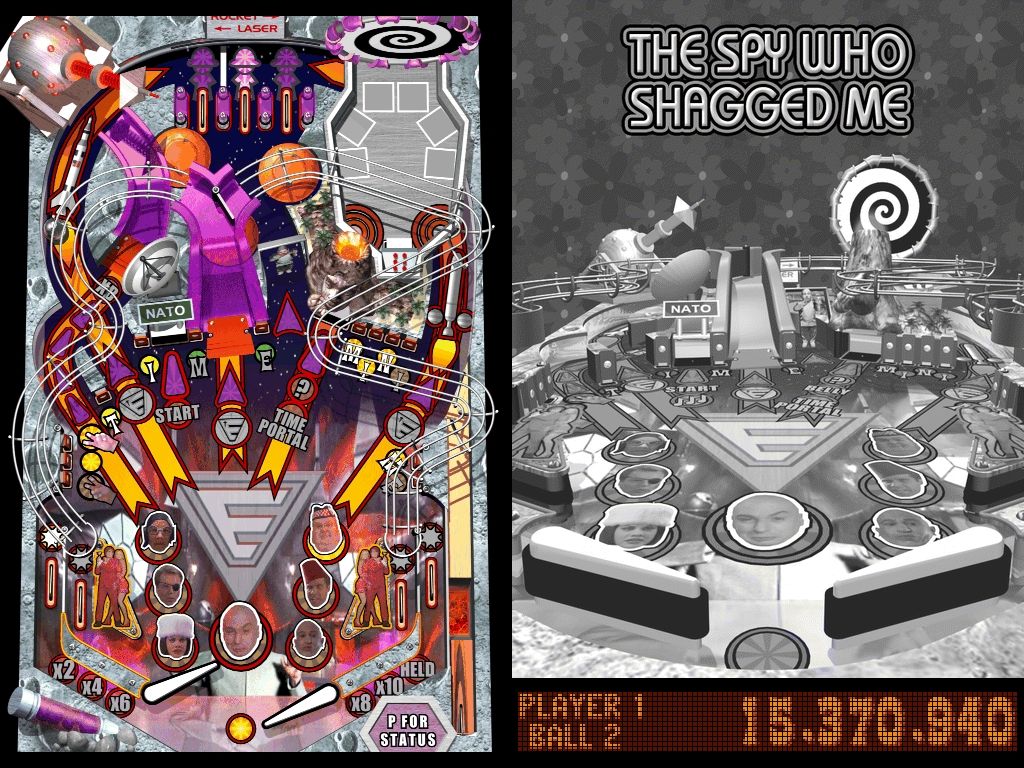
The Spy Who Shagged Me
Dr. Evil has stolen your Mojo, and that spells bad news for your bits and pieces!
With CIA agent Felicity Shagwell at your side (and sometimes covering the rear) fight through Dr. Evil's henchmen - from the very vocal Frau Farbissina and the cyclopean Number Two to the terrifyingly well-fed Fat Bastard - and reclaim your manhood.
Rocket from Dr. Evil's hollowed-out volcano lair to his secret Moonbase, and stop the giant "laser" from destroying the world. Travel back in time to recover your Mojo and save Felicity from certain death. Groovy baby, yeah!
Game Rules
International Man of Mystery
•
Spell "GR-OO-VY" to advance multiplier.
•
Defrost Austin to activate mission time extender.
•
Spell "Y-E-A-H B-A-B-Y" for award, including Trivia Video Mode and Photo 2-ball.
•
Complete Union Jacks to relight kickback.
•
Complete "D-A-N-G-E-R" for soapy hot tub encounter.
•
Shoot ramps to light Start Mission.
•
Stop The Subterranean Probe Multiball lit after all missions attempted.
•
Score the Random Task mystery award.
•
Jackpots at SWINGER ramp and VANESSA scoop.
•
Fembot Pops light Extra Ball.
The Spy Who Shagged Me
•
Henchmen rollovers advance jackpots.
•
Ballsaver active at outlanes, complete photo flashes to relight.
•
Moonbase Ramp alternates between Rocket and "Laser" passageways.
•
Complete "M-I-N-I M-E" targets for value increases.
•
Shoot giant "Laser" to light Mystery award or Musical Interlude mode.
•
Time Portal mode lit by T-I-M-E targets or by pop bumpers.
•
Hit pop bumpers to light new mission.
•
Defeat henchmen to reach Dr. Evil's Moonbase for final multiball showdown.
•
Get In My Belly Video Mode lit by Rocket ramp shots.
•
Extra Ball lit at giant "laser".
Game Modes
Novice
The same as Regular play except that the ball saver is active for several minutes.
Regular
Standard 5-ball play with extra balls, end-of-game score matching, and Powerball bonus mode.
Arcade
3-ball play with Extra Ball awards based on score. There is no end-of-game match.
Tournament
Random game play elements have been standardized, and there is no match or Powerball and points are awarded instead of extra balls. This is to make Tournament games as directly comparable with each other as possible.
Mode Selection
Highlight the mode button you wish to play with the directional buttons and press the ✔ button to start.
Highlight "Scores" beneath each mode and press the button each time to see the current High Scores for that mode. If you get a High Score you will be prompted to enter your name at the end of the game.
Use the directional buttons to enter your High Score in the dotpanel. Press the ✔ button once you have finished.
Starting a Game
Once a game mode has been selected it will load in its attract mode and display basic instructions in the dotpanel. To play a one-player game press the button and then the button again to fire the ball.
To add extra players to the game (maximum of four) during the table's attract mode use the directional buttons and then the button to confirm your choice.
Options Menu
Accessed
.png)





_1.png)

.png)