STARTING THE GAME
Console Top View
Front View
Setup Instructions
1. Set up your PlayStation® game console according to the instructions in the Instruction Manual. 2. Make sure the power is OFF before inserting or removing a disc.
3. Insert the Baldies disc and close the Disc Cover.
4. Insert game controllers and turn on the PlayStation game console. It is advised that you do not insert or remove peripherals or memory card(s) once the power is turned on.
STARTING
Press the START button on your controller to move past the title screen.
LEVEL SELECT
The interface for level selection involves a cursor/pointer. Use the DIRECTIONAL buttons, LEFT ANALOG STICK, or MOUSE to move the cursor. To select an item, press the button or the Left mouse button.
SELECTING A LEVEL
When you enter the level select screen, the next open level to play is in the center of the screen. You can select the arrows on either side of the island to look at previous and future levels.
If an island has a cross on top of it, this level is not yet available to play. An island with a tick on top of it has previously been completed and can be played again.
To start the game, select your chosen island in the middle of the screen or alternately press the START button. To move through the different worlds, select the arrows on either side of the globe. This will move between the different worlds.
LOADING AND SAVING PROGRESS
Please make sure that the memory card is in MEMORY CARD slot 1. Select the memory card button to load or save your progress. Select the key to enter the password screen.
When a level ends, you are given a password. This stores your progress through the game and is an alternative to using a memory card.
MEMORY CARD SCREEN
Insert a memory card into MEMORY CARD slot 1.
MAIN CONTROL PANEL
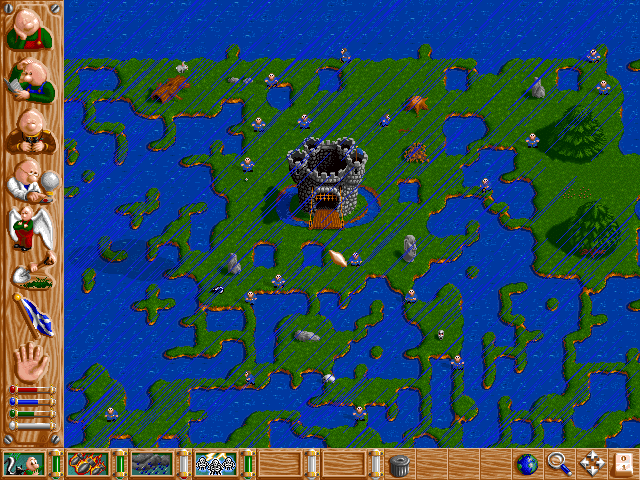
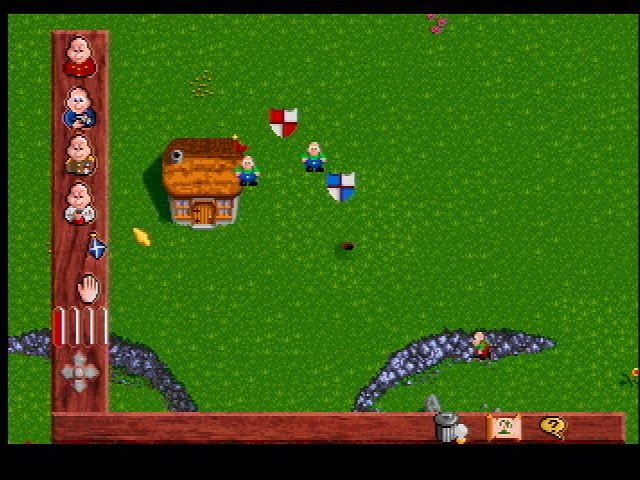
The icons from left to right are as follows:
Worker Icon
Selecting the Worker Icon allows you to change your Baldies into Workers. Select this icon, then press the button on a Baldy on the screen.
A shaded box will appear over an area of land. Drag this box, and when you let go of the button, the Baldies inside the shaded area will be turned into Workers. Workers outside add to your red energy bar, which is used by angel wings, shovel, and grabbing heavy objects.
Builder Icon
Functions as the Worker Icon, except the Baldies are turned into Builders. Builders outside add to the Blue energy bar.
You need blue energy to build a house. You also need builders near the construction marker to build.
Soldier Icon
Functions as the Worker Icon, except the Baldies are turned into Soldiers. Soldiers outside will attack enemy hairies with punches, bullets, and grenades.
They will direct their attacks toward the soldier attractor. The soldier attractor can be positioned by pressing the button or by grabbing it with the grab hand tool.
Scientist Icon
Functions as the Worker Icon, except the Baldies are turned into Scientists. You need scientists outside to collect white energy, which is used by scientists inside to build your inventions.
Angel Wings
There comes a point in the game when there is just not enough time to pick Baldies up with the Grab Hand to drag them around. When this happens, the Angel Wings Icon is more than useful.
By highlighting an area of the land with the Angel Wings icon, you can turn the Baldies in the area into Angels who will then fly wherever you need them. This can be to your houses so you can breed them for a while, onto the enemy's land for a surprise attack, or even into the water if you feel like it.
This icon does use red energy, and it's a small price to pay bearing in mind its usefulness as a tool. You need at least 4 houses and plenty of red energy to make the angel wing tool available.
Shovel
•
Press button to remove land.
•
Press button to land fill.
Need more land to build a house? Being invaded by the enemy from across the land corridor they created? Then you need to use the Shovel Icon to add or remove land.
The Shovel uses some energy, so use it wisely, or you will find you have no red energy left for other purposes. The Shovel can also be used to trap Baldies on islands or even to drown them if you so desire. A very useful tool. You need at least 4 houses and plenty of red energy to make the shovel tool available.
Construction Marker
Use the button to place the marker. When you need to build a new house on the land, stake your claim on the land by planting the Construction marker.
All the Builders in the vicinity will see this and instantly start making their way to the marker, where they will start building a house. The marker can only be placed on land where there is enough room to build. The builders will of course need builder energy (the blue bar on the main panel) before construction gets underway. The more builders outside, the more blue energy.
Grab Hand
Use the button over a baldy or animal to grab it. The hand is initially the easiest method of putting Baldies inside the house; just grab them and drop them inside - it's as simple
.png)



.png)




_1.png)
_1.png)
_1.png)
.png)