Setting Up Your PlayStation
Set up your PlayStation game console according to its Instruction Manual. Make sure the power is off before inserting or removing a compact disc. •
Insert the CROC 2 disc and close the disc cover.
•
Insert game controllers and a Memory Card.
•
Follow on-screen instructions to start a game.
Console Diagram
Getting Started
CROC 2 is an 'Autosave' title. You should have a Memory Card in slot 1 when you play, or your progress will not be saved.
Starting a Game
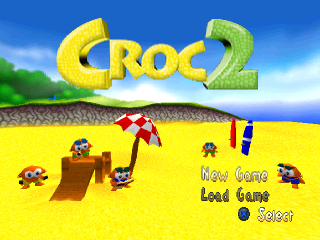
The starting screen shows "New Game" and "Load Game" options.
New Game
When you select this option, you will be asked to enter a three-letter code to identify your game (e.g., your initials). Your progress is then saved into this game slot.
Don't worry if there's already a CROC 2 game with the same name on your Memory Card. The new one will be saved separately.
If you insert an unformatted Memory Card, CROC 2 will first ask if you wish to format it before asking for a three-letter code.
Load Game
If there are one or more previously saved CROC 2 games on your Memory Card, you can select one and continue from where you left off.
When you place the cursor over the game you wish to load, text appears showing you how complete it is.
Pushing
Croc can push certain Boxes and other objects (like giant ice cubes). Walk towards them, and if they can be pushed, Croc will start to push them.
•
Push UP on the DIRECTIONAL BUTTONS or the LEFT STICK to move them.
Pick Up & Throw
Croc can pick up and carry things. To pick up an object, walk right into it. If it's something he can pick up, Croc will hold it in his hands.
While carrying something, Croc can still JUMP, but he can't do any of his Special Jumps, attacks, or run.
•
Press ATTACK (□) to throw whatever he's carrying as far as he can.
Special Jumps
Triple Jump
Croc can gain extra height with this move.
•
Press the X button three times in quick succession and hold it. This makes him bounce on his tail high into the air.
Flip Jump
While Croc's running, press the L1 and R1 buttons at the same time to perform an acrobatic tumbling jump. This special jump goes much farther than the normal one.
Gummi Savers® Jump
By jumping onto Gummi Savers, Croc can get bounced to some special places that he normally couldn't reach. There are three different kinds of Gummi Savers (colored blue, red, and green). Each one can bounce Croc to a different height.
Swinging on Monkey Bars
To get Croc to use Monkey Bars, he needs to jump up and catch hold of them. You might have to use the Triple Jump or jump from a Box to reach them.
•
Once Croc is hanging from the bars, use the DIRECTIONAL BUTTONS or the LEFT STICK to make him swing along.
•
If Croc can jump onto the top of the bars, he can also run along on the top.
Swimming
In some areas, Croc can swim in the water.
•
Use the DIRECTIONAL BUTTONS or the LEFT STICK to move Croc in the same way that you would on land.
•
You can also JUMP (X) to get out of the water and back onto dry land.
Note: If Croc is carrying anything, it drops if he jumps or falls into water.
Using Vehicles
Croc gets to use a lot of different kinds of vehicles in his quest.
Mine Cart
When Croc jumps onto a mine cart, it will start to move automatically.
•
Using the DIRECTIONAL BUTTONS / LEFT STICK will make the mine cart lean to the left and right.
•
The JUMP (X) button makes both Croc and the mine cart jump!
Boat
•
The DIRECTIONAL BUTTONS / LEFT STICK guide the boat left and right.
•
Use the X button to speed up.
Snowball
•
Guide the snowball with the DIRECTIONAL BUTTONS / LEFT STICK.
•
Be warned, it can pick up a lot of speed and it's harder to control when it goes faster.
•
JUMP works as normal by pressing the X button.
Hot Air Balloon
•
Use the DIRECTIONAL BUTTONS / LEFT STICK to guide the balloon around.
•
The X button lets the balloon drop to lower altitudes.
•
Press the ATTACK button (☐) and Croc will drop ice cubes out of the balloon's basket.
Using Clockwork Gobbos
Sometimes you get to control special Clockwork Gobbos for short periods of time.
•
These can be moved around using the DIRECTIONAL BUTTONS / LEFT STICK.
•
Watch out, they only last until they wind down.
.png)