Getting Started
Set up your game console according to the instructions in its manual.
•
Make sure the power is off before inserting or removing a compact disc.
•
Insert the DRIVER 2 disc and close the disc cover.
•
Insert game controllers and turn on the game console. Follow on-screen instructions to start the game.
•
Make sure there are enough free blocks on your Memory Card before commencing play.
•
Do not insert or remove peripherals or Memory Cards once the power is turned on.
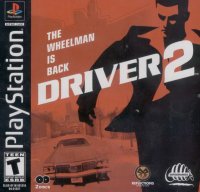
Driver 2 is a 2 CD game. Upon completion of Undercover missions on disc 1 you will be prompted to insert disc 2.
Console
Controller
•
DUALSHOCK™ analog controller
On Foot
During the Undercover missions, you are now able to get out of your car and walk freely around each of the four cities. When on foot, you'll be able to perform basic functions such as unlocking doors, flicking switches, setting detonator timers etc. - all necessary tasks in order for you to complete your mission. Not only that, but you can now steal other vehicles too.
To do this, simply walk into the path of an on-coming vehicle, causing it to stop. Once it's stationary, you can now climb aboard and get behind the wheel and carry on with the mission in hand using the controls listed below. You can do this with every vehicle in the game - except the cop cars.
Simply press the directional button and you will run in the direction you're facing.
Hold ← or ↓ to move backwards.
You can now get out of your car by pressing the △ button and pushing ↑ directional button simultaneously. Please note that your car must be stationary before you can exit it, and you will not be able to exit your car if you are currently being chased.
When you are on foot you can hijack other vehicles on the road. To do this you need to obstruct your chosen vehicle until it comes to a halt, and then press the △ button to get in. But take note; your potential new ride must be stationary before you can climb aboard.
Actions
Being on foot allows you perform certain plot-related actions. To do these, simply press the △ button when necessary.
Alternative controls
You can also control the directional movement by using the Left Analog Stick instead of your directional button - makes Tanner run forward, and makes him move backwards.
In the Cities
Timer
Your timer is at the top center of the screen and indicates your current mission time. The time will run up as well as down depending on your current mission. Sometimes you'll need to get yourself to a location without a police tail. In this situation your timer will count up.
On occasion you'll need to reach your next objective within an allotted time in order to progress. In this situation your timer will count down. Finally, in some missions you'll have to reach a number of waypoints or delivery points within a collective time. You'll receive extra time on your timer for each waypoint reached.
Damage
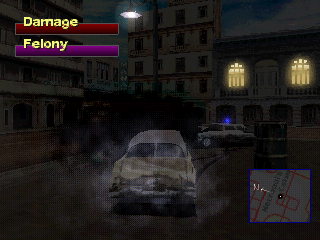
Just like in real life, each time you plow your car into another vehicle, cop, wall, building or any solid object for that matter, your car is going to receive damage. The severity of the damage will of course depend on the severity of the crash itself, but once your Damage Bar - which is situated at the top left-hand corner of your screen reaches its limit, your car is wrecked. If you flip your car onto its roof, it will also become instantly wrecked. However, don't forget that if you wreck your car you can just get out and steal another one.
Felony
Your Felony Bar sits just underneath the Damage Bar in the top left-hand corner of your screen and indicates your current felony rating. Each time you commit a crime in view of a cop, your Felony Bar will rise and the cop will give chase. If you carry on committing crimes while he's watching, your bar will rise further, as will the aggression of the officer in pursuit.
Here's a brief self-explanatory list of the major felonies you can commit:
•
Aiding & Abetting known criminals
•
Destruction of public property
•
Driving on the sidewalk or parkways •
Terrorizing pedestrians - you can halve your felony rating by warning pedestrians out of the way by using your car horn
Radar
Situated in the bottom right-hand corner of your screen is your radar. This will indicate your position in relation to the city, and most importantly, it tells you where the cops are. The black and white dots on your radar are the cops and each one has a field of vision cone, which indicates both their direction and their range of vision.
Unsurprisingly, if you commit any felony as a cop looks on, he'll give chase and let any
 (Disc 1) (Rev 1).png)

 [NTSC-U] [SLUS-01318].png)

_1.png)





.png)

_1.png)



_1.png)




.png)
.png)


_1.png)
.png)

