START GAME
The Main Menu appears at the start of a game.
•
Use the Directional buttons to highlight a selection, and press X to accept.
•
To return to the Main Menu during a game, press Start from the map screen, highlight QUIT and press X and then highlight OKAY and press X.
MAIN MENU OPTIONS
START
Start a new game from the Media Dimension Map.
LOAD
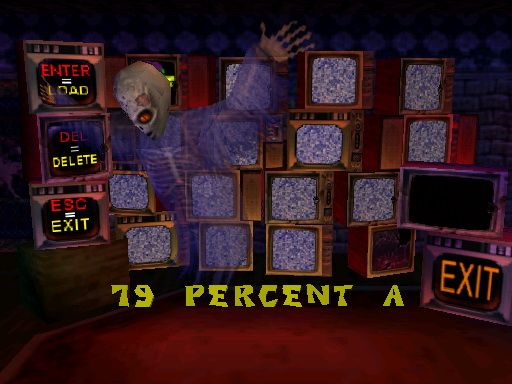
View options for loading and deleting games from the memory card.
On the screen that appears, highlight MEMORY CARD and press X to choose card 1 or card 2.
Highlight a saved game and press the indicated button to:
•
X LOAD the saved game and resume playing it.
•
■ DELETE the saved game.
•
▲ EXIT to the Main Menu.
OPTIONS
View options for adjusting CONTROLLER and SPEAKER settings. Press the indicated button to select:
•
SPEAKERS: Adjust the volume of the game's SFX, MUSIC and VOICE. Press the Directional buttons LEFT/RIGHT to select a speaker, UP/DOWN to increase/decrease volume. Press: X to turn sound OFF; to change from stereo to mono; to exit.
•
CONTROLLER: Remap the button controls for Jump, Tailwhip and Eat Bug. Press: X to change the actions of the button controls; to exit.
PASSWORD
Use passwords to begin new games at later levels, skipping levels already completed.
On the Password screen, tap the controller's action buttons to enter a password, and press X when the ACCEPT TV is highlighted.
If the password is invalid, recheck it, use the Directional buttons to move the flashing cursor to a specific field, and make the correction.
Choose ACCEPT and press X to re-enter the password. Press to exit to the Main Menu when ACCEPT is highlighted.
Note: Passwords are earned by completing game levels.
NAVIGATING THE MEDIA DIMENSION MAP
•
Use the Directional buttons to move GEX to any TV on the map.
•
Jump onto the green button located in front of each TV and warp into the level. GEX must collect enough red remotes to gain access to static filled TVs.
•
Jump on floating platforms to fly to new map areas.
LEVEL MISSION HINTS
•
When GEX enters a level, a list of missions appears.
•
Press the Directional buttons UP/DOWN to highlight a mission and press X.
•
A hint will be revealed on how to obtain that mission's Red Remote (see page 16).
TV REJECTS
PRE-HISTORY CHANNEL
Go back to your distant roots when reptiles ruled the world and . . . yada, yada, yada. Hey, that guy could almost buy beer with my ID.
SCREAM TV
Who's ready to turn a headless 12-year-old knife-wielding brat into bratwurst? Hey, the little zombie has a discipline problem, OK? Meet a guy who lost his soul and other body parts. Check out some artwork that's worth dismembering. You gonna choose what's behind Door #1, Door #2 or Door #200?
CIRCUIT CENTRAL
Pay homage to all those strange Sci-Fi shows that snatched control of your TV set. Grab a charge and hit the launchers.
ROCKET CHANNEL
There are billions and billions of ways to get the intergalactic shaft here. GEXIE needs air!
TOON TV
It's open season on rabbits but you're a lizard, right? Beware of flowers bearing mallets. Drop into a hutch for a makeover. Those ears are just you!
KUNG-FU THEATER
Grab some take-out and then turn some guy into Kung Fu Chicken. Pulling out chest hair is no fair.
REZOPOLIS
Look out for Copafeelbots. After you see what Rez has to offer, you'll run to Rupert begging for shelter.
THIS GECKO MOVES
JUMP (DEFAULT X)
Use to reach high platforms.
TAILBOUNCE (DEFAULT X)
Tap the button twice and hold for AIR GEX.
TAILWHIP (DEFAULT ■)
Use to dismember enemies and destroy objects. Some monsters love punishment; they will hold out for several whacks before disintegrating.
EAT BUG (DEFAULT ●)
Use tongue to grab flies into your mouth and down the hatch.
WALL CLIMBING
Jump while pressing the Directional buttons toward a wall or ceiling. GEX will stick with true gecko grit.
Note: GEX's suction-cup paws can only stick to certain surfaces.
KARATE KICK
Run, hold down L2 or R2, and when ready, press Jump to leap huge spans and kick some hairy monster butt.
CHECKPOINTS
Although GEX loves reruns, replaying the same area over and over can be frustrating.
To make your TV trippin' a little easier, in some of the larger levels GEX will come across Checkpoint TVs containing checkered flags.
Run past one of these TVs and hit it with a Tailwhip to "mark your spot" in the level.
Then if GEX loses a life, you will restart the level from that spot instead of from the beginning.
SCREEN ICONS
LIVES
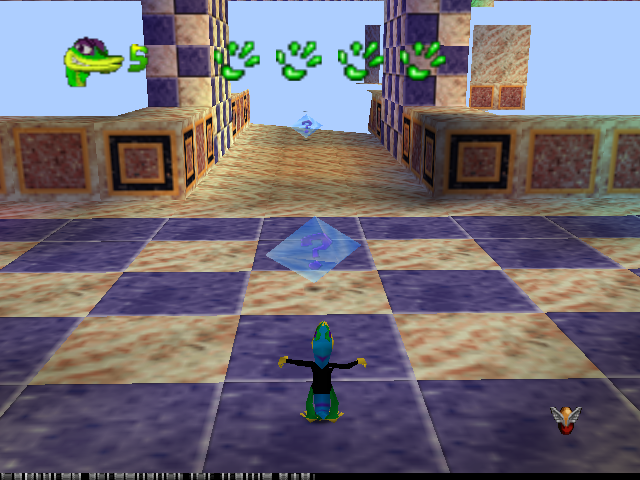
When GEX gains or loses a Life, his number of Lives Remaining appears. GEX starts out with five Lives. Run out of Lives and your show is cancelled.
**HIT
.png)

.png)
.png)
.png)

.png)




_1.png)
_1.png)
_1.png)
.png)