Setting Up
Set up your PlayStation game console according to its instruction manual. Make sure the PlayStation game console power is OFF before inserting or removing a compact disc. Insert the IMPACT RACING disc and close the CD door. Insert game controllers and turn on the PlayStation. Follow the on-screen instructions to start a game. Console Controls
Starting the Game
Title Screen
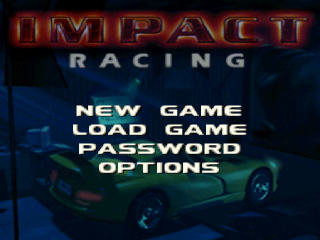
There are four items to choose from at the Title Screen. Press the X or START BUTTON to confirm selections.
New Game
This starts a new game.
Load Game
This restarts a previous game that is saved on a Memory Card. For more information, read the "Saving and Loading the Game" section.
Password
Use this to input a password. For more information on using passwords, read the "Using Passwords" section.
Options
The following options are available:
Difficulty
Press X to select from Easy, Normal, and Hard modes.
Setup Controller
Configure the controller buttons to desired settings. To change the configuration, move the cursor to an action, then press the button you want to set for that action. Setup Sound
Adjust the Music, Sound Effects, and Speech Volumes by pressing left and right.
High Scores
View the high scores for the game.
Choosing a Car
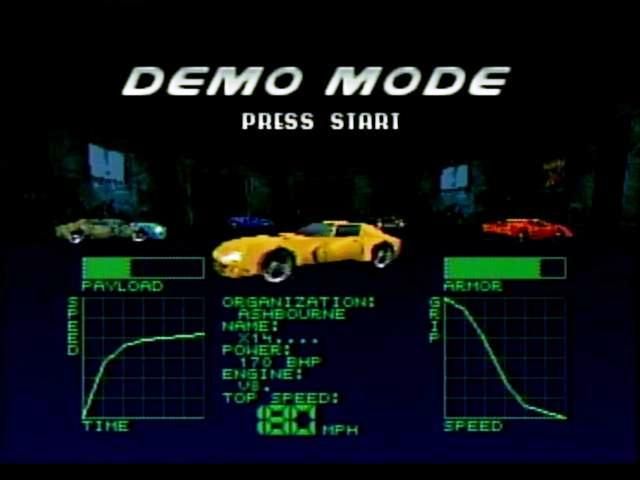
There are five cars to choose from. Press left and right to cycle through the cars. The two graphs show each car's acceleration and handling performance. The higher the line stays in the graphs, the better the acceleration and grip are.
Payload shows the relative amount of weapons you can carry in that car. The higher the line in the graph, the more ammunition a car can hold.
Armor shows how well the car resists damage from attacks.
Press the X, or START button to confirm selection. Then enter your name by pressing up, down, left and right.
Press the ▲ button if you want to exit back to the Title Screen. Press START again to start the game.
Mystery
Adds special items randomly to your inventory.
Flipview
Flips the screen upside down. Can only be reversed by picking up another flipview icon. Steering control will be reversed as well. (These only appear in the Bonus Tracks.) Avoid these as much as possible.
Tracks
There are 3 different main tracks to race on and 4 different modes, for a total of 12 variations.
City
The first track. It allows you to get used to the driving and shooting action. Mountain
The second track. More turns and jumps mean a greater challenge.
Space
The third track. You must be in complete control of your car to get through this track.
Track Modes
After you finish these tracks, you will race in Mirror, Night, and Night-Mirror modes.
Bonus Tracks
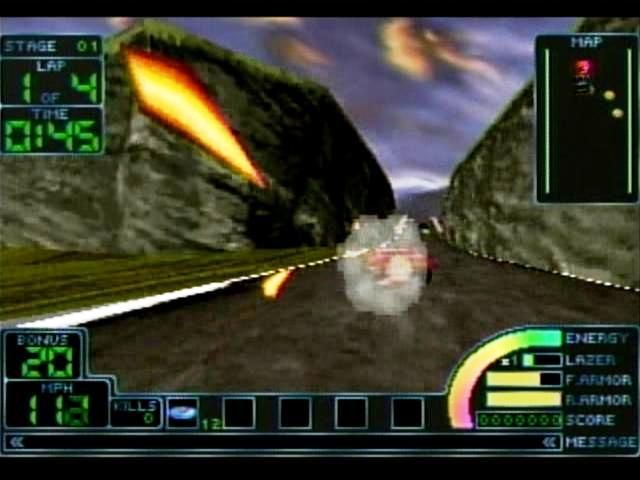
The bonus tracks are designed to obtain new weapons. After you kill a certain number of enemies (shown in the bonus counter), icons for new weapons or weapon power-ups will appear. Be sure to pick these up, because the Bonus Tracks are the only places you can obtain these new weapons. After you obtain these new weapons, that icon will appear in the normal tracks so you can reload.
Loading a Game
Highlight the game you want to load, then press X or START.
Format Card
Choose FORMAT CARD to erase all Impact Racing data from a Memory Card. If you have two Memory Cards in the PlayStation you can select which card to load from by choosing the CHANGE CARD option. Choose CONTINUE when you are done. If the message "Save Failed" appears, check the Memory Card. It could be full, damaged, or incorrectly inserted. If it is full, delete some files and try it again. In the meantime, write down the password to save your place in the game. For more information on using the passwords, read on.
.png)

.png)
.png)

.png)

_1.png)

_1.png)

.png)