Game Mode
EXHIBITION
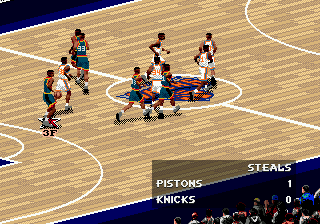
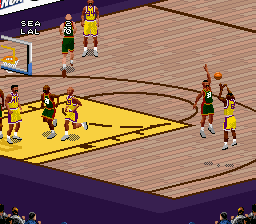
Play a single game with any NBA, All-Star, or Custom teams.
SEASON
Start a new Season.
PLAYOFFS
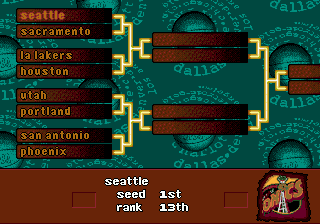
Start a new Playoff tournament.
3 POINT SHOOTOUT
Take up to eight shooters and try to drain three-pointers just like in the All-Star game.
Quarter Length
Set the length of a quarter from 2-12 MINUTES.
Style Setting
ARCADE
Up-tempo basketball where the players never tire or foul out.
SIMULATION
Absolute realism. Players tire, get injured, and foul out; and you must substitute accordingly.
CUSTOM
Use current Rules screen settings.
Skill Level
ROOKIE
The easiest skill level.
STARTER
Average difficulty. The computer plays tougher D.
ALL-STAR★★★
Showtime! The computer offense and defense are cranked up.
SUPERSTAR **
Don't even try it unless you're ready.
NBA LIVE CONFIGURATION SCREENS
When you press from the Game Setup screen, a Navigation menu displaying the NBA Live configuration screens appears. •
To select a screen, D-Button, then press *.
OPTION SCREEN
Set sound, display, and competition options.
Player Momentum
When ON, players maintain momentum. When OFF, they stop on a dime.
Speech
Set game speech to PLAY BY PLAY announcer, OFF, or ARENA ANNOUNCER.
Speech Volume
•
D-Button to set announcer volume.
•
The bar fills as volume increases.
Music Volume
Set the volume of the music that plays during menu screens.
SF/X Volume
Set the volume of game sound effects.
Crowd Volume
Set the volume of crowd sound effects.
Sound
Select STEREO or MONO audio.
Automatic Replay
Set the frequency that highlight replays are shown after made baskets.
Slow Motion Dunks
Toggle automatic slow motion for spectacular slams ON/OFF.
Player Indicator
Cycle the text that appears below human-controlled players-NAME, NONE, POSITION (PG, SG, etc.), player JERSEY #, or POSITION #.
Display Indicator
Select player indicators for the ACTIVE PLAYER, ALL PLAYERS, or all players on the ACTIVE TEAM.
Keep Scores Close
Toggle ON/OFF. If ON, the abilities of the team that's behind are increased.
Score Overlay
Toggle continuous score display during gameplay ON/OFF.
RULES SCREEN
Use this screen to set custom rules and simulation options.
Current Style
Select ARCADE, SIMULATION, or CUSTOM rule sets. If you make any changes below, the style automatically becomes CUSTOM. To jump between this option and the options below, press *.
Defensive Fouls
This slider (OFF by default) sets the likelihood that defensive fouls are called. D-Button to set the sensitivity. The bar fills with color as more fouls are called.
Offensive Fouls
Sets the likelihood that offensive fouls are called (OFF by default).
EA TIP
To quickly switch between screens, press from any screen to bring up the Navigation menu overlay.
Foul Out
Set player foul outs from 2-8 or turn OFF. In NBA play, players are ejected after their sixth foul.
Out Of Bounds
Toggle out of bounds calls ON/OFF.
Backcourt
Toggle "over and back" backcourt calls ON/OFF.
Traveling
Toggle traveling calls ON/OFF.
Goaltending
When ON, a defensive player may not interfere with a shot after it starts downward and has not yet touched the rim.
Illegal Defense
When illegal defense calls are ON in NBA Live, you can't guard an area of the court; you must guard your man. You can't double-team away from the ball. 3 In The Key
When ON, it's a violation when offensive players stay in the key for longer than three seconds. The 3-second clock resets when the ball hits the rim.
5 Second Inbounding
When ON, you must inbound the ball within 5 seconds.
10 Second Half Court
When ON, you have 10 seconds to advance the ball over the half court line after inbounding in the backcourt.
Shot Clock
When ON, you have 24 seconds per offensive possession to get off a shot. Every time a shot hits the rim or a change of possession occurs, the clock is reset.
Fatigue
When ON, players tire, and you must substitute accordingly.
Injuries
When Injuries are ON, every time a player gets knocked down there is a small chance he will be injured.
MEMORY CARD SCREEN
Load or save settings and game files from the memory card in slot 1 (1-A if you're using a Multi Tap) of your PlayStation game console. Load Game
Load previously saved Season or Playoff series files from the memory card.
Load Settings
Load users, rules, and options settings.
Load Rosters
Load previously saved Exhibition rosters.
Save Settings
Save current users, rules, and options settings to the memory card.
Save Rosters
Save current Exhibition rosters.
•
To save/load a file, highlight a slot and press X.
Note
.png)

.png)




.png)
_1.jpg)
.png)

.png)
.png)