GAME SETUP MENU
Skill Levels
•
Pro: Computer opponents wise up and play with more challenging game strategies.
•
All Star: The best of the best. Computer players skate faster, hit harder, and react more quickly.
•
Beginner: Penalties and infractions are defaulted to off, so you can focus on the basics of the game.
•
Rookie: Slow game speed and less-aggressive computer players means easier scoring for you.
Memory Card
Load and save seasons, playoffs, tournaments, rosters, settings, and user logs.
NOTE: Never insert or remove a Memory Card while loading or saving files.
•
Load Game: Resume a saved season, playoff, or tournament in progress.
•
Load Rosters: Load saved rosters.
•
Save Rosters: After creating players, editing lines, or trading players, you can save the new rosters.
•
Load Settings: Load a saved setup. (If you start NHL 99 with a memory card that has settings saved to it, they become the default settings.)
•
Save Settings: Save rules, options, and controller configuration changes.
•
Load User Log: Load your personal user log each time you play to keep your stats current and accurate.
•
Save User Log: Save your user log to keep cumulative personal stats for as long as you play NHL 99.
Rosters
Set coaching strategies, run an expansion draft, view rosters, edit lines, trade players, sign and release free agents, create players, and build custom teams.
NOTE: If you add a player to a roster whose jersey number conflicts with an existing number, you are prompted to choose a different number for the new player. To choose a different number, D-Button to select, then press START.
Coaching Strategy
Set the strategies you want your team to employ. You can also change strategies on-the-fly during the game.
1. Choose the team whose strategy you want to set.
2. Cycle to the strategy you want to start each game with.
3. Use the sliders to set the amount of pressure you want the team to apply, then press START to accept.
Expansion Draft
Build a roster for the Nashville Predators™ by selecting from a list of unprotected players.
1. Choose YES to begin a new draft.
2. Cycle through the teams and highlight the player you want to draft.
3. Your first two selections must be Goalies.
4. Press. The player is added the Predators' lineup.
5. Continue to draft players until the lineup is completed.
NOTE: You may draft only one player from each team.
Edit Lines
Edit any team's lines to experiment with different player combinations.
1. Choose a team and the line you want to edit.
2. Select the player you want to remove from the line, and press x.
3. Highlight the player you want to insert in the line.
4. Press. The new player joins the line.
View Rosters
Take a look at team rosters to compare player ratings and access individual View Player screens. To access a View Player screen, highlight a player, then press *.
Trade Players
Trade players between any two teams. You can include up to three players from each team in a single trade.
1. Choose the teams you want to trade players between.
2. Select the player(s) you want to trade from the first team, then press to access the second team's roster.
3. Select the player(s) you want to trade from the second team, then press START to make the trade.
The Advantage Indicator adjusts to display which team will benefit most from the proposed trade. The indicator rises along with the level of talent you put on the trading block. To deselect a player from the Trade List, highlight the player on the Team Roster and press *.
Free Agents
Add players from the free agent pool to any team's roster, or remove players from a roster to the pool.
To sign a free agent:
1. Choose the team to which you want to sign the player.
2. Press to access the free agent pool.
3. Highlight the free agent, then press to move the player to his new roster.
To release a player, choose the team from which you want to release the player, highlight the player, and press to move him to the free agent pool.
Create Player
Create new players as free agents.
1. Complete the player information options to create your player, then press to adjust the skill ratings. The amount of Skill Remaining for distribution is displayed at the bottom of the screen.
2. Adjust the skill ratings to customize your player, then press START to accept. The new player joins the free agent pool.
Custom Teams
Copy players from any team to create custom teams of your favorite players. Custom teams are available in Exhibition mode only.
Reset Rosters
Reset all rosters and lines to the NHL 99 defaults.
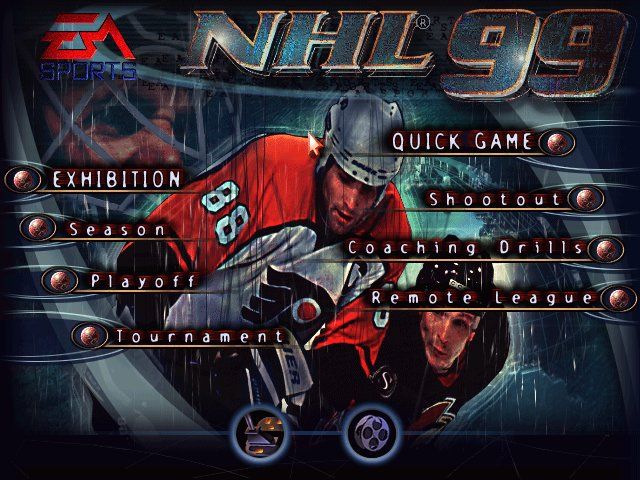
Game Modes
•
Exhibition: Drop the puck for a one-game NHL 99 ice war.
•
Season: Dominate your opponents over an NHL season.
•
Playoffs: Make a run for Lord Stanley's legendary trophy.
•
Tournament: Play a tournament with the world's best teams.
•
Shootout: Test your penalty shot technique in this mini-competition.
•
Coaching Drills: Sharpen your game skills in a controlled environment.
Rules and Options
Rules
•
Penalties: Use the slider to set the frequency of penalty calls. All the way left is OFF.
•
Period Length: Set period
.png)

.png)




.png)
.png)

.png)
.png)









_1.png)