MEMORY CARD
You can save any game, at its current level of progress (except Exhibition), onto a MEMORY CARD (sold separately). You can also resume play on previously saved games. Insert a MEMORY CARD into slot 1 of the PlayStation® game console before starting play. If a MEMORY CARD is full, you won't be able to save games to it. Delete unwanted data or reformat the card before starting play.
Important
Do not remove a MEMORY CARD while saving or loading games; doing so could damage the game data.
MULTIPLAYER GAMES
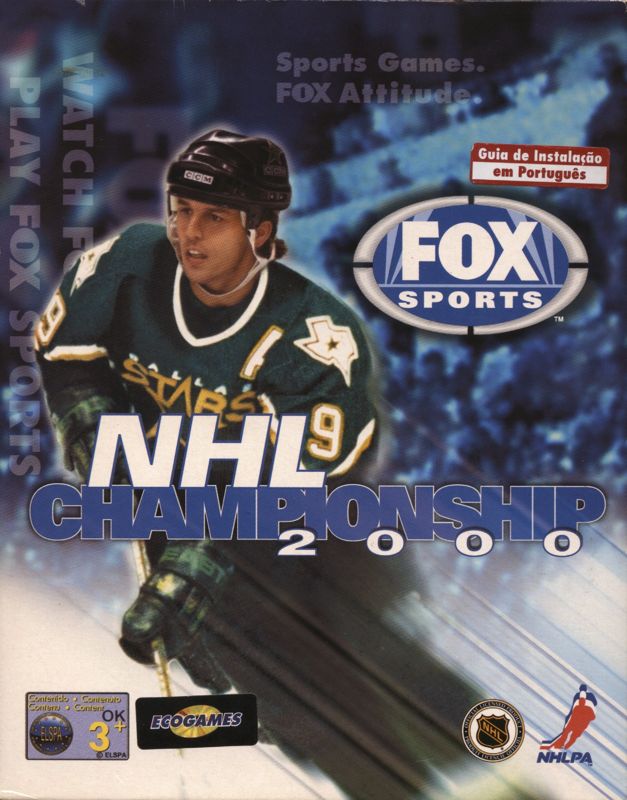
Up to 8 players can join in a single NHL Championship™ 2000 game, using one or two Multi-Taps.
•
Compete head-to-head (2 player games)
•
Play on the same team against the CPU, with up to five players, each controlling a different hockey player.
•
Play on rival teams, with all players controlling different hockey players
Note
When a Multi-Tap is plugged into port 1, a controller must be plugged into port 1-A for any controllers to function.
QUICK! PLAY A GAME!
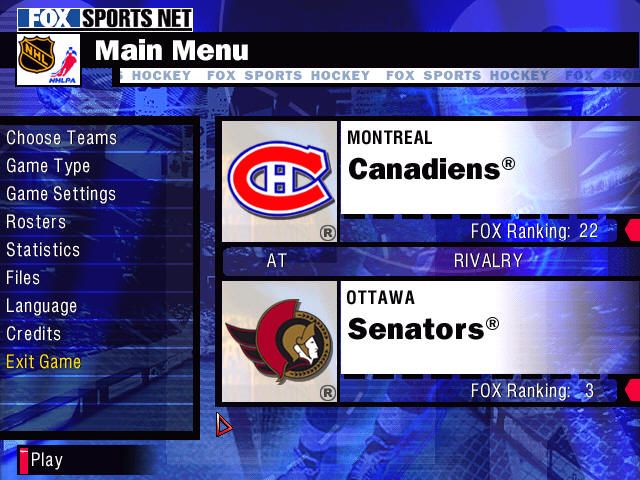
1. On the Main Menu, press the Start button to begin an Exhibition game between the two teams displayed.
2. On the Choose Sides screen, press the Directional Buttons (◄►) to move your controller icon, selecting the team you want to play (the away team's on the left, the home team on the right). If you want to enter a user name, press X, and use the Directional Buttons (◄►▲▼) to enter your three character name. Once you enter a name, your stats will be tracked. Press the Start button to advance to the Choose Uniform screen for a look at what you'll be wearing on the ice.
3. On the Choose Uniform screen, use the Directional buttons (◄►▲▼) to move the team highlight and change the uniforms for either team. When you're ready, press the Start button to get to the action on the ice! While the game is loading you'll see each team's starting lineup. In a few seconds, tonight's broadcast of NHL Championship™ 2000 begins.
Note
In multiplayer games, the other players select their team and control mode in the same way.
PLAY HOCKEY
FACEOFF
Watch the referee skate up to the players for the faceoff. Just as he drops the puck, press the X button to try and win control of the draw. The Directional Button that you press determines where you send the puck if you win the faceoff.
LINE CHANGES
NHL Championship™ 2000 defaults to Line Changes = Off.
COACHING
Coaching defaults to Auto, which means that all strategy decisions are handled by the computer.
GOALIE
Select Goalie: Tap the R2 button to take control of the goalie (this is available if Goalie is set to Manual.). Once you get control of the puck with the goalie, you can:
•
Pass by pressing the X button.
•
Smother the puck by pressing the button. (This stops play and forces a face-off in your end).
PAUSE/OPTIONS MENU
Press the Start button to open the Pause/Options menu anytime during a game. The player who pauses the game has control over the features.
Note
START acts as Accept in all sections of the Pause Menu and takes the user directly back to the Main section of the Pause Menu. This is a shortcut for advanced users that bypasses any sub-menus, taking you immediately to the Main Menu of the Pause overlay, and back to the action.
INSTANT REPLAY (Manual)
Watch a replay of the action that just took place.
STATISTICS
View current game stats.
EDIT LINES
Change the players on your lines if they are injured, tired or just underachieving.
GOALIE
To change goalies, or to pull your goalie, move the highlight using the Directional Buttons (►). Pull Goalie immediately sends your goalie to the bench for an extra attacker, while a change of goalies takes place at the next play stoppage.
COACH
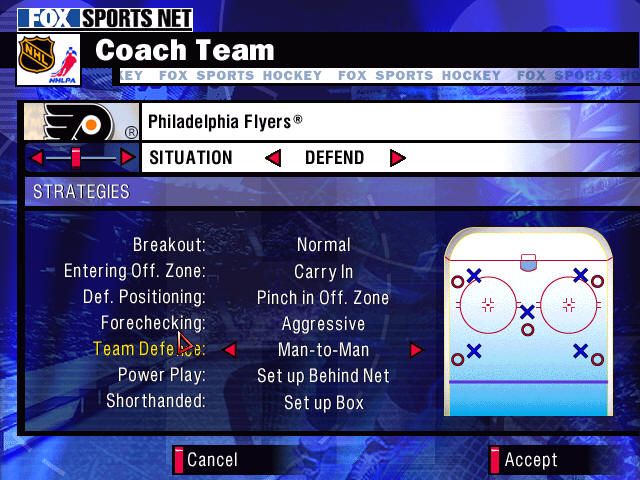
This allows you to customize the settings for each of the coaching strategies used throughout the game.
CAMERA
You have 6 gameplay cameras to choose from, each with adjustable zoom.
RULES & OPTIONS
Adjust settings to the Rules, Display, Sound or Controllers.
CHOOSE SIDES
Change sides or let the computer play by moving the Directional Buttons (►) then pressing the Start button to accept changes and return to the Pause/Options Menu.
EXIT GAME
Abort the game, erasing any accumulated stats, and return to the Main Menu.
MAIN MENU
The Main Menu offers a number of options to enrich your NHL Championship™ 2000 experience.
CHOOSE TEAMS
Select from all 28 NHL teams (including the expansion Atlanta Thrashers™), 2 NHL All Star teams, and 16 International teams.
Tip
Rivalries up the ante from an ordinary game. You can expect more intensity, bigger hits, and shorter tempers.
GAME TYPE
Choose from Season/Playoff/Tournament/Head-toHead Central, go straight to the Playoffs, join a World Tournament, or take on a friend in a Head-to-Head series.
GAME SETTINGS
Adjust Rules, Display settings, Sound volumes, or Controller setup.
.png)

.png)



.png)
.png)






_1.jpg)

_1.png)
 (En,Fr,De).png)

_1.png)