STARTING THE GAME
Console
1. Set up your PlayStation® game console according to the instructions in its Instruction Manual. Make sure the power is OFF before inserting or removing a compact disc. 2. Insert the Populous™: The Beginning disc and close the Disc Cover.
3. Insert game controllers and turn on the PlayStation game console. Controller
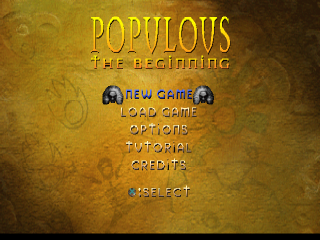
The video introduction sequence begins, followed by the Populous: The Beginning title screen.
4. Press START to advance.
MAP
•
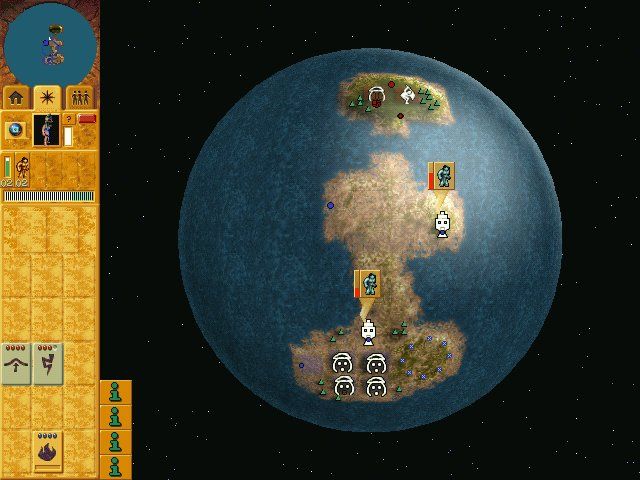
Spell Charge Rate: The rate at which your spells are charging with mana.
QUERY PANEL
To access the Query panel, press Ⓧ on a building, vehicle, or artifact — anything that requires followers to work.
•
BUILDINGS: Displays the number of people in the building and the maximum it can hold.
•
HUTS: Displays the number of people in the hut, the maximum it can hold, and two bars: birth progress at the top and upgrade progress at the bottom. When each bar reaches its maximum, either a new Brave is born or the Hut is upgraded.
•
TRAINING BUILDINGS: Displays the number of people in the building, the maximum it can hold, and the training progress.
•
ARTIFACTS: Displays the maximum number of people required to worship the artifact and the worshipping progress.
EA TIP
If the Spell Charge Rate bar is low, either your followers are not creating enough mana or you have too many spells charging at the same time. Turn off some spells, house your Braves in Huts, and command your followers to work.
Selecting Followers from the menu
•
To navigate the menu, use the D-Button in any direction.
•
To select the highlighted follower, press; to select all followers, press.
•
To deselect all followers, press.
•
The number of followers selected is shown on the Information Panel at the top of the screen.
Selecting Followers from the game screen
•
To select a follower, move the pointer over him, then press.
•
To select multiple followers, position the pointer on the ground, hold, and move the pointer away. A white selection box appears. When you release, any followers within the box are selected.
•
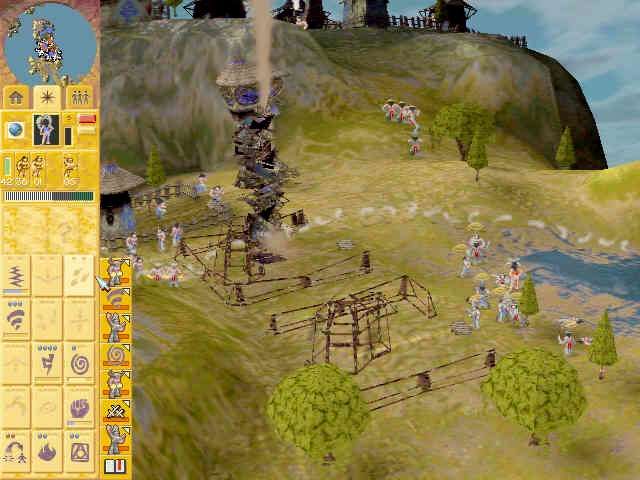
Each column lists the number of followers performing certain tasks. From left to right, these are: total followers, idle followers, housed followers, working followers, the number of Balloons with one or more followers inside, and the number of Boats with one or more followers inside.
•
To deselect your followers, press.
•
To select the Shaman at any time, press.
SPELLS
Selecting a Spell from the menu
•
To navigate the menu, in any direction.
•
To select the highlighted spell, press. The menu closes.
•
Spell is available on the world but not discovered yet.
•
Single Shot Spell: You may cast this spell only once. It cannot be charged with mana.
•
This spell has been turned off. Press to toggle the spell ON/OFF. When OFF, it does not charge with mana, and your other spells charge faster.
•
Spell is charging with mana. The blue bar displays charging status. The blue dots are the individual shots charged so far.
•
This spell is fully charged and cannot be charged further.
Casting Spells
To cast a spell, move the pointer over the land, then press. If the target is out of range, the Shaman walks within range of the target before casting the spell.
If you cast a spell on an object, building or person, the spell is fired directly on it.
If you have a Dual Shock controller activated, it vibrates when a land-altering spell is cast, either by you or by the enemy.
When your selected spell has run out of shots, the default spell is Blast.
CONSTRUCTION
To access the Buildings menu, press 2 twice (once to enter the Spells menu and again to enter the Buildings menu).
To construct a Building
1. Use the D-Button to navigate the menu, then press to select the highlighted building and close the menu.
When the menu closes, you have a yellow rectangle with a ghosted image of the building on it. This is the amount of space you need for that building.
You can place your building only next to existing buildings or the Reincarnation Site. The only exception to this is the Guard Tower, which you can build anywhere.
If you cannot place it down on a particular spot, the rectangle is colored red.
•
Guard Post: Build a Guard Post to create patrols for your followers.
•
Deconstruct: Press while over any building or plan to either deconstruct or remove it.
•
Building available to construct.
•
Building available on the world but not discovered yet.
2. When you find a spot, press to place the plan down.
To rotate the plan, hold, then use the D-Button. When you release, the plan is placed down.
You can place the plan multiple times. To remove the plan from your cursor, press.
3. Braves are the only followers who can construct buildings, and they do so
.png)

_2.png)

.png)
.png)




.png)